💎 VIP
Introduction
The VIP system is a premium subscription within the app that allows users to purchase VIP membership to gain exclusive features and privileges not available to regular users. When a user purchases VIP membership, they receive a VIP icon displayed next to their name, along with a set of special features that last for the subscription duration.
How Does the VIP System Work?
- Purchase: The user purchases VIP membership from within the app using Coins 💰.
- Activation: Once purchased, VIP membership is activated automatically and the user receives all features.
- VIP Icon: The user receives a VIP icon specific to their subscription level, displayed next to their name in the app.
- Duration: Each VIP level has a specific validity period (in days), and all features last for the same subscription duration.
- Expiration: When the subscription expires, features stop and the VIP icon disappears. The user can renew the subscription.
Important Note
All features the user receives when activating VIP take the same validity period as the VIP subscription. If the VIP duration is 30 days, all associated features also last for 30 days.
How to Access:
Sidebar Menu ← 💎 VIP
VIP Levels
The VIP system consists of multiple levels, each offering different features at different prices. The higher the VIP level, the more features and privileges the user receives.
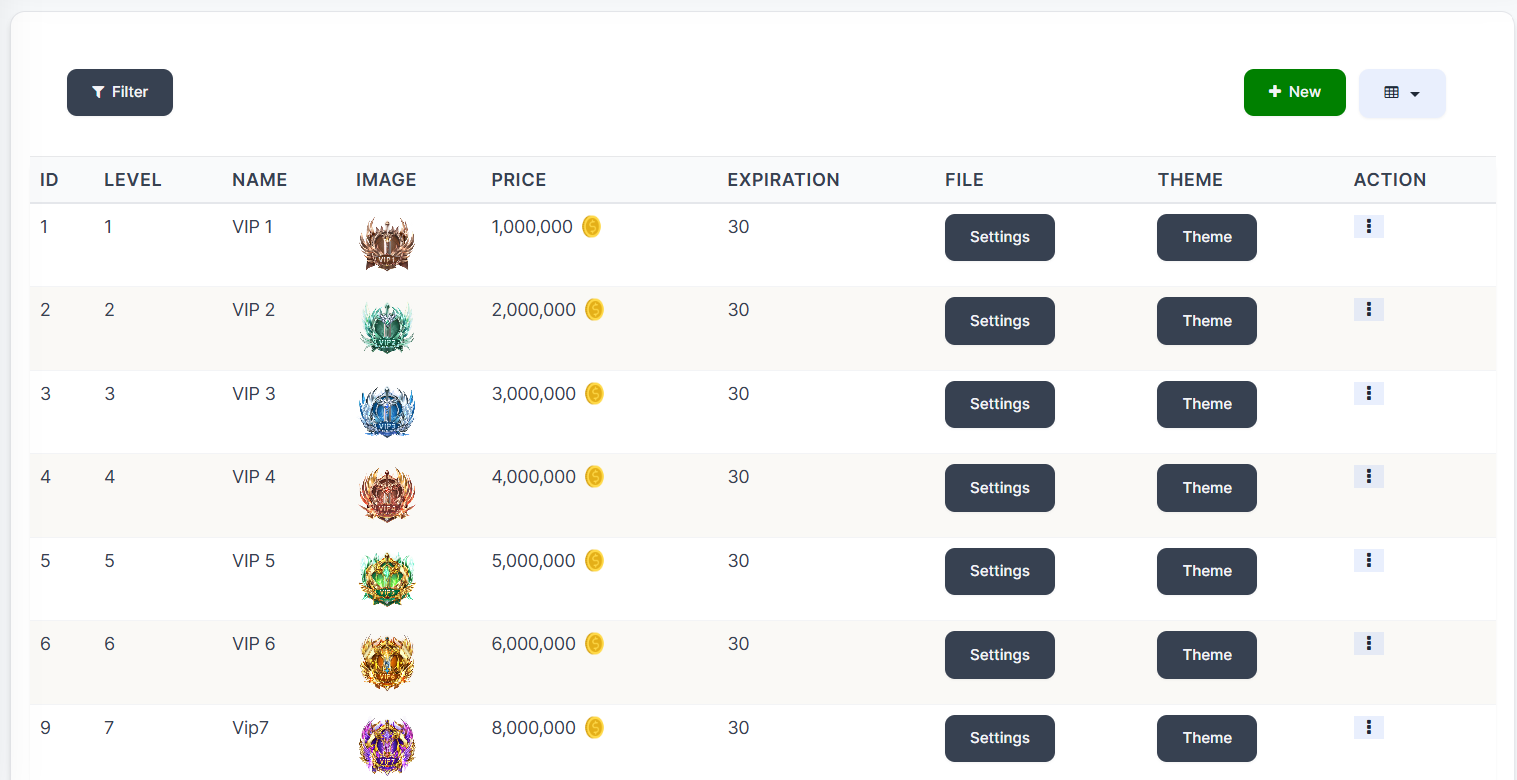
VIP Table Columns:
| Column | Description |
|---|---|
| ID | Unique VIP level identifier |
| Level | VIP level number (1, 2, 3... etc.) |
| Name | VIP level name (e.g., VIP 1, VIP 2... etc.) |
| Image | VIP level icon/image displayed next to the user's name |
| Price | Subscription price in Coins 💰 |
| Expiration | Subscription validity period in days |
| File | Settings file for this level |
| Theme | Custom theme/appearance for VIP level |
| Action | Edit and delete actions |
Available VIP Levels
| Level | Name | Price (Coins) | Duration (Days) |
|---|---|---|---|
| 1 | VIP 1 | 1,000,000 💰 | 30 |
| 2 | VIP 2 | 2,000,000 💰 | 30 |
| 3 | VIP 3 | 3,000,000 💰 | 30 |
| 4 | VIP 4 | 4,000,000 💰 | 30 |
| 5 | VIP 5 | 5,000,000 💰 | 30 |
| 6 | VIP 6 | 6,000,000 💰 | 30 |
| 7 | VIP 7 | 8,000,000 💰 | 30 |
VIP Level Settings
How to Access:
💎 VIP ← Settings (next to each VIP level)
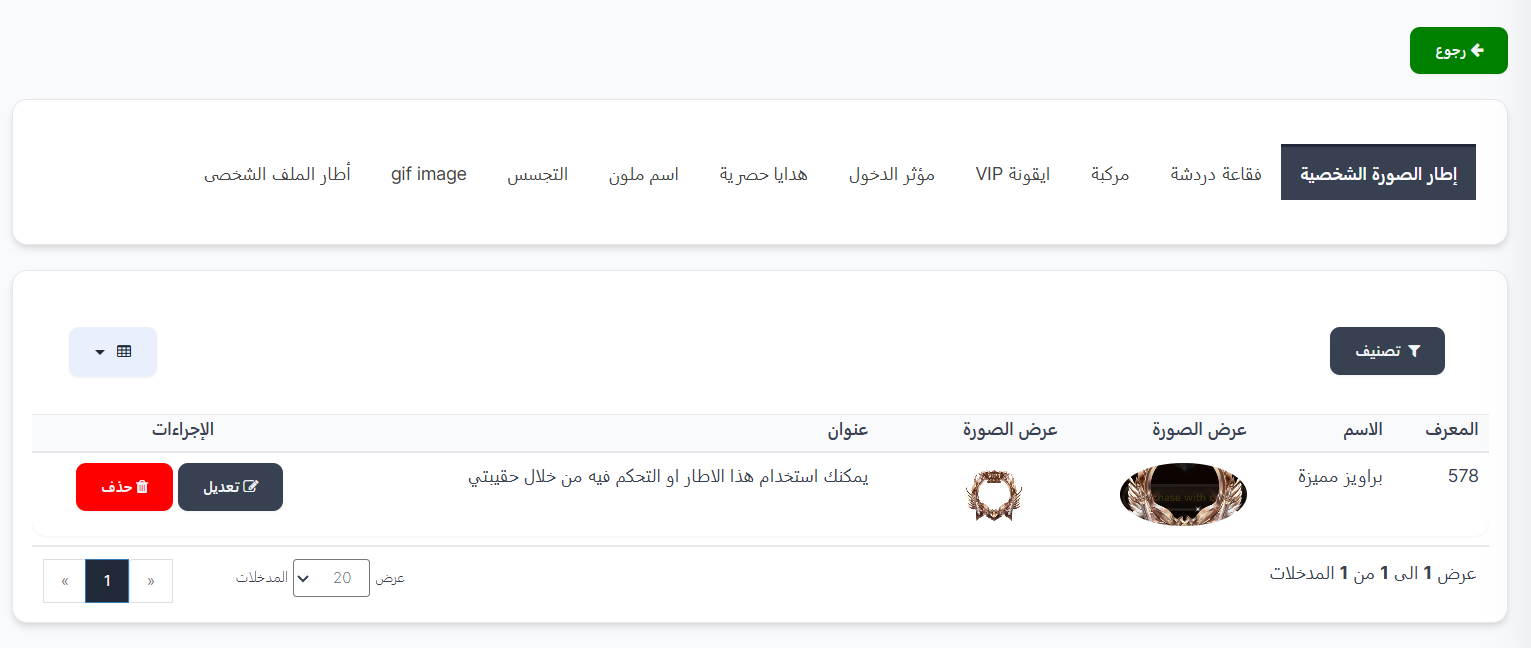
When clicking the Settings button next to any VIP level, the settings page opens containing tabs for each feature the user receives when subscribing to this level.
Important Note
Each feature can contain only one property. For example, the "Profile Picture Frame" tab contains only one frame that the user receives when subscribing to this level.
Theme
How to Access:
💎 VIP ← Theme (next to each VIP level)
By clicking the Theme button next to any VIP level, you can add or edit the VIP background for this level.