🚫 User Bans
The User Bans page allows you to restrict or prevent violating users from using the app fully or partially.
How to Access
Sidebar ← Users ← Bans
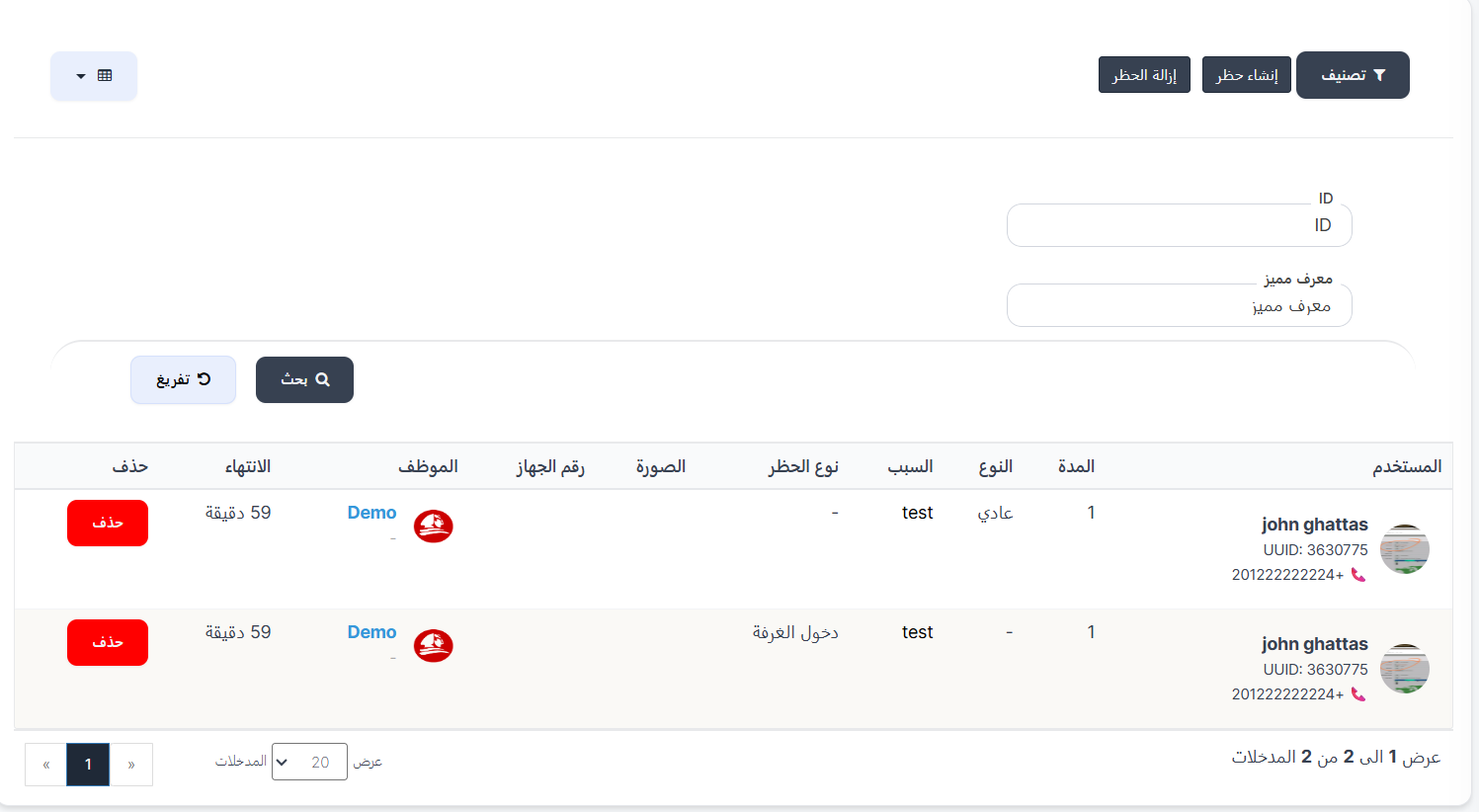
Banned Users Table
| Column | Description |
|---|---|
| User | Banned user's name with UUID and phone |
| Duration | Ban duration (hours) |
| Type | Normal, IP Address, or Device |
| Reason | Ban reason |
| Ban Type | Specific banned action or - for full ban |
| Image | Evidence screenshot |
| Staff | Admin who executed the ban |
| Expiry | Time remaining |
| Delete | Remove ban button |
Creating a Ban
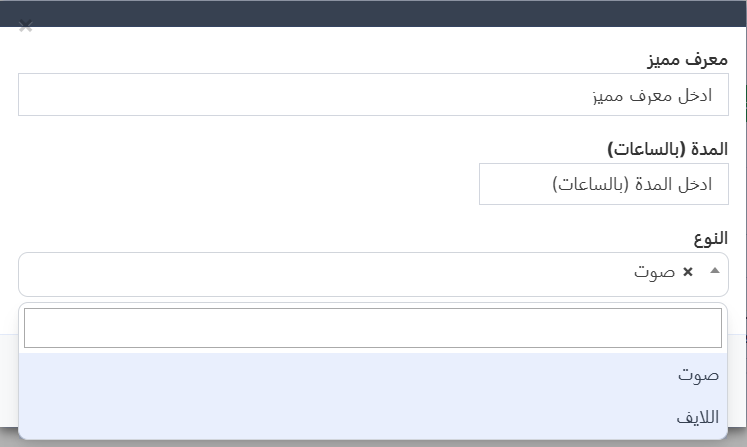
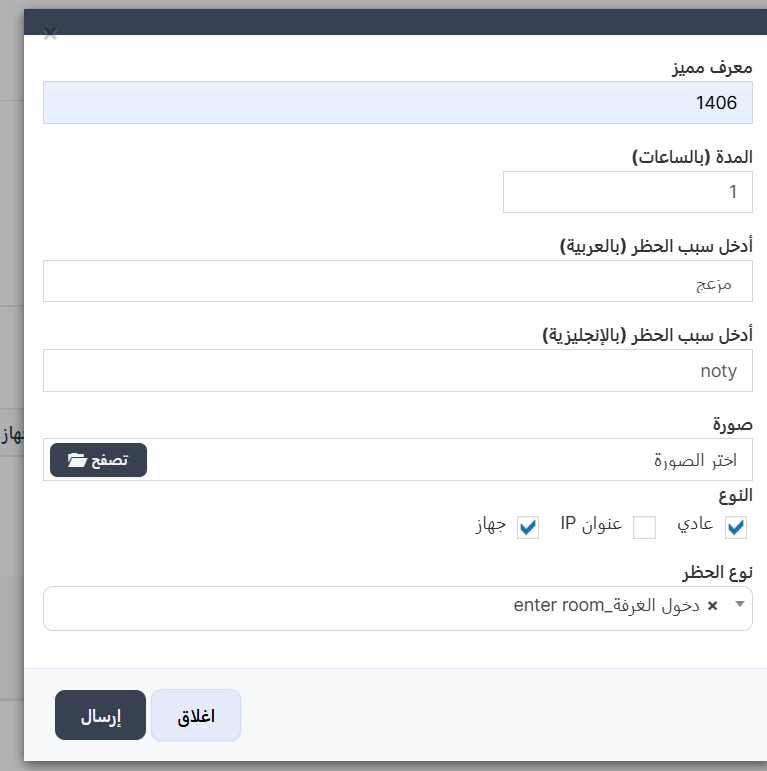
| Field | Description | Required |
|---|---|---|
| UUID | User's UUID | ✅ |
| Duration (hours) | e.g., 24=1 day, 168=1 week | ✅ |
| Reason (Arabic/English) | Shown to user in app | ✅ |
| Image | Evidence screenshot | ⚪ |
| Type | Normal / IP / Device (multi-select) | ✅ |
| Ban Type | Specific action to ban | ⚪ |
Ban Types:
- Normal — Account ban
- IP Address — Block IP address
- Device — Block device
Specific Action Bans:
Send Gift, Enter Room, Up Microphone, Join Agency Request, Buy VIP, Join Family
Leave empty = full ban.
Removing a Ban
Press "Delete" next to the ban, or "Remove Ban" at top for all bans.
🚪 Room Closing
Close user rooms (voice/live) for a specified period.
Sidebar ← Quick Commands ← Room Closing
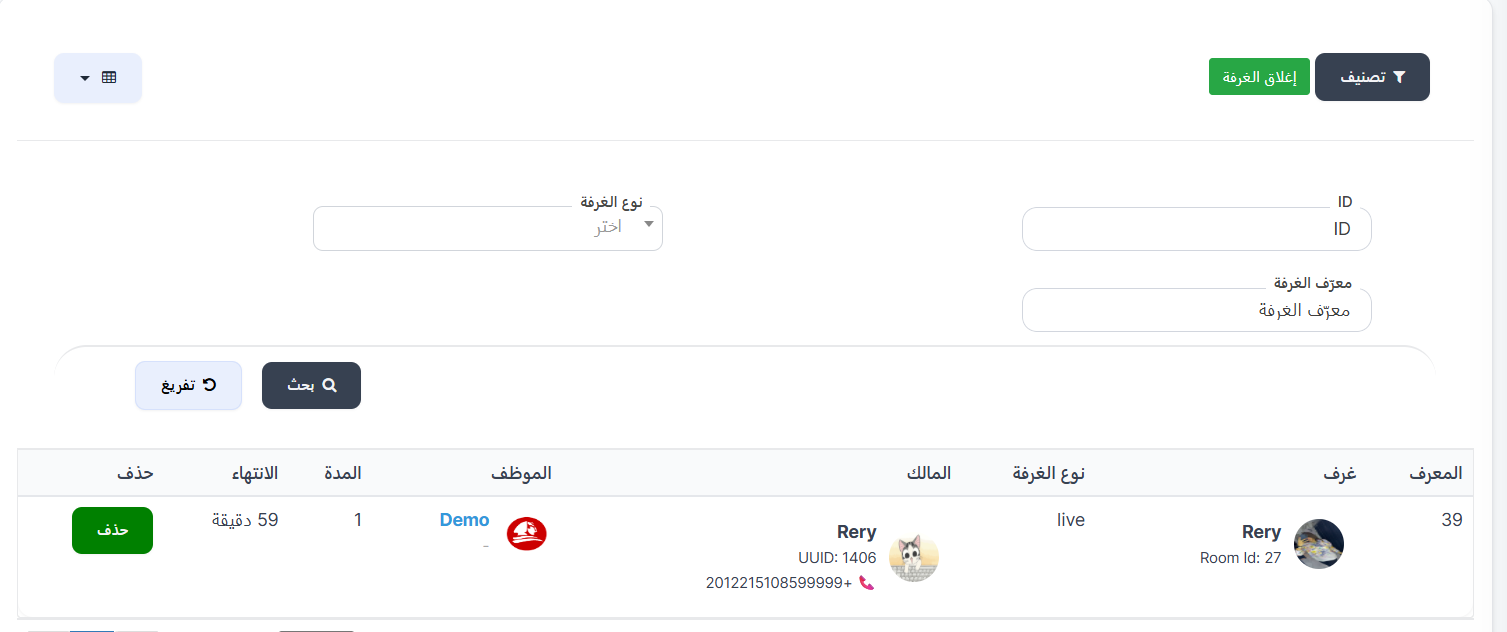
| Field | Description |
|---|---|
| UUID | Room owner's UUID |
| Duration | Hours |
| Type | Voice or Live |