➕ Create VIP Level
Introduction
From this page you can create a new VIP level and specify all its details, including level name, price, subscription duration, and the privileges/features the user will receive.
How to Access:
💎 VIP ← + New
VIP Creation Form
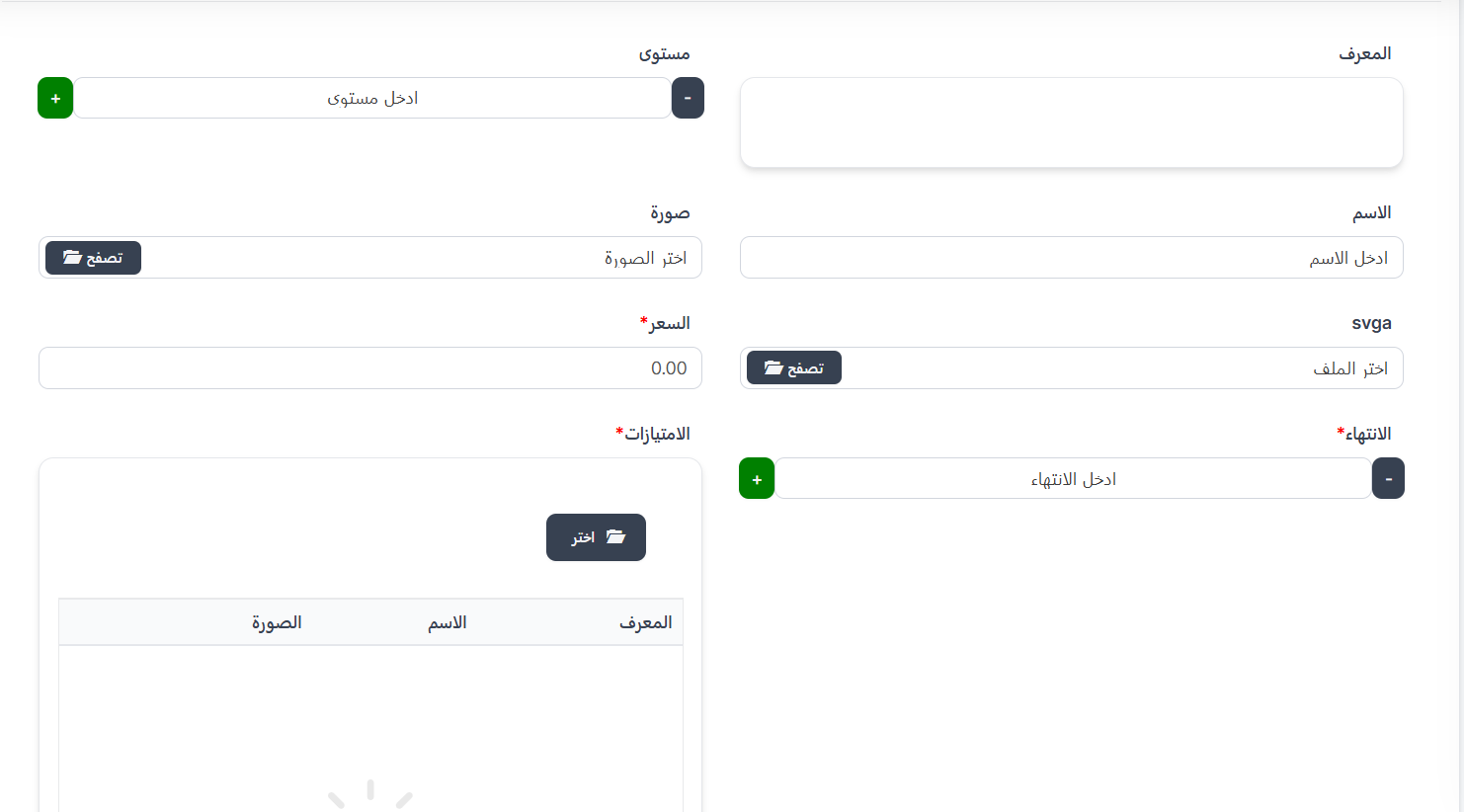
| Field | Description | Required |
|---|---|---|
| ID | VIP level identifier | No |
| Level | VIP level number (use +/- buttons) | ✅ Yes |
| Name | VIP level name | ✅ Yes |
| Image | VIP level icon/image | ✅ Yes |
| svga | SVGA file for animated effects | No |
| Price* | Subscription price in Coins 💰 | ✅ Yes |
| Expiration* | Validity period in days | ✅ Yes |
| Privileges* | Features for the user | ✅ Yes |
Selecting Privileges
- Click the "📁 Choose" button in the Privileges field.
- A popup shows all available privileges with checkboxes.
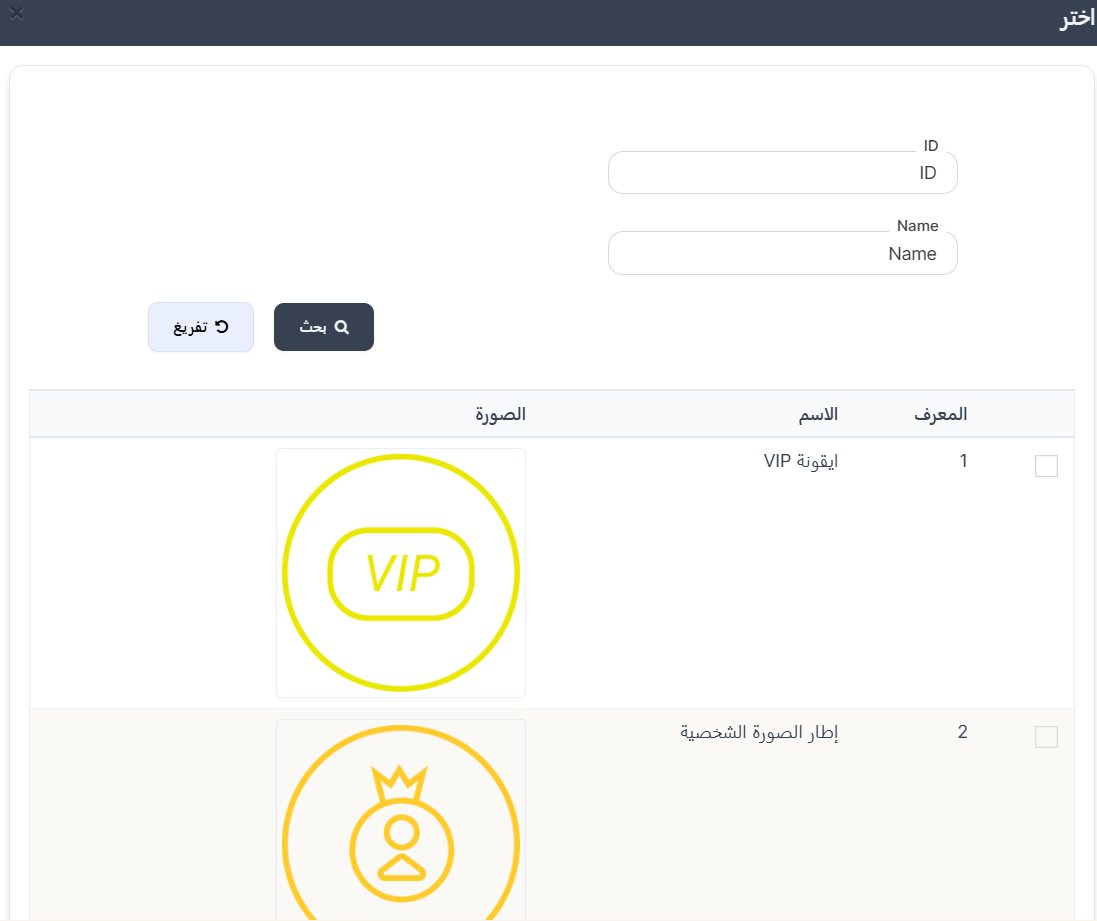
- Select one or more privileges by clicking checkboxes.
- Selected privileges appear in the table below.
उपलब्ध विशेषाधिकार (Available Privileges):
| ID | नाम | विवरण |
|---|---|---|
| 1 | VIP आइकन | उपयोगकर्ता के नाम के बगल में VIP बैज/आइकन |
| 2 | प्रोफ़ाइल चित्र फ़्रेम | उपयोगकर्ता की प्रोफ़ाइल तस्वीर के चारों ओर विशिष्ट फ़्रेम |
| 3 | वाहन | कमरों में प्रवेश करते समय विशिष्ट वाहन |
| 7 | चैट बबल | विशिष्ट चैट बबल आकार |
| 10 | विशेष उपहार | VIP सदस्यों के लिए विशेष उपहार |
| 11 | किक सुरक्षा | उपयोगकर्ता को कमरों से नहीं निकाला जा सकता |
| 12 | प्रतिबंध सुरक्षा | प्रोफ़ाइल को प्रतिबंधित होने से सुरक्षा |
| 13 | छिपा हुआ कमरा | कमरे को सार्वजनिक सूची से छुपाएं |
| 14 | रहस्यमय व्यक्ति | कमरों में अदृश्य रूप से प्रवेश करें |
| 15 | रंगीन नाम | उपयोगकर्ता का नाम विशिष्ट रंग में |
| 16 | GIF छवि अपलोड | एनिमेटेड GIF छवि को प्रोफ़ाइल चित्र के रूप में अपलोड करें |
| 17 | देश छुपाएं | प्रोफ़ाइल और उपयोगकर्ता सूचियों से देश छुपाएं |
Important Note
- You can select more than one privilege per VIP level.
- All selected privileges last for the subscription validity period.
Creation Steps
- Click "+ New" from VIP page.
- Enter level number.
- Enter level name.
- Upload image.
- Upload SVGA file (optional).
- Enter price in Coins.
- Set expiration in days.
- Click "📁 Choose" to select privileges.
- Select desired privileges.
- Click "Submit" to save.