➕ Create VIP Level
Introduction
From this page you can create a new VIP level and specify all its details.
How to Access:
💎 VIP ← + New
VIP Creation Form
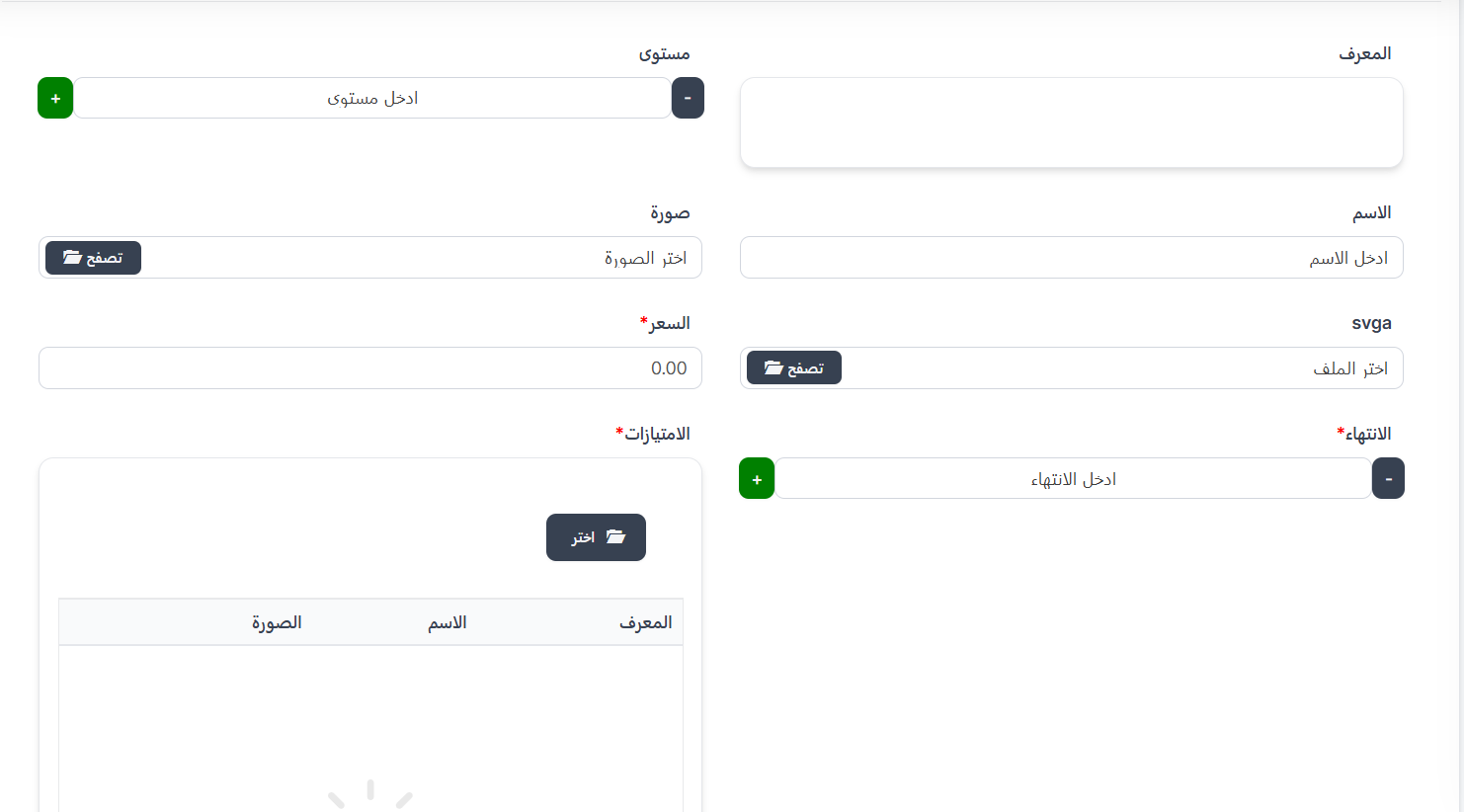
| Field | Description | Required |
|---|---|---|
| ID | VIP level identifier | No |
| Level | VIP level number (use +/- buttons) | ✅ Yes |
| Name | VIP level name | ✅ Yes |
| Image | VIP level icon/image | ✅ Yes |
| svga | SVGA file for animated effects | No |
| Price* | Subscription price in Coins 💰 | ✅ Yes |
| Expiration* | Validity period in days | ✅ Yes |
| Privileges* | Features for the user | ✅ Yes |
Selecting Privileges
- Click "📁 Choose" in the Privileges field.
- A popup shows all available privileges.
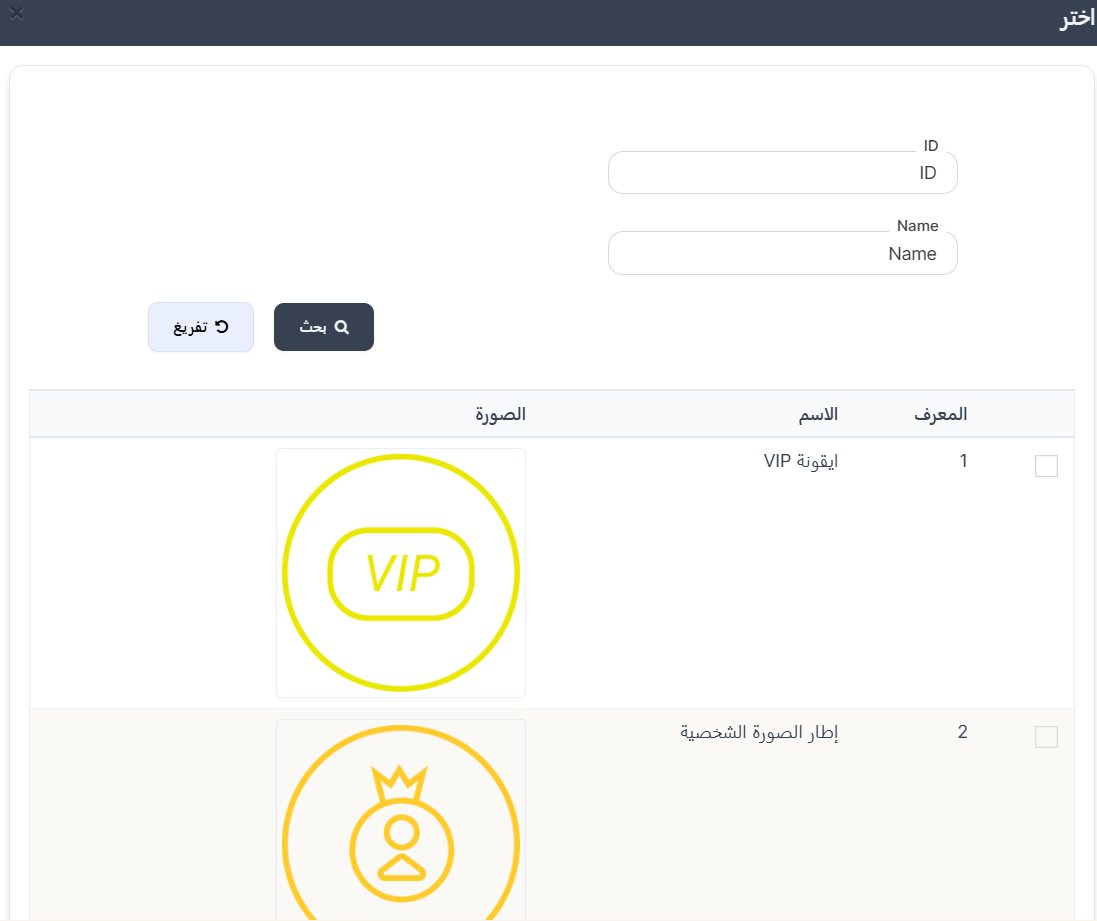
- Select one or more privileges by clicking checkboxes.
Hak Istimewa yang Tersedia (Available Privileges):
| ID | Nama | Deskripsi |
|---|---|---|
| 1 | Ikon VIP | Lencana/ikon VIP di samping nama pengguna |
| 2 | Bingkai Foto Profil | Bingkai khusus di sekitar foto profil pengguna |
| 3 | Kendaraan | Kendaraan khusus saat memasuki ruangan |
| 7 | Gelembung Obrolan | Bentuk gelembung obrolan yang khas |
| 10 | Hadiah Eksklusif | Hadiah eksklusif untuk anggota VIP |
| 11 | Perlindungan Tendang | Pengguna tidak dapat ditendang dari ruangan |
| 12 | Perlindungan Blokir | Perlindungan profil dari pemblokiran |
| 13 | Ruangan Tersembunyi | Sembunyikan ruangan dari daftar publik |
| 14 | Orang Misterius | Masuk ruangan secara tidak terlihat |
| 15 | Nama Berwarna | Warnai nama pengguna dengan warna khusus |
| 16 | Unggah Gambar GIF | Unggah gambar GIF animasi sebagai foto profil |
| 17 | Sembunyikan Negara | Sembunyikan negara dari profil dan daftar pengguna |
Important Note
- You can select more than one privilege per VIP level.
- All selected privileges last for the subscription validity period.
Creation Steps
- Click "+ New" from VIP page.
- Enter level number.
- Enter level name.
- Upload image.
- Upload SVGA file (optional).
- Enter price in Coins.
- Set expiration in days.
- Click "📁 Choose" to select privileges.
- Select desired privileges.
- Click "Submit" to save.