� Achievement Rewards
Introduction
The Achievement Rewards page allows adding gifts that users automatically receive when they achieve a specific milestone such as creating an agency, creating a family, joining as a host, or any other role. You can also re-apply rewards to redistribute gifts to all users who currently have that role.
How to Access
Sidebar Menu → Achievements → Achievements
� Open Achievement Rewards Page
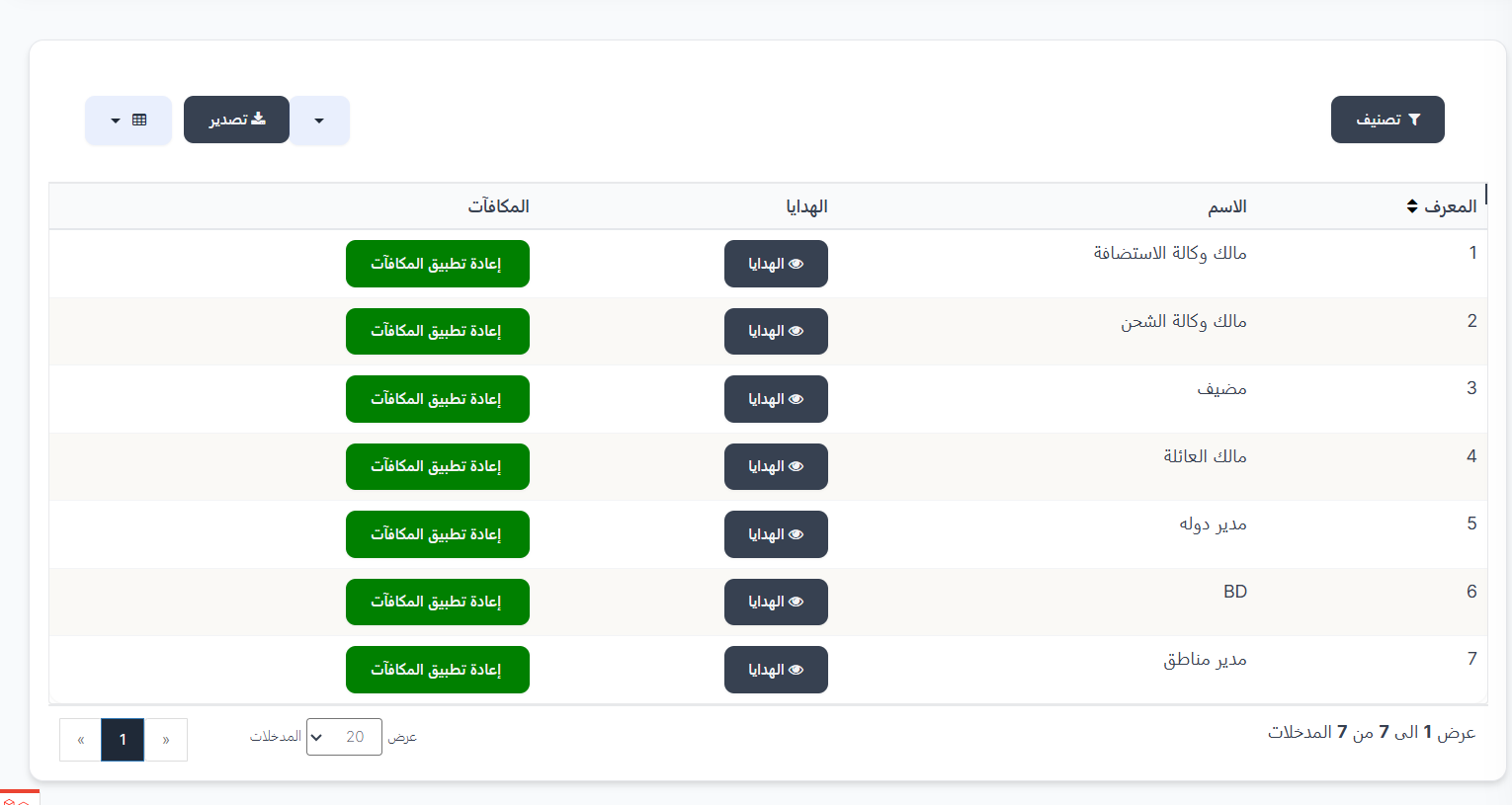
Achievements Table
The table displays all available achievement types:
| Column | Description |
|---|---|
| ID | Achievement identifier number (1, 2, 3, ...) |
| Name | Achievement / role name |
| Gifts | 👁️ Gifts button to view gifts linked to this achievement |
| Rewards | Re-apply Rewards button to redistribute gifts to all current users with this role |
Achievement Types:
| ID | Name | Description |
|---|---|---|
| 1 | Host Agency Owner | When creating a hosting agency |
| 2 | Charge Agency Owner | When creating a charge agency |
| 3 | Host | When joining as a host |
| 4 | Family Owner | When creating a family |
| 5 | Country Manager | When assigned as country manager |
| 6 | BD | When assigned as BD |
| 7 | Area Manager | When assigned as area manager |
Top Buttons:
| Button | Description |
|---|---|
| � Filter | Open search filters |
| �📤 Export | Export data |
Re-apply Rewards Button
When clicking Re-apply Rewards next to any achievement:
- All gifts linked to this achievement are redistributed
- All users who currently have this role receive the gifts again
- Useful when adding new gifts and wanting to distribute them to existing users
View and Manage Gifts
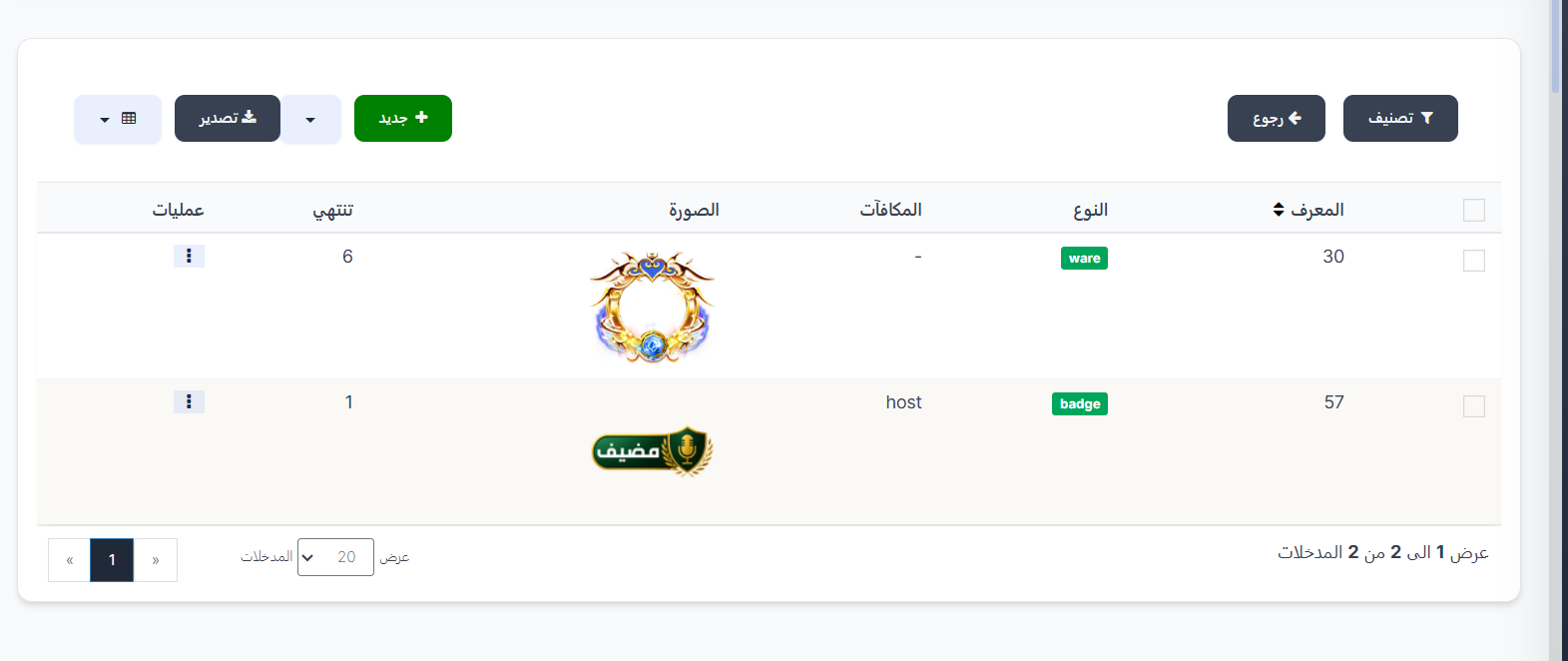
When clicking 👁️ Gifts next to any achievement, the gifts page linked to that achievement appears.
Gifts Table:
| Column | Description |
|---|---|
| ID | Gift identifier number (e.g., 51, 53) |
| Type | Gift type (badge / vip membership / etc.) |
| Rewards | Associated reward name (e.g., agency_owner, VIP 6) |
| Image | Gift image |
| Expires | Gift expiry date (- means never expires) |
| Operations | ⋮ menu with edit and delete options |
Top Buttons:
| Button | Description |
|---|---|
| 🔘 Filter | Open search filters |
| ➕ New | Add a new gift to this achievement |
| 📤 Export | Export data |
| ⬅️ Back | Return to the main achievements page |
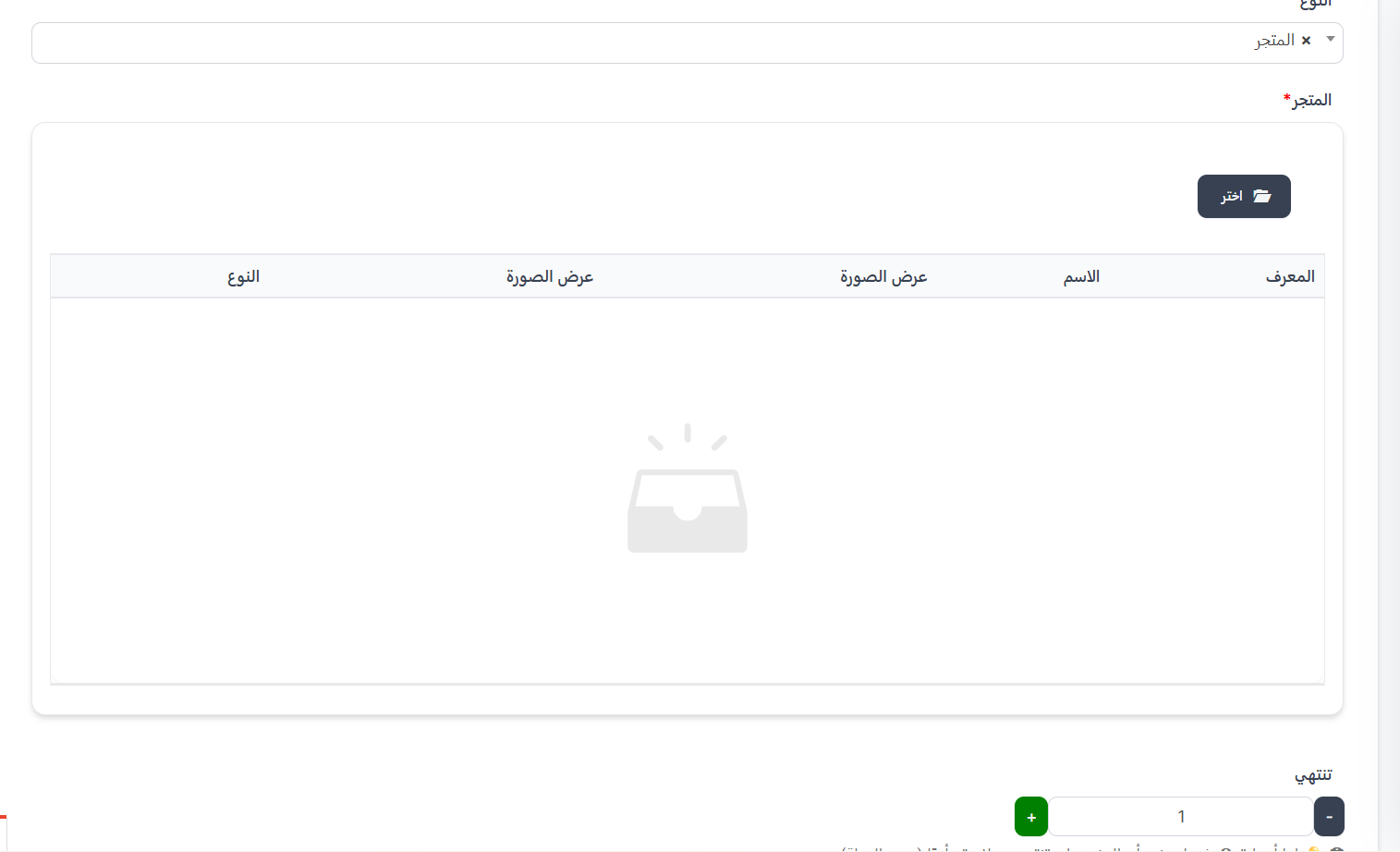
Add New Gift
When clicking ➕ New on a specific achievement's gifts page:
Type Field:
| Type | Description |
|---|---|
| Coins | Grant coins to the user |
| Store | Grant a store item |
| VIP Membership | Grant VIP to the user |
| Medals | Grant a medal to the user |
| Badge | Grant a badge to the user |
Expires Field:
| Field | Description |
|---|---|
| Expires | Gift validity duration (in days) - can be increased or decreased with + and - buttons |
💡 Note
If you enter 0, this means the item will never expire (lifetime).
Quick Summary
| Action | Steps |
|---|---|
| View Achievements | Achievements → Achievements |
| View Achievement Gifts | 👁️ Gifts next to the achievement |
| Add Gift to Achievement | 👁️ Gifts → ➕ New → Type + Expires → Submit |
| Re-apply Rewards | Re-apply Rewards next to the achievement → Confirm |
📋 Gift Receipt History
Introduction
The Gift Receipt History page displays a complete log of all rewards and gifts that users have automatically received from the achievements system. You can track who received which reward, when, and what type of receipt it was.
How to Access
Sidebar Menu → Achievements → Gift Receipt History
Or via direct link:
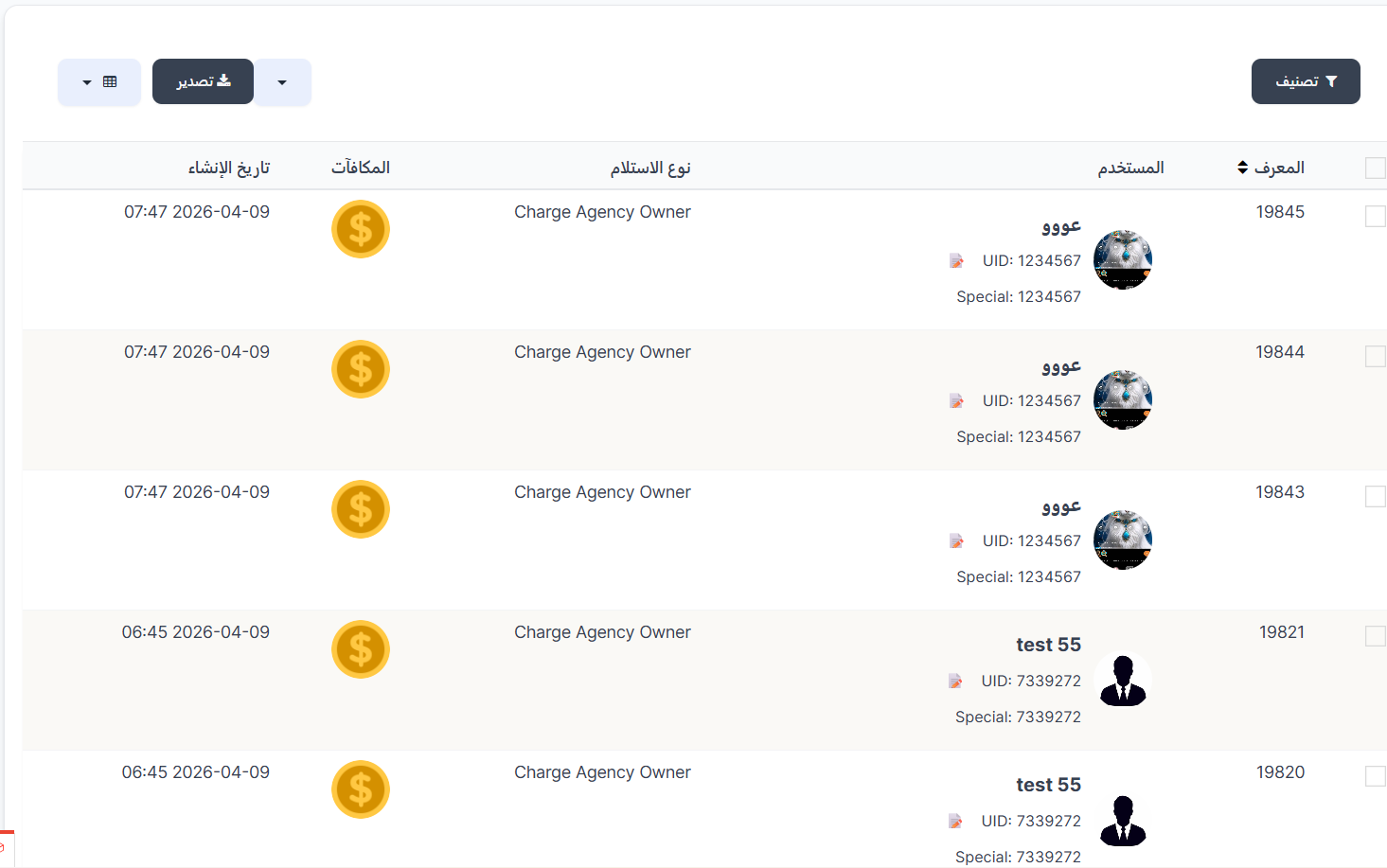
History Table
The table displays the log of all rewards distributed to users:
| Column | Description |
|---|---|
| ID | Unique identifier for each receipt operation (e.g., 19845, 19844...) |
| User | User data who received the reward: name, photo, UID, Special ID |
| Receipt Type | Reason the user received the reward (e.g., Charge Agency Owner) |
| Rewards | Image/icon of the reward received (e.g., coins 💰) |
| Creation Date | Date and time of reward receipt (e.g., 07:47 2026-04-09) |
Receipt Types
| Receipt Type | Description |
|---|---|
| Charge Agency Owner | Reward for charge agency owner |
| Host Agency Owner | Reward for hosting agency owner |
| Host | Reward for host |
| Family Owner | Reward for family owner |
| Country Manager | Reward for country manager |
| BD | Reward for BD |
| Area Manager | Reward for area manager |
Control Buttons
| Button | Description |
|---|---|
| Filter 🔘 | Filter records by receipt type or user |
| Export 🔵 | Export log data as a file |
Important Notes
Information
- This page is for viewing and monitoring only - records cannot be added manually.
- Records are created automatically when rewards are distributed to users.
- You can use the filter to search for a specific user or receipt type.
Tip
Use the export button to download a complete report of all distributed rewards for review or archiving.