🔄 Updates
Introduction
The Updates page is used to manage app versions across all platforms (Android, Huawei, iOS). You can set the minimum required version, current version, and whether the update is mandatory or not.
How to Access
Sidebar Menu → Settings → System Settings → Updates
Or via direct link:
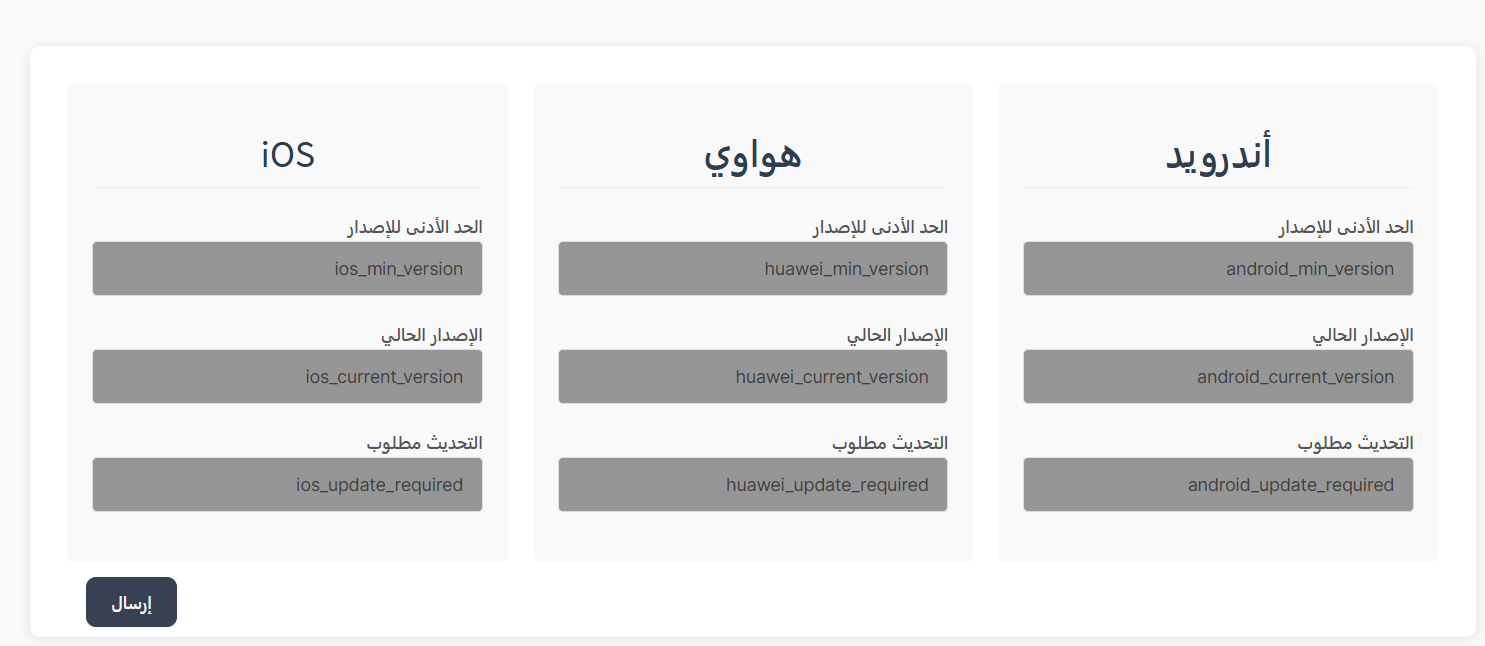
Platform Settings
📱 Android
| Setting | Key | Description |
|---|---|---|
| Minimum Version | android_min_version |
Minimum version allowed to use the app |
| Current Version | android_current_version |
Latest available version number |
| Update Required | android_update_required |
Whether update is mandatory (yes/no) |
📱 Huawei
| Setting | Key | Description |
|---|---|---|
| Minimum Version | huawei_min_version |
Minimum version allowed to use the app |
| Current Version | huawei_current_version |
Latest available version number |
| Update Required | huawei_update_required |
Whether update is mandatory (yes/no) |
🍎 iOS
| Setting | Key | Description |
|---|---|---|
| Minimum Version | ios_min_version |
Minimum version allowed to use the app |
| Current Version | ios_current_version |
Latest available version number |
| Update Required | ios_update_required |
Whether update is mandatory (yes/no) |
How to Update
- Enter the required values in the fields for each platform
- Click "Submit" to save the settings
Important Notes
Tip
- When releasing an update with important security fixes, make the update mandatory (
update_required = yes).
Warning
- Setting
min_versiontoo high may prevent a large number of users from accessing the app.
Information
- Version is checked when the user opens the app.
- If the update is not mandatory (
no), a notification will appear to the user about the new update with an option to update later.