🗑️ Delete Account
Introduction
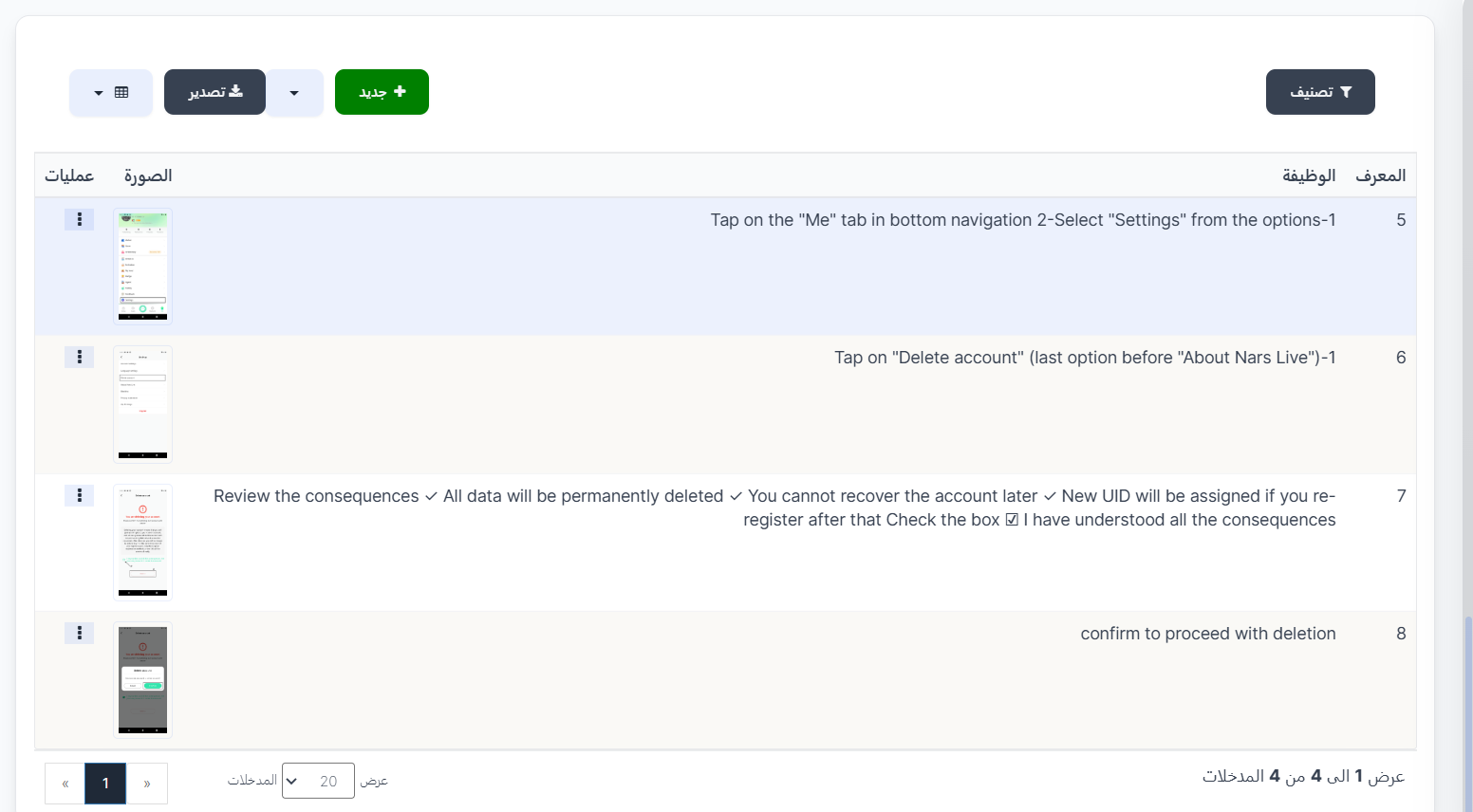
The Delete Account page is used to manage the steps of the account deletion guide that appears to users in the app. You can add or edit explanatory steps with images to explain how to delete an account.
How to Access
Sidebar Menu → Settings → Work Settings → Delete Account
Or via direct link:
Steps List
| Column | Description |
|---|---|
| ID | Unique identifier for each step |
| Function | Description of the step the user should follow |
| Image | Illustrative image for the step (screenshot from the app) |
| Operations | Edit or delete the step |
Create New Step
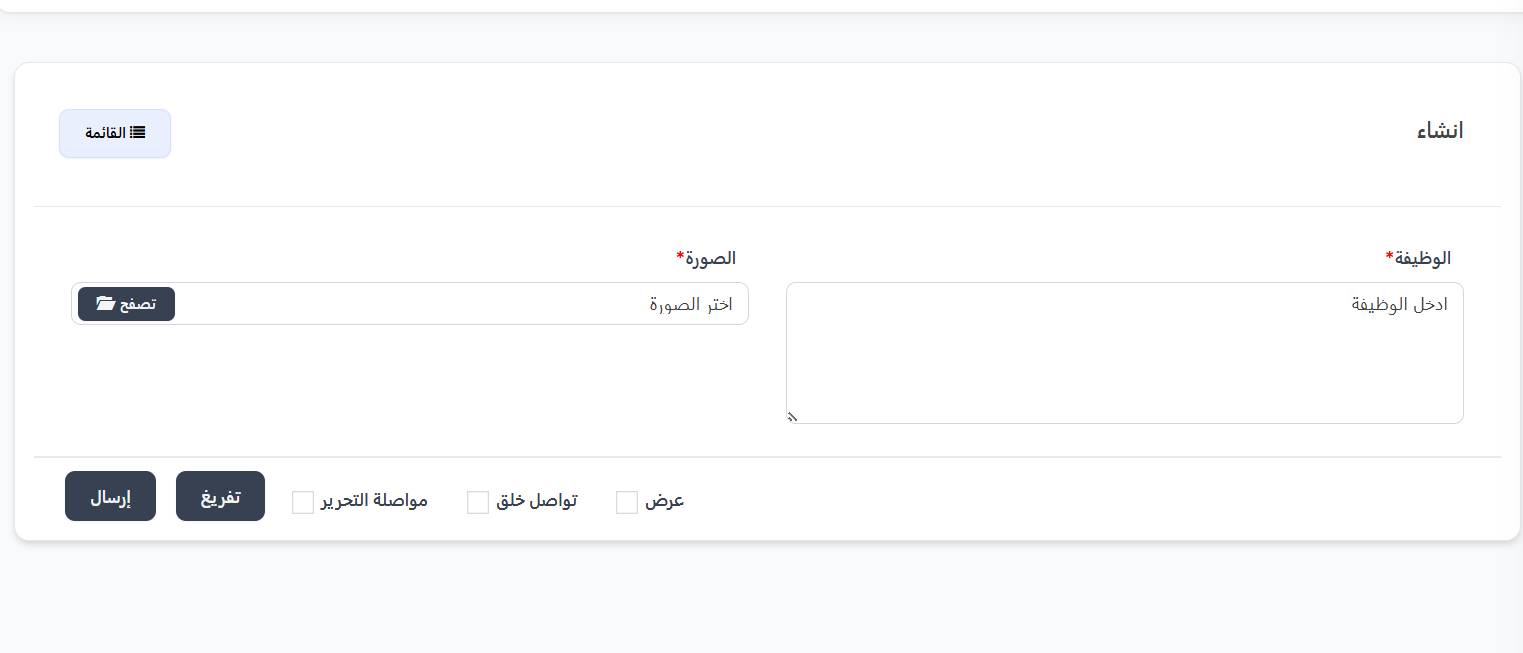
- Click the "+ New" button
- Fill in the required fields:
| Field | Description | Required |
|---|---|---|
| Function | Text describing the step the user should perform | ✅ Yes |
| Image | Illustrative image (screenshot) from the app explaining the step | ✅ Yes |
- Click "Submit" to save the step
Important Notes
Tip
- Arrange steps in a sequential and logical order to make them easy for users to follow.
Warning
- Make sure the steps reflect the actual current app interface.
Information
- These steps appear to users in the app as a guide to deleting their account.