📄 Work Pages
Introduction
The Work Pages page is used to manage static pages in the application such as privacy policy, loading pages, banner pages, and more. Each page has a unique URL that can be used within the app or shared externally.
How to Access
Sidebar Menu → Settings → Work Settings → Work Pages
Or via direct link:
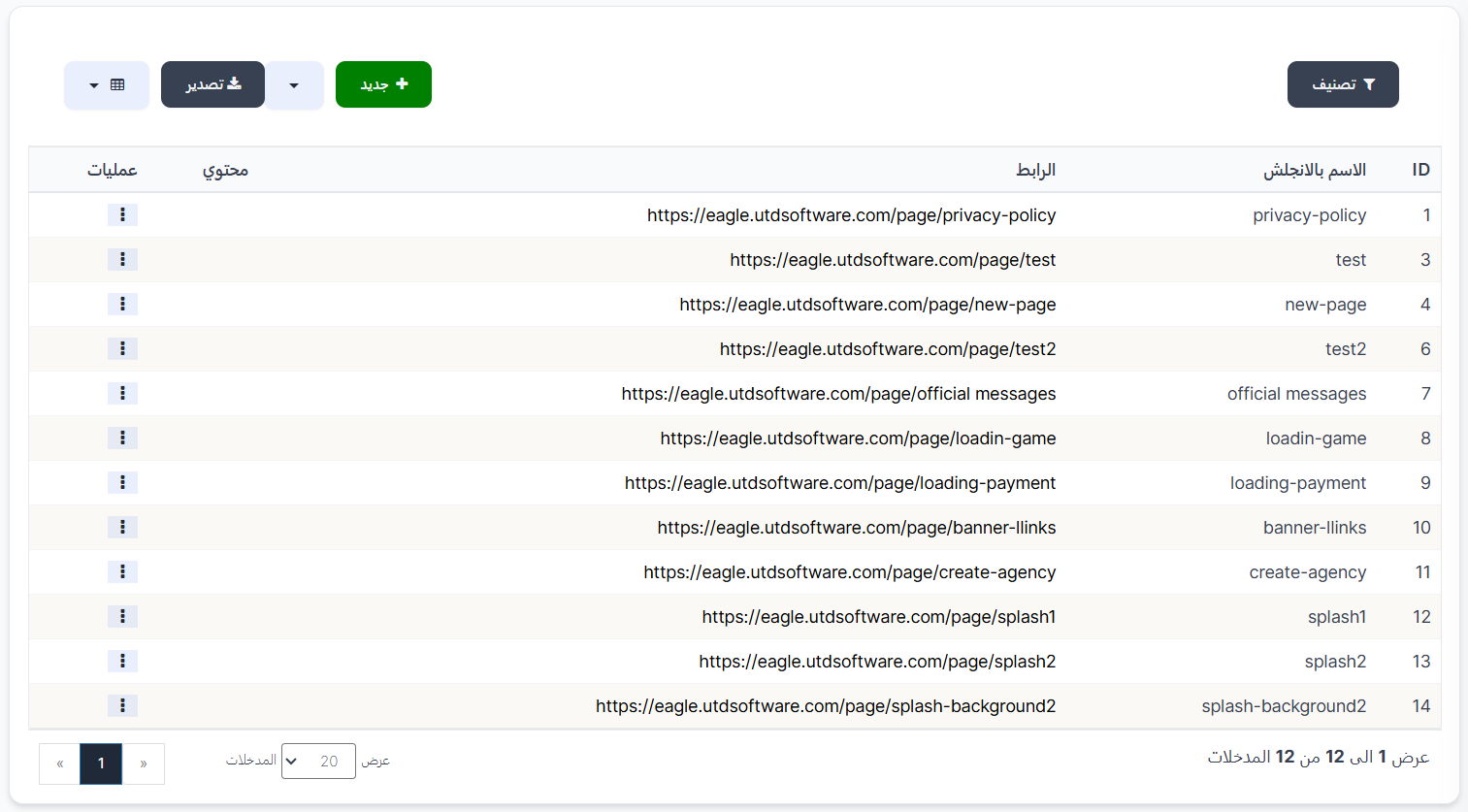
Work Pages Table
The table displays all created pages:
| Column | Description |
|---|---|
| ID | Unique page identifier (e.g., 1, 3, 4) |
| English Name | Page name in English (e.g., privacy-policy, test, new-page) |
| Link | Full page URL (e.g., https://eagle.utdsoftware.com/page/privacy-policy) |
| Content | Page content (HTML text or plain text) |
| Operations | Actions menu (⋮) to edit or delete the page |
Control Buttons
| Button | Description |
|---|---|
| + New 🟢 | Create a new page |
| Filter 🔘 | Filter and sort pages |
| Export 📤 | Export data |
Create New Page
To create a new work page:
- Click the "+ New" 🟢 button
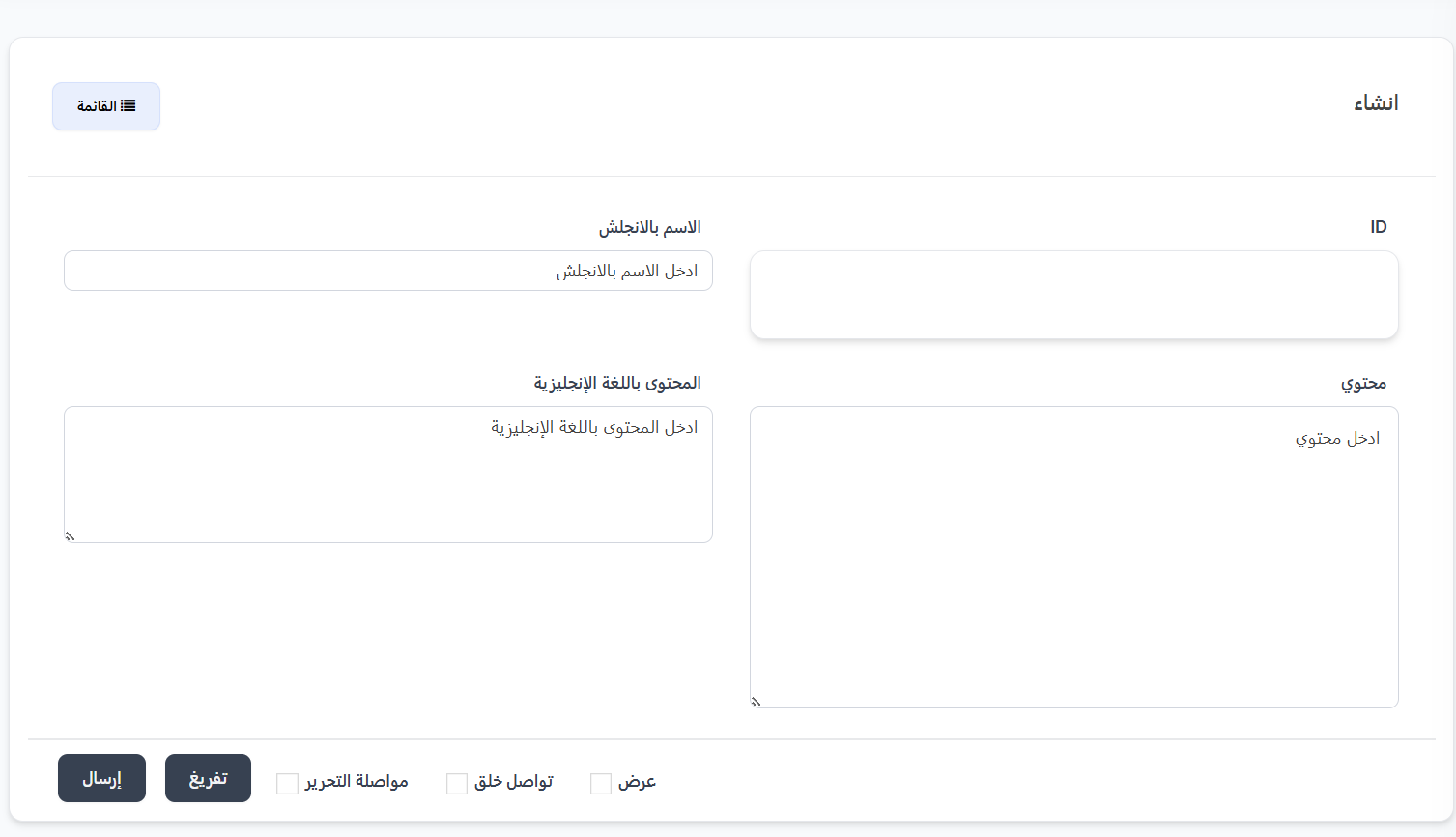
- The creation page will appear with the following fields:
| Field | Description | Example |
|---|---|---|
| ID | Identifier (auto-generated or manually entered) | 15 |
| English Name | Page name in English (used in the URL) | terms-of-service |
| Content | Page content in Arabic (supports HTML) | Usage policy text... |
| English Content | Page content in English (supports HTML) | Terms of service text... |
- Click "Submit" to save the page
Additional Options
| Option | Description |
|---|---|
| View | View the page after saving |
| Continue Creating | Continue creating additional pages after saving |
| Continue Editing | Stay on the editing page after saving |
| Clear | Clear all fields |
How Does the URL Work?
When creating a page with an English name like privacy-policy, a URL is automatically generated:
https://eagle.utdsoftware.com/page/privacy-policy
This URL can be used in:
- Within the app: As an embedded web page
- In banners: As a destination when clicking a banner
- In settings: As a privacy policy or terms of service page
- External sharing: Send the link via any method
Important Notes
Tip
- Use clear English names separated by
-for easy URL readability. - You can use HTML in content fields for better text formatting.
Warning
- Make sure the English page name is unique as it's used as part of the URL.
- Deleting a page will break any link pointing to it.
Information
- Pages support bilingual content (Arabic and English).
- The appropriate content is displayed based on the user's app language.