📩 Agency Requests
The Agency Requests page allows you to manage requests to create new host agencies. You can view submitted requests, accept or reject them after reviewing the applicant's data.
Access:
Sidebar → Agency System → Host Agencies → Agency Requests
Page Content:
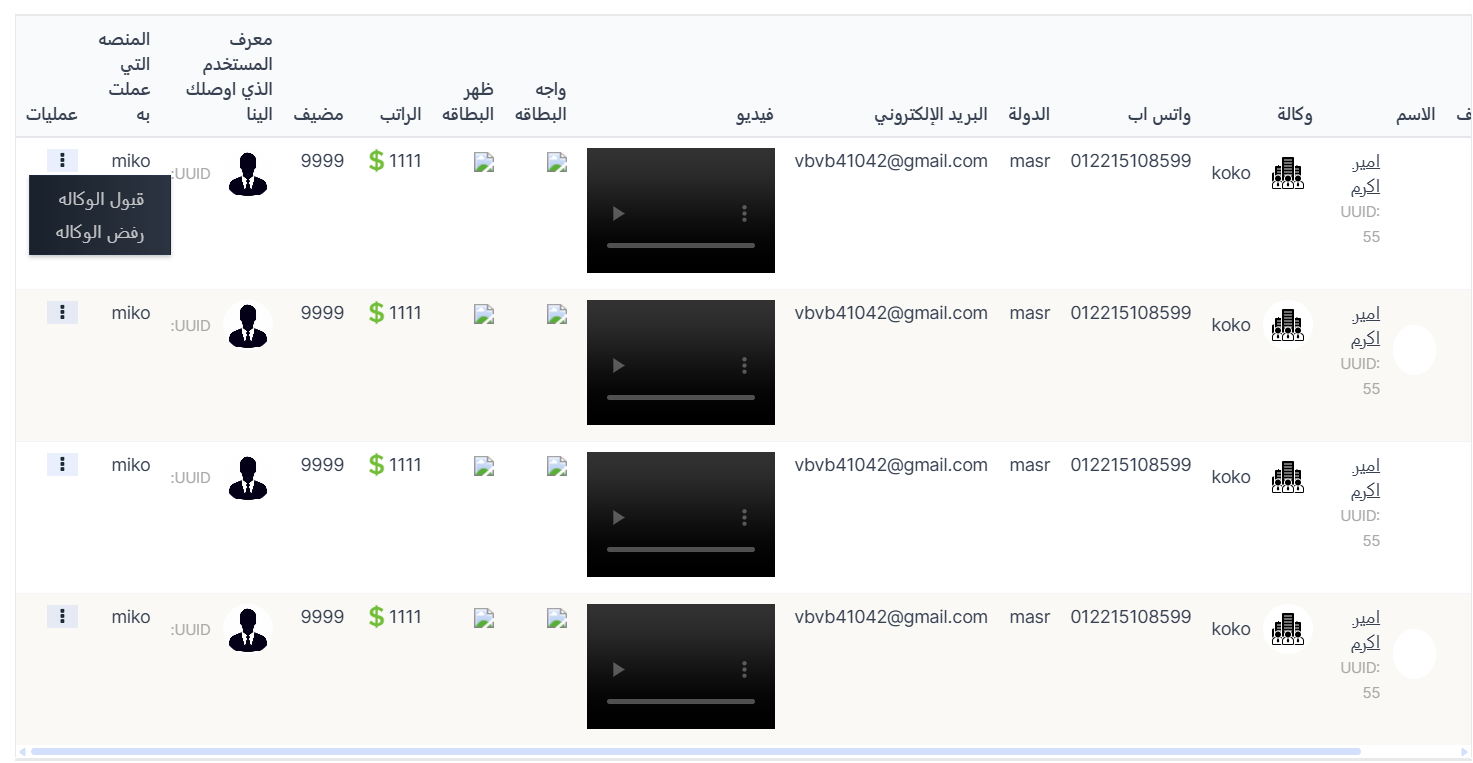
When opening the page, you'll find 🔍 Search and 🔄 Clear buttons at the top, and below the requests table displaying all agency creation requests.
Agency Requests Table:
| Column | Description |
|---|---|
| Name | Applicant name with UUID |
| Agency | Requested agency name with image |
| Applicant's WhatsApp number | |
| Country | Applicant's country |
| Applicant's email address | |
| Video | Introductory video attached to the request |
| ID Front | Front image of the ID card |
| ID Back | Back image of the ID card |
| Salary | Requested salary in dollars ($) |
| Hosts | Number of hosts |
| Referral User ID | ID of the user who referred the applicant |
| Previous Platform | Platform the applicant previously worked on |
| Actions | Available actions |
Available Actions:
From the Actions column in the table, click the ⋮ icon to show the menu:
| Action | Description |
|---|---|
| Accept Agency | Accept the request and create the agency in the system |
| Reject Agency | Reject the agency creation request |
Request Review Steps:
- Open the Agency Requests page
- Review applicant data: name, country, email, WhatsApp number
- Watch the attached video introduction
- Review ID card images (front and back)
- Check the requested salary and number of hosts
- Click the ⋮ icon in the Actions column
- Choose Accept Agency to approve or Reject Agency to reject
Quick Summary:
| Action | Steps |
|---|---|
| View agency requests | Agency System → Host Agencies → Agency Requests |
| Accept request | Click ⋮ → Accept Agency |
| Reject request | Click ⋮ → Reject Agency |