📍 Quick Start — Area Manager / Country Manager
Welcome as a manager! This guide will help you understand your permissions, available tools, and get started quickly.
Who Are You?
The dashboard supports two types of managers:
| Role | Scope | What They Manage |
|---|---|---|
| 📍 Area Manager | Multiple countries | Users, agencies, rooms, charging across multiple countries |
| 🌍 Country Manager | Single country | Users, agencies, banners, charging within one country |
Hierarchy:
🔴 Super Admin
└── 📍 Area Manager — manages multiple countries
    └── 🌍 Country Manager — manages a single country
        └── 👥 Users and agencies within the country
🔑 Log In
Area Manager:
You have your own dedicated dashboard, separate from the main dashboard:
Country Manager:
You also have your own dedicated dashboard:
🌍 Open Country Manager Dashboard
Note
Login credentials (username and password) are provided to you by the Super Admin or Area Manager.
📋 What Can You Access?
When you log in, you'll find a simplified side menu showing only the sections available to you based on your permissions.
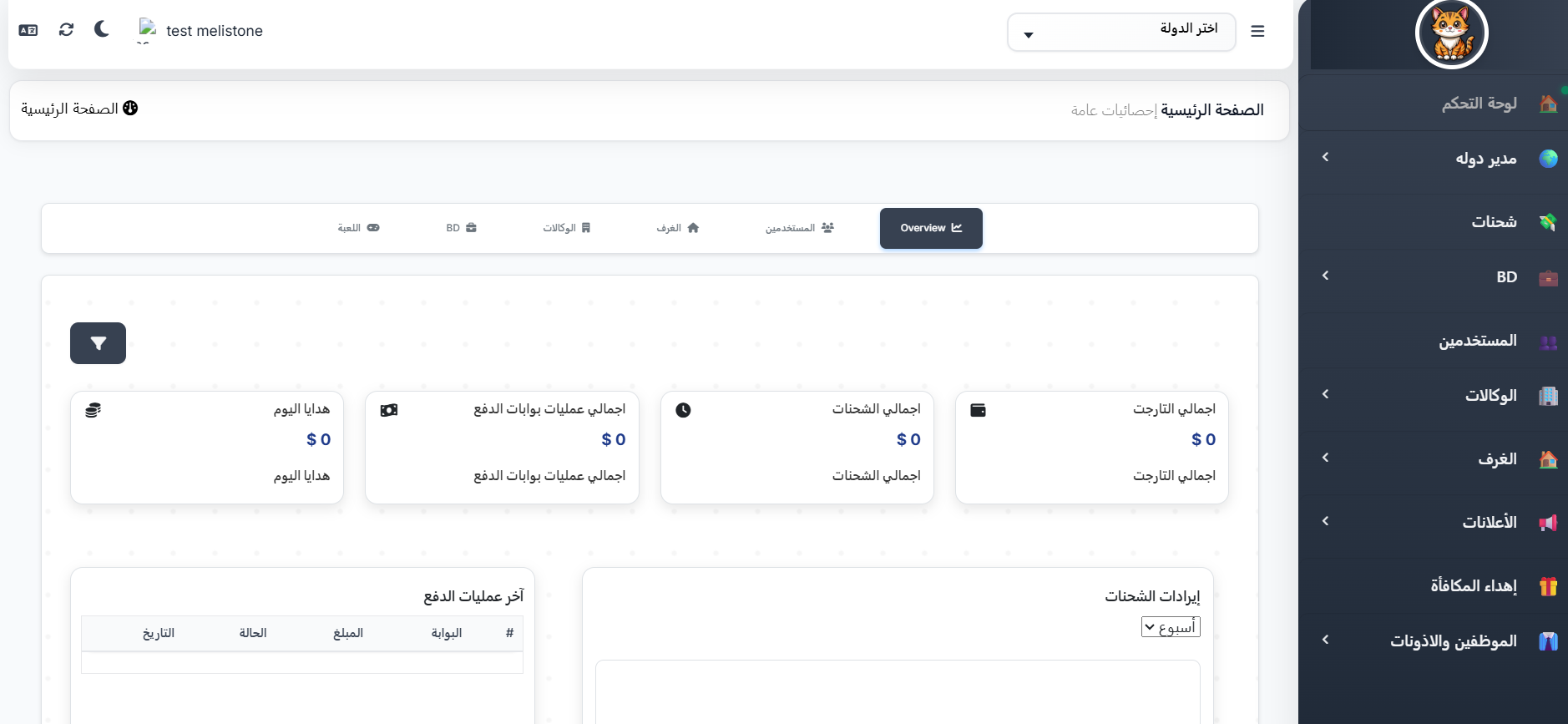
Area Manager Permissions:
| Section | What You Can Do |
|---|---|
| 👥 Users | View and search users in your assigned countries |
| 🏢 Agencies | View and manage agencies in your region |
| 🏠 Rooms | Monitor voice rooms in your countries |
| 💰 Charging | Top up coins for users within your region |
| 📊 Reports | View performance reports for your region |
| 🌍 Country Managers | Manage country managers under you |
Country Manager Permissions:
| Section | What You Can Do |
|---|---|
| 👥 Users | View and search users in your country |
| 🏢 Agencies | View and manage agencies in your country |
| 💰 Charging | Top up coins for users in your country |
| 📢 Banners | Create advertising banners (requires admin approval) |
Important Note
Specific permissions depend on what has been assigned to you by the admin. They may vary from one manager to another based on role settings.
💰 Managing Charges in Your Region/Country
One of your most important tasks is managing charging operations:
Charging Steps:
- Go to the Charging section in the side menu
- Search for the user by UID or name
- Specify the amount to charge
- Click Confirm
Reviewing Charge Reports:
- You can view all charging operations that took place in your region/country
- Filter reports by date, user, or amount
📖 Learn more (Area Manager): 💰 Area Manager Charges
📖 Learn more (Country Manager): 💰 Country Manager Charges
📢 Creating Banners (Country Manager Only)
Country managers can create advertising banners that appear on the app's home page:
Banner Workflow:
1️⃣ Create Banner (Country Manager)
    ↓
2️⃣ Set Placement and Design
    ↓
3️⃣ Cost Deducted from Manager's Balance
    ↓
4️⃣ Submit for Review
    ↓
5️⃣ Super Admin Approval → Banner Published
Steps to Create a Banner:
- Go to the Banners section in the side menu
- Click Create New Banner
- Upload the banner image
- Set the display position and duration
- Review the cost (will be deducted from your balance)
- Click Submit → It will be sent to the admin for approval
Note
The banner won't be published until the Super Admin approves it. The cost is deducted from your balance upon submission.
📖 Learn more: 🔖 Create Banner
🔐 Permissions and What They Control
Your permissions are defined in the Roles & Permissions section of the main dashboard. Each permission controls a specific section or action.
Key Permissions (Area Manager):
Permissions are managed from a dedicated tab in the role settings, including multiple tabs (up to 9) that control every aspect of access.
📖 Learn more: 📃 Area Manager Permissions
Key Permissions (Country Manager):
Permissions are managed the same way with multiple tabs (up to 10).
📖 Learn more: 📃 Country Manager Permissions
🔄 Suggested Daily Tasks
Area Manager:
1️⃣ Review performance of your assigned countries
    ↓
2️⃣ Monitor charging operations and financial reports
    ↓
3️⃣ Manage country managers (add/edit/remove)
    ↓
4️⃣ Monitor agencies and users in your region
Country Manager:
1️⃣ Review users and agencies in your country
    ↓
2️⃣ Monitor charging operations
    ↓
3️⃣ Create new banners if needed
    ↓
4️⃣ Review performance reports
📌 Important Pages for You
Area Manager:
| Page | Link |
|---|---|
| Overview | 📍 Area Manager |
| Add Area Manager | ➕ Create Area Manager |
| Charges | 💰 Area Manager Charges |
| Permissions | 📃 Permissions |
| Dashboard | 🖥️ Dashboard |
Country Manager:
| Page | Link |
|---|---|
| Overview | 🌍 Country Manager |
| Charges | 💰 Country Manager Charges |
| Permissions | 📃 Permissions |
| Dashboard | 🖥️ Dashboard |
| Create Banner | 🔖 Create Banner |