⚙️ Host Level Settings
The Host Level Settings page allows you to control the scheduling type for calculating agency levels. The diamonds earned by the agency during a specific time period are calculated, and based on that, the level the agency reaches is determined.
Access:
Sidebar → Agency System → Host Agencies → Host Level Settings
🔗 Open Host Level Settings Page
Page Content:
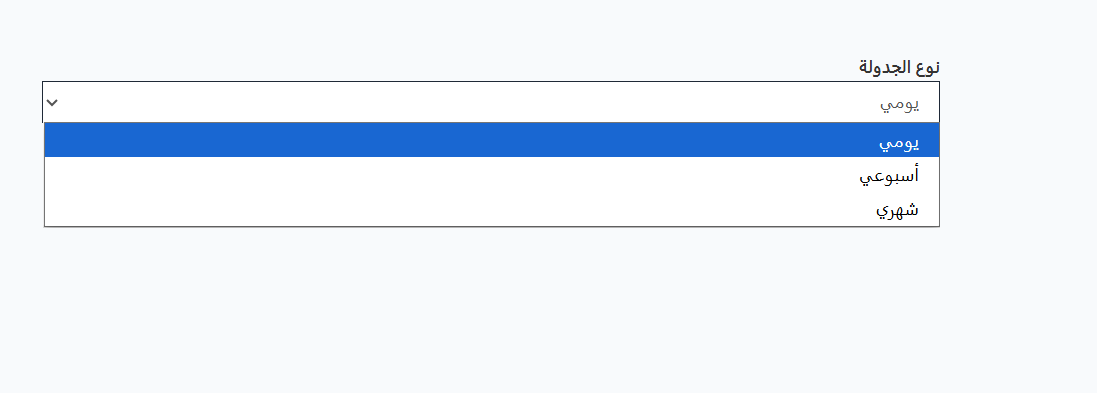
When opening the page, you'll find the Scheduling Type option that determines the time period for calculating diamonds and determining levels.
Scheduling Type:
| Option | Description |
|---|---|
| Daily | Diamonds earned during one day are calculated to determine the level |
| Weekly | Diamonds earned during one full week are calculated to determine the level |
| Monthly | Diamonds earned during one full month are calculated to determine the level |
How it Works:
- The diamonds 💎 earned by the agency during the specified period (daily/weekly/monthly) are collected
- Based on total diamonds earned, they are compared to each level's requirements
- The level the agency reached is automatically determined
- At the end of the period, calculation restarts
Note
- Changing the scheduling type affects how levels are calculated for all agencies.
- For example: If the type is Weekly and Level 3 requires 300,000 diamonds, the agency must collect 300,000 diamonds within one week to reach Level 3.
Edit Steps:
- Open the Host Level Settings page
- Select the Scheduling Type from the dropdown (Daily / Weekly / Monthly)
- The setting will be saved automatically
Quick Summary:
| Action | Steps |
|---|---|
| Open Settings | Agency System → Host Agencies → Host Level Settings |
| Change Scheduling Type | Select Daily, Weekly, or Monthly from the dropdown |
🔗 Open Host Level Settings Page