📊 Host Levels
The Host Levels page allows you to manage the levels available for host agencies. Each level has diamond requirements and a specific color. The agency level is determined based on the number of diamonds earned during the scheduling period (daily/weekly/monthly).
Access:
Sidebar → Agency System → Host Agencies → Host Level → Host Levels
Page Content:
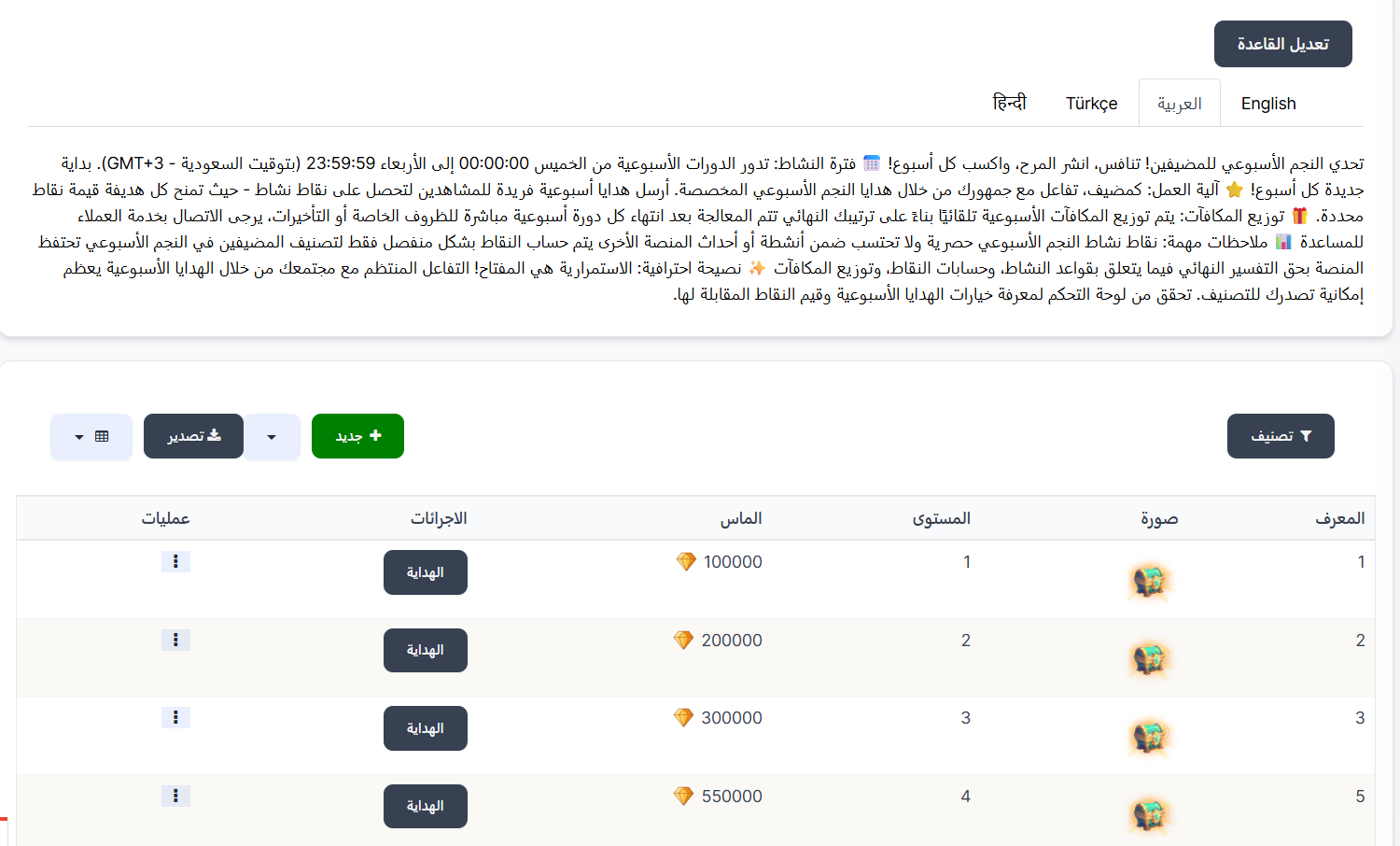
When opening the page, you'll find a + New button at the top to add a new level, and below the host levels table displaying all registered levels.
Host Levels Table:
| Column | Description |
|---|---|
| ID | Level identification number (ID) |
| Name | Level name |
| Diamonds | 💎 Minimum number of diamonds required to reach this level |
| Color | Level color (displayed as a colored badge) |
| Actions | Available actions (edit, delete) |
Example:
| ID | Name | Diamonds | Color |
|---|---|---|---|
| 3 | Level 1 | 💎 100,000 | 🟤 Brown |
| 4 | Level 2 | 💎 200,000 | ⚫ Dark Gray |
| 5 | Level 3 | 💎 300,000 | 🟡 Gold |
| 6 | Level 4 | 💎 500,000 | 🔵 Blue |
| 7 | Level 5 | 💎 700,000 | 🟣 Purple |
Add New Level:
To add a new host level, click the + New button at the top of the page.
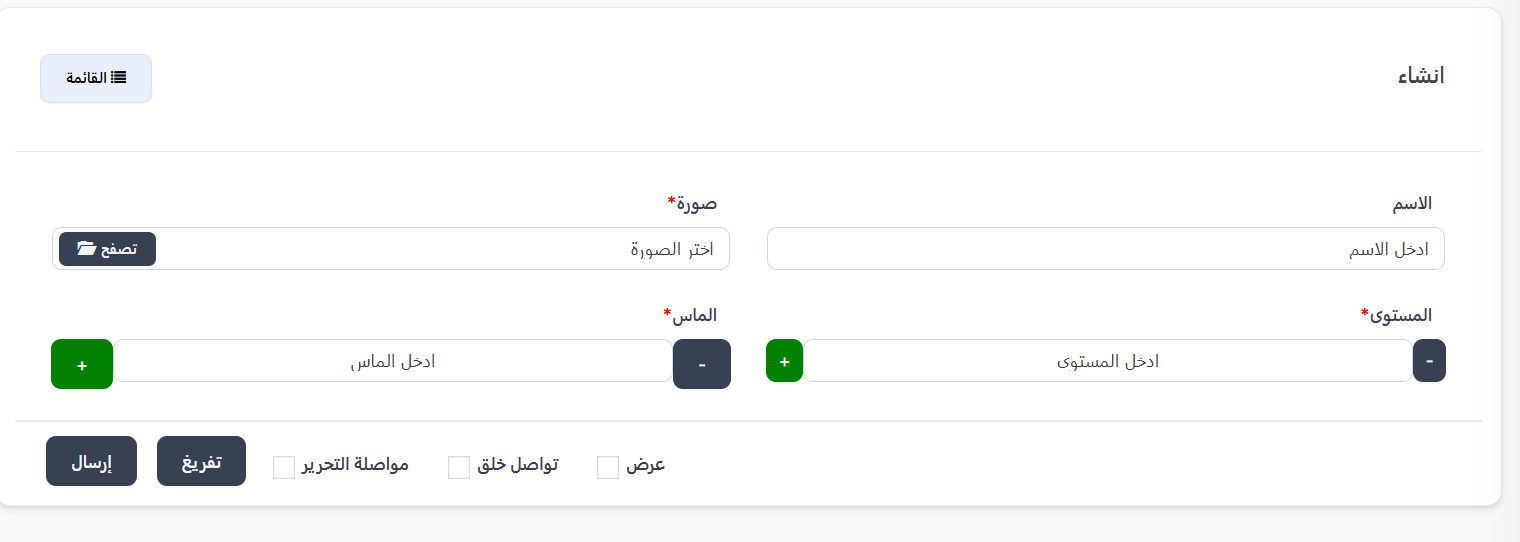
Creation Fields:
| Field | Description | Required |
|---|---|---|
| Name | Level name (in multiple languages: EN, AR, TR, HI, ID) | ✅ Yes |
| Diamonds | Minimum diamonds required to reach this level | ✅ Yes |
| Color | Level color (color picker) | ✅ Yes |
Creation Steps:
- Click the + New button
- Enter the level Name in different languages (English, Arabic, Turkish, Hindi, Indonesian)
- Enter the minimum number of Diamonds to reach the level
- Select the Color from the color picker
- Click Submit to save the new level
Available Actions:
From the Actions column in the table, click the ⋮ icon to show the menu:
| Action | Description |
|---|---|
| Edit | Edit level data (name, diamonds, color) |
| Delete | Permanently delete the level |
How it Works:
- Host levels are defined with minimum diamond requirements
- The scheduling type (daily/weekly/monthly) is set on the Host Level Settings page
- During the scheduling period, diamonds earned by the agency are calculated
- The agency automatically reaches the level matching its diamond count
- At the end of the period, the count resets
Note
Levels are arranged in ascending order by diamond requirements. The agency will reach the highest level where it meets the diamond requirement.
Quick Summary:
| Action | Steps |
|---|---|
| View all levels | Agency System → Host Agencies → Host Level → Host Levels |
| Add new level | Click + New → Enter name → Set diamonds → Choose color → Submit |
| Edit level | Click ⋮ → Edit |
| Delete level | Click ⋮ → Delete |
Next Step
⚙️ Host Level Settings | Image | Gift image | | Expiry | Gift expiry duration (in days, or - if never expires) | | Created Date | Gift creation date and time | | Operations | Available operations |
Gifts Page Buttons:
- 🔽 Filter — Filter gifts
- ◀ Back — Return to levels page
- + New — Create new gift
- 📥 Export — Export data
Create New Gift:
To create a new gift for a level, press + New in the level gifts page.
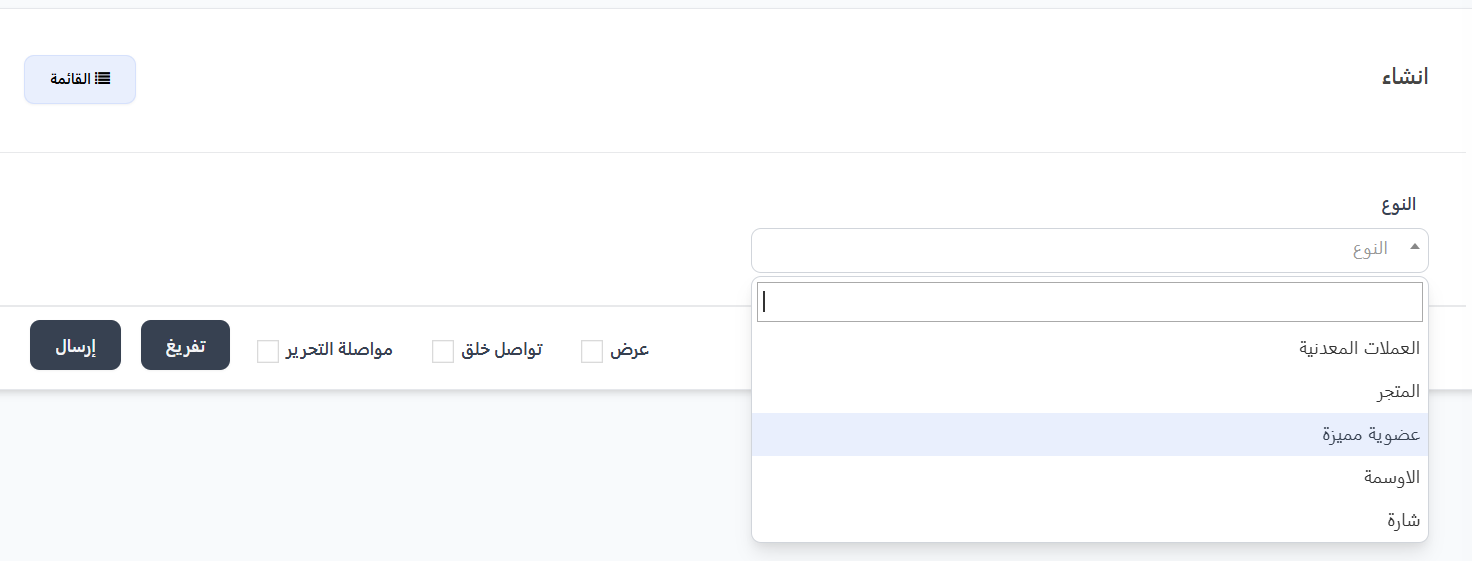
Creation Fields:
| Field | Description | Required |
|---|---|---|
| Type | Gift type — dropdown | ✅ Yes |
Available Gift Types:
| Type | Description |
|---|---|
| Coins | Coins gift |
| Store | Store gift |
| VIP Membership | VIP gift |
| Achievements | Achievement badge |
| Badge | Badge gift |
Creation Steps:
- From the level gifts page, press + New
- Select the Type from the dropdown
- Complete additional fields based on the selected type
- Press Submit to save
Quick Summary:
| Action | Steps |
|---|---|
| View levels | Agency System ← Host Agencies ← Host Levels |
| Edit rule | Press Edit Rule ← Edit descriptions and link ← Submit |
| Create new level | Press + New ← Enter name, image, level, diamonds ← Submit |
| View level gifts | Press Gifts next to the desired level |
| Create gift | From gifts page ← + New ← Select type ← Submit |