📱 Add-ons
The Add-ons page allows you to control the additional features available in your app. You can enable or disable each feature according to your needs, and when any feature is activated, it will automatically appear to users within the app.
How to Access
Side Menu ← Add-ons
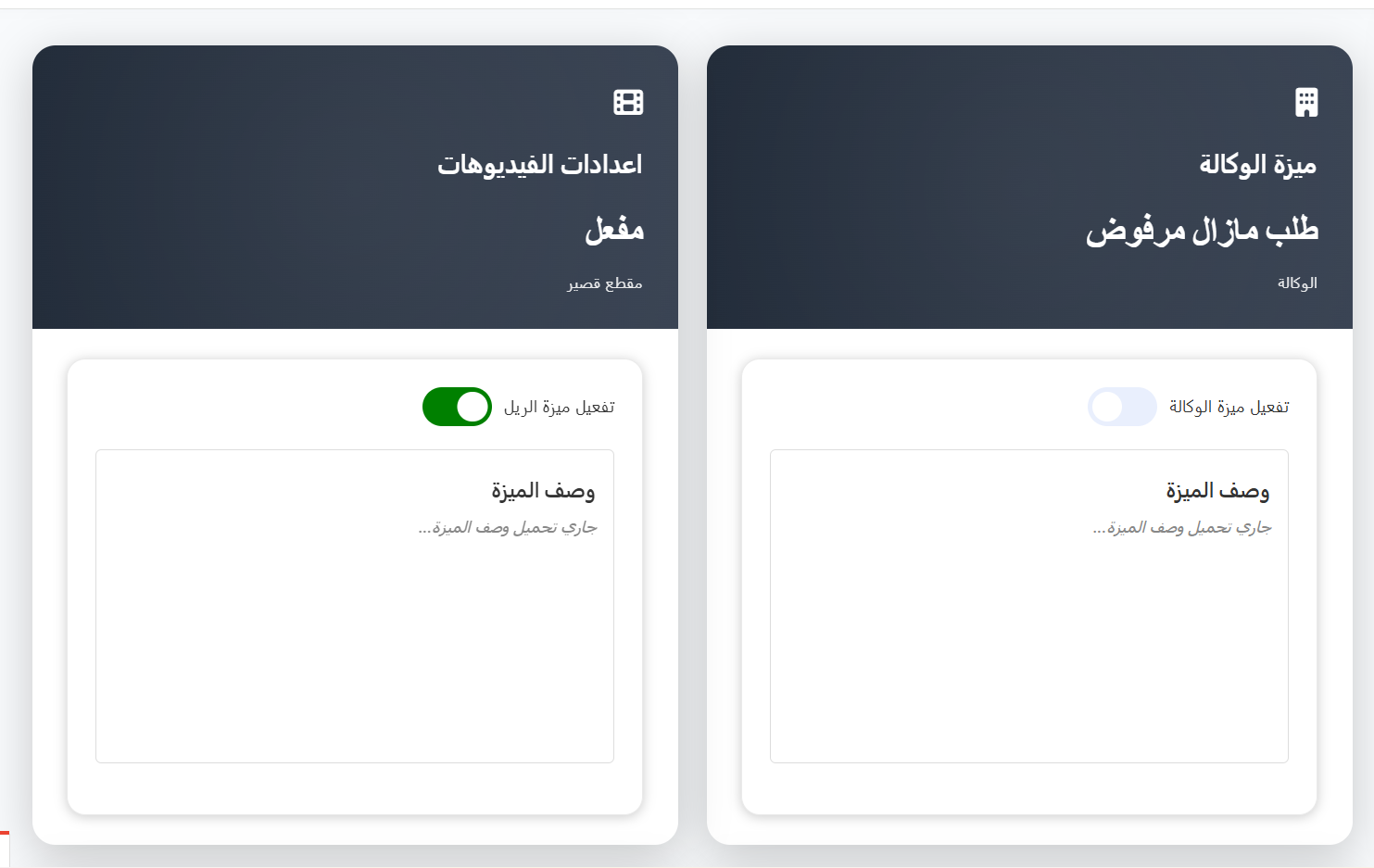
Feature Card Structure
Each feature is displayed as a card containing:
Upper Section (Header)
| Element | Description |
|---|---|
| Feature Name | The title of the feature (e.g., Video Settings, Agency Feature) |
| Feature Status | Shows the current status: Active or Rejected/Disabled |
| Category | The category the feature belongs to |
Toggle Switch
- Green (Active): The feature is active and visible to users in the app
- Gray (Disabled): The feature is inactive and hidden from users
Available Add-on Features
| Feature | Category | Description |
|---|---|---|
| Short Clips (Videos) | Short Clip | Enables TikTok-style short video uploads. Users can record, upload, like, and comment on short clips |
| Moments | Social | Enables social media-style posts. Users can share photos, text updates, and interact through likes and comments |
| Agency System | Agency | Enables the host agency system. Allows creation of agencies, host management, and the target/salary system |
| Games | Entertainment | Enables in-app games that users can play inside voice rooms for entertainment |
| CP (Couples) | Social | Enables the Couples system where two users can link as a couple, with shared levels and exclusive CP gifts |
| Mall / Store | Commerce | Enables an in-app store where users can purchase items, decorations, frames, and special effects |
| Events | Entertainment | Enables special event features including event banners, event gifts, and time-limited activities |
| Families | Social | Enables the Families system where users can create and join family groups with shared activities and rankings |
| PK System | Entertainment | Enables PK (Player vs Player) battles between hosts in live rooms, with real-time scoring and winner announcements |
Note
The available add-ons may vary depending on your app's license and configuration. Some features may require additional setup after activation.
How to Enable or Disable a Feature
- Navigate to the Add-ons page from the side menu.
- Find the feature you want to enable or disable.
- Click the Toggle Switch on the feature card:
- Toggle to green to activate the feature
- Toggle to gray to deactivate the feature
Warning
Disabling a feature will immediately hide it from all users in the app. Any data associated with the feature (e.g., uploaded videos, moments posts) is preserved and will reappear if the feature is re-enabled.
Tips
- Activate features gradually — start with core features and add more as your user base grows.
- When activating the Agency System, make sure to also configure the Target system for host salary management.
- The Short Clips and Moments features can significantly increase user engagement but also require content moderation.
- Test each feature after activation to ensure it appears correctly in the app.