📊 Reports
The Reports page allows you to view comprehensive reports related to host performance, agency performance, and agency managers. The page contains three sections that can be navigated from the sidebar menu.
Access:
Sidebar → Agency System → Host Agencies → Reports
Report Sections:
You can navigate between sections from the sidebar menu on the page:
| Section | Description |
|---|---|
| ← Host Reports | Individual host performance reports |
| ← Agency Reports | Agency performance reports |
| ← Agency Manager Report | Agency manager reports and dues |
1. Host Reports:
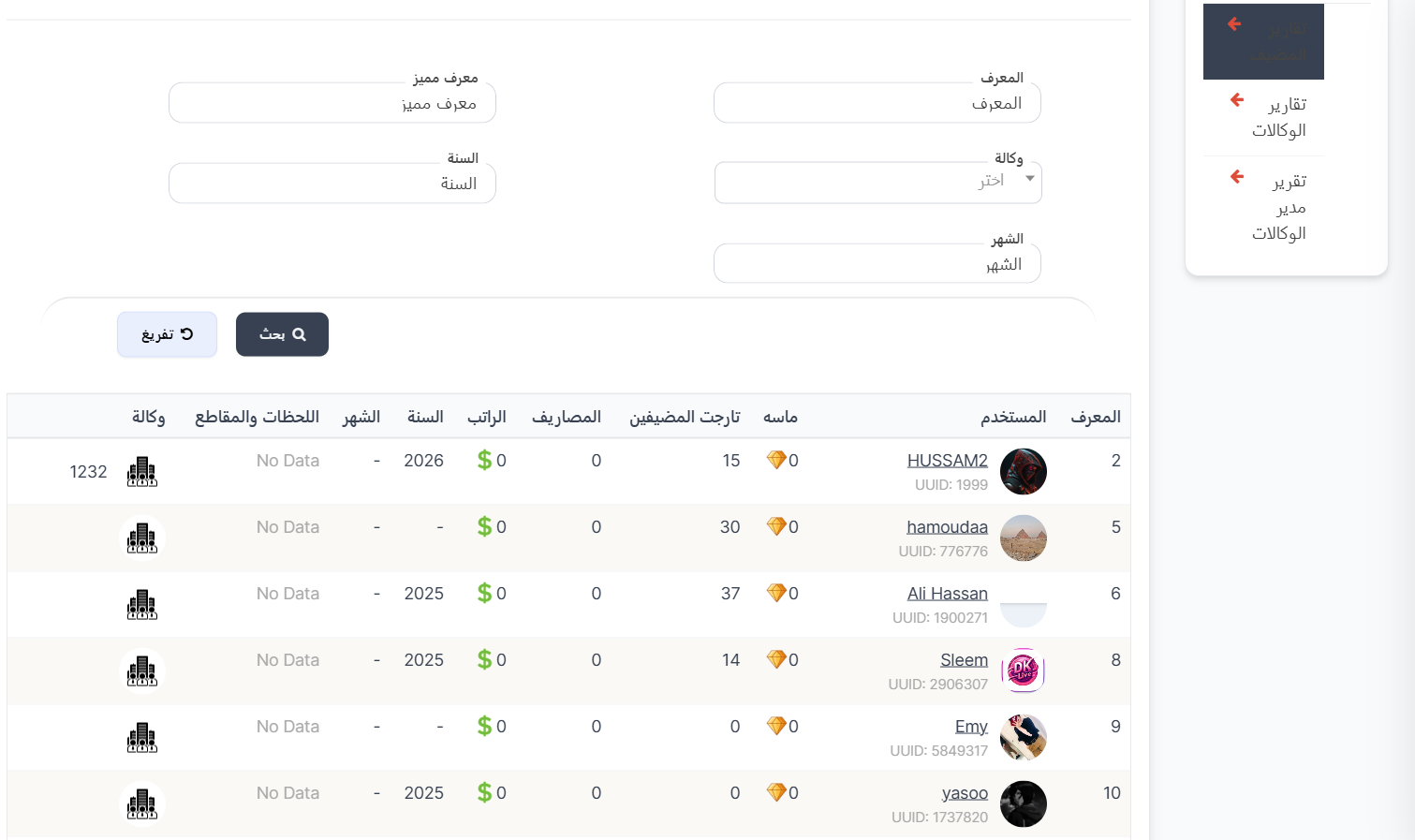
Displays individual performance reports for each host with filtering capability.
Search Filter:
| Filter | Description |
|---|---|
| ID | Search by report ID |
| Unique ID | Search by host's UUID |
| Agency | Filter by agency (dropdown) |
| Year | Filter by year |
| Month | Filter by month |
Report Table:
| Column | Description |
|---|---|
| ID | Report identification number (ID) |
| User | Host image, name, and UUID |
| Diamonds 💎 | Number of diamonds achieved |
| Host Target | Number of targets achieved |
| Expenses | Recorded expenses |
| Salary | Salary in dollars ($) |
| Year | Report year |
| Month | Report month |
| Moments & Clips | Moments and short clips data |
| Agency | Agency the host belongs to with image |
2. Agency Reports:
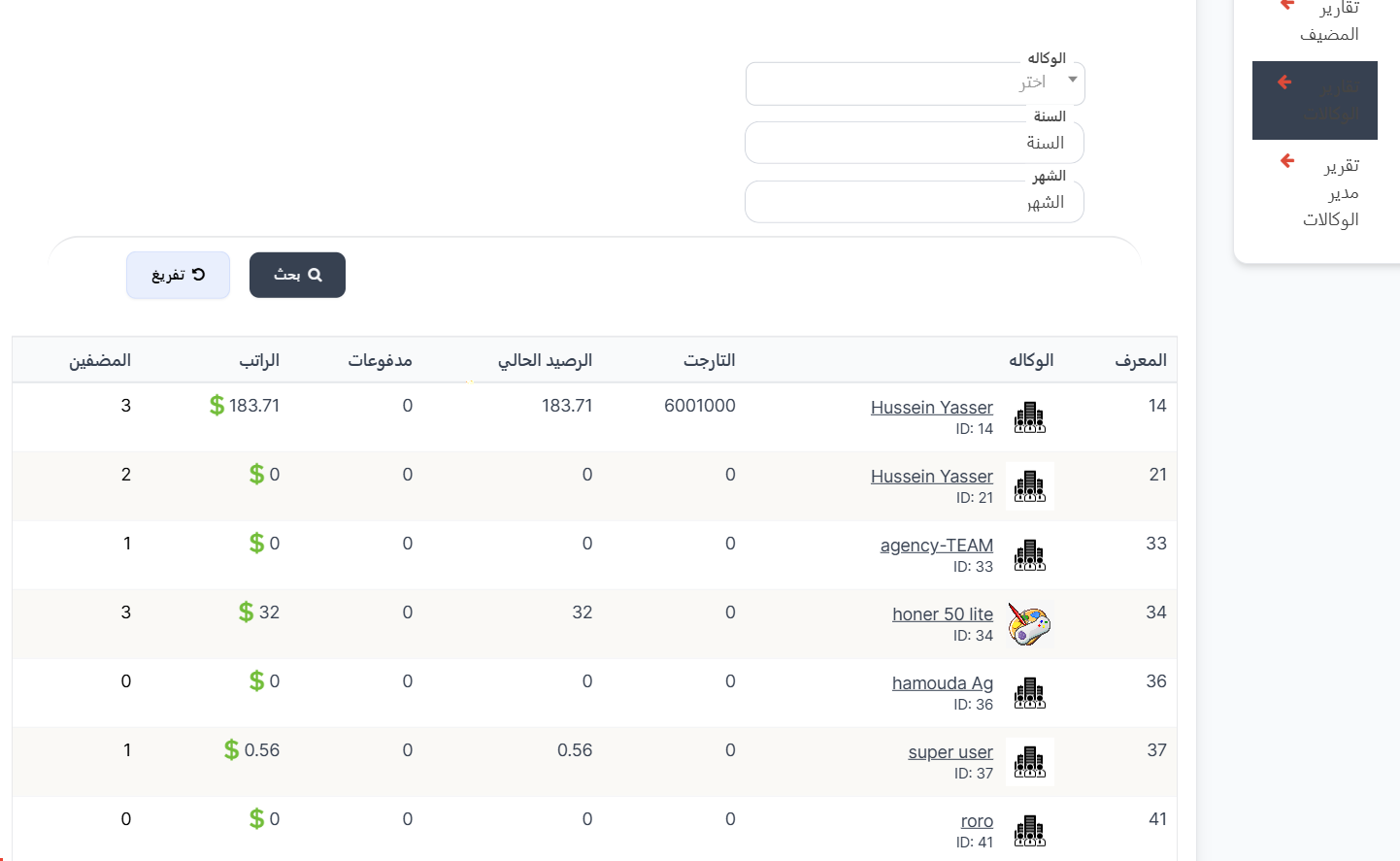
Displays each agency's performance reports with balances and payments.
Search Filter:
| Filter | Description |
|---|---|
| Agency | Filter by agency (dropdown) |
| Year | Filter by year |
| Month | Filter by month |
Report Table:
| Column | Description |
|---|---|
| ID | Report identification number (ID) |
| Agency | Agency name with image and ID |
| Target | Total targets achieved |
| Current Balance | Agency's current balance |
| Payments | Total payments |
| Salary | Salary in dollars ($) |
| Hosts | Number of hosts in the agency |
3. Agency Manager Report:
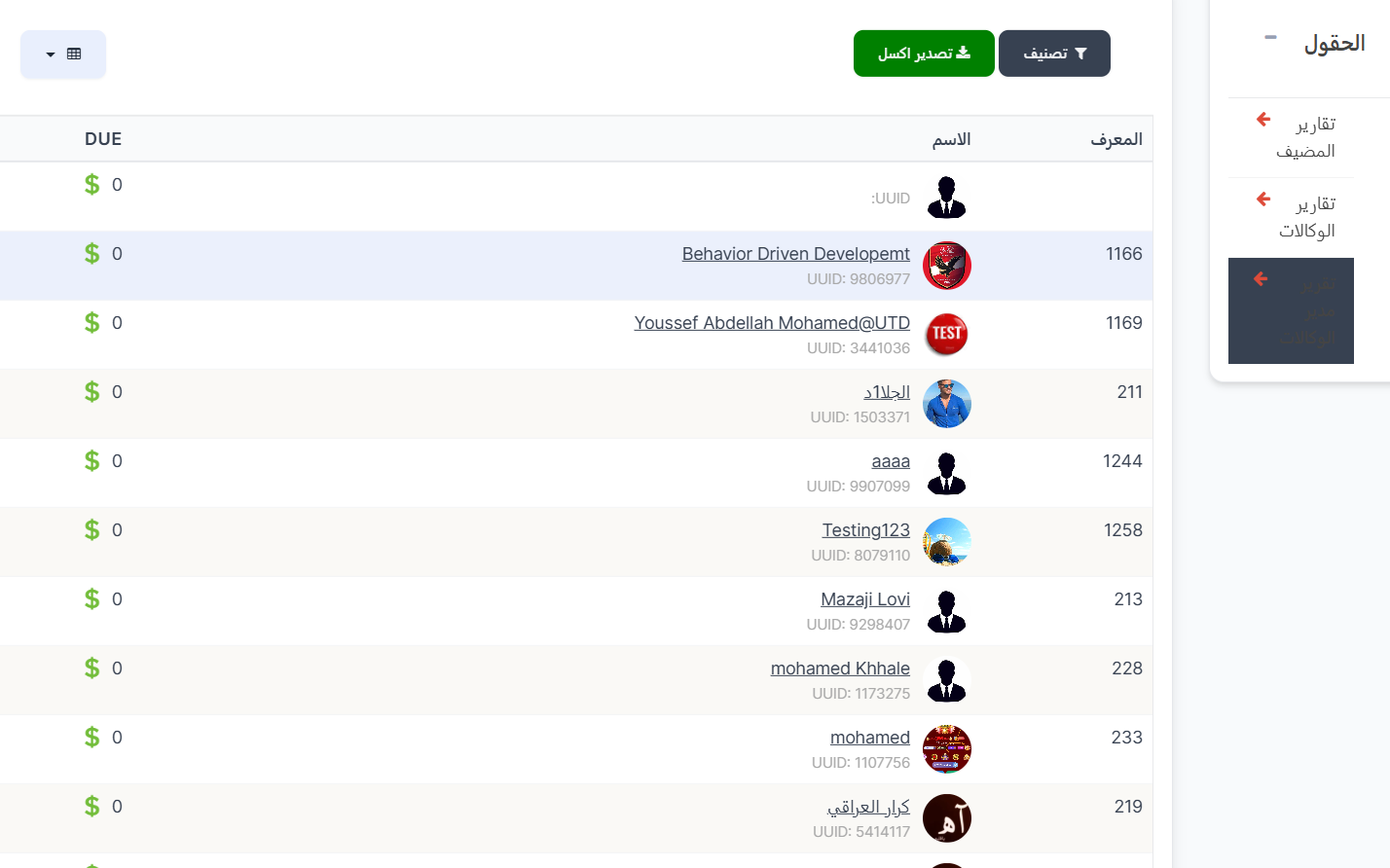
Displays agency manager reports with financial dues (DUE).
Control Buttons:
| Button | Description |
|---|---|
| 🔽 Filter | Filter data |
| 📥 Export Excel | Export data as Excel file |
Report Table:
| Column | Description |
|---|---|
| ID | Manager identification number (ID) |
| Name | Manager image, name, and UUID |
| DUE | Amount due in dollars ($) |
Quick Summary:
| Action | Steps |
|---|---|
| View host reports | Reports → Host Reports → Filter by agency/year/month → Search |
| View agency reports | Reports → Agency Reports → Filter by agency/year/month → Search |
| View agency manager report | Reports → Agency Manager Report |
| Export data | Click 📥 Export Excel button |