😄 Emojis
Emojis
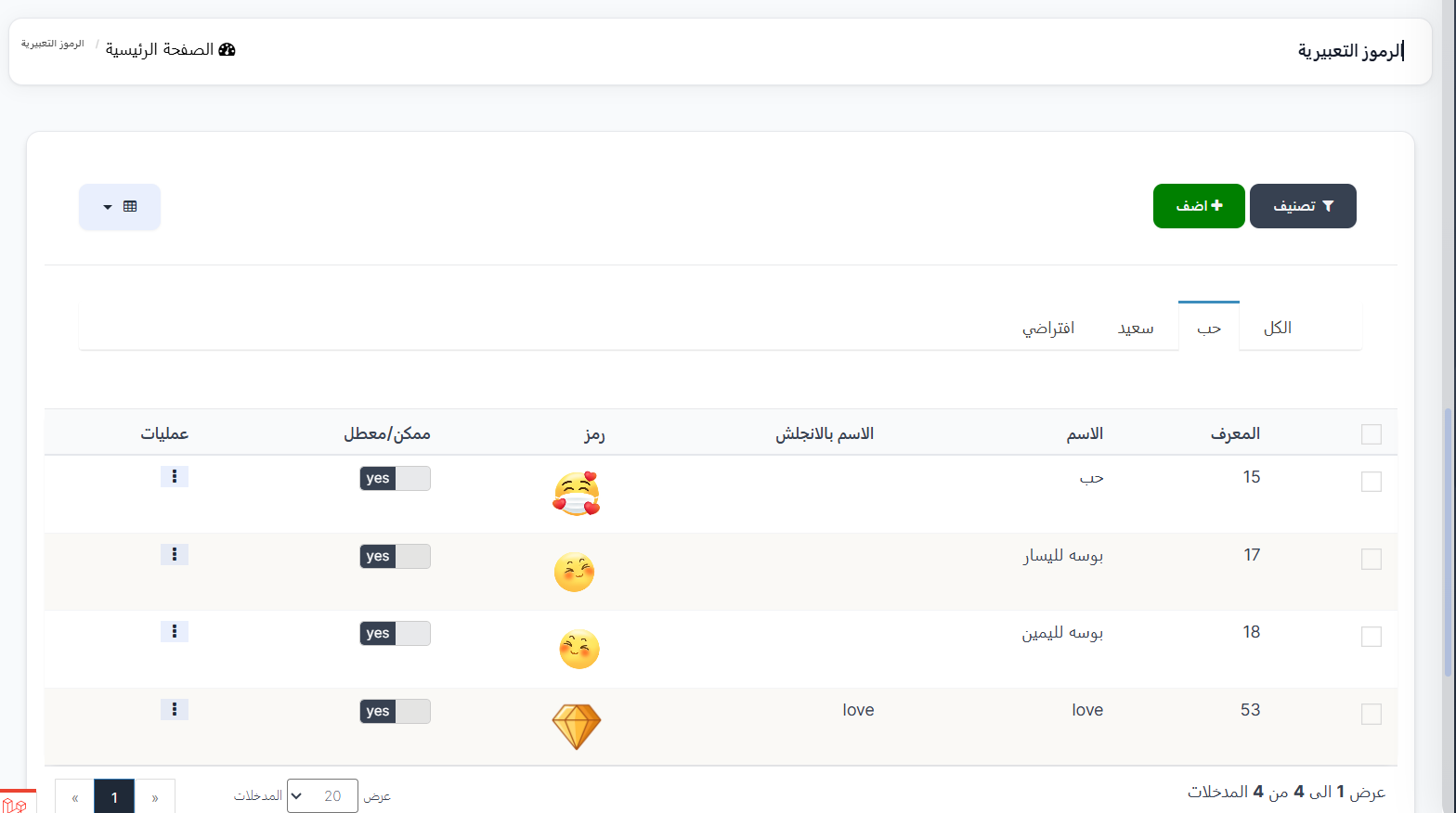
The Emojis page displays all emojis available in the app with the ability to add new ones, edit them, and enable or disable them.
Access:
Sidebar → Emojis → Emojis
Top Buttons:
| Button | Description |
|---|---|
| 🔽 Filter | Sorting and filtering options |
| ➕ Add | Add a new emoji |
Tabs:
Emojis are divided into tabs by category:
| Tab | Description |
|---|---|
| All | Display all emojis |
| Love | Love category emojis |
| Happy | Happy category emojis |
| Default | Default emojis |
Emojis Table:
| Column | Description |
|---|---|
| ID | Unique emoji identifier |
| Name | Emoji name in Arabic |
| English Name | Emoji name in English |
| Emoji | Emoji image/icon |
| Enabled/Disabled | Emoji status (yes = enabled) |
| Actions | Additional actions (⋮) |
Add a New Emoji:
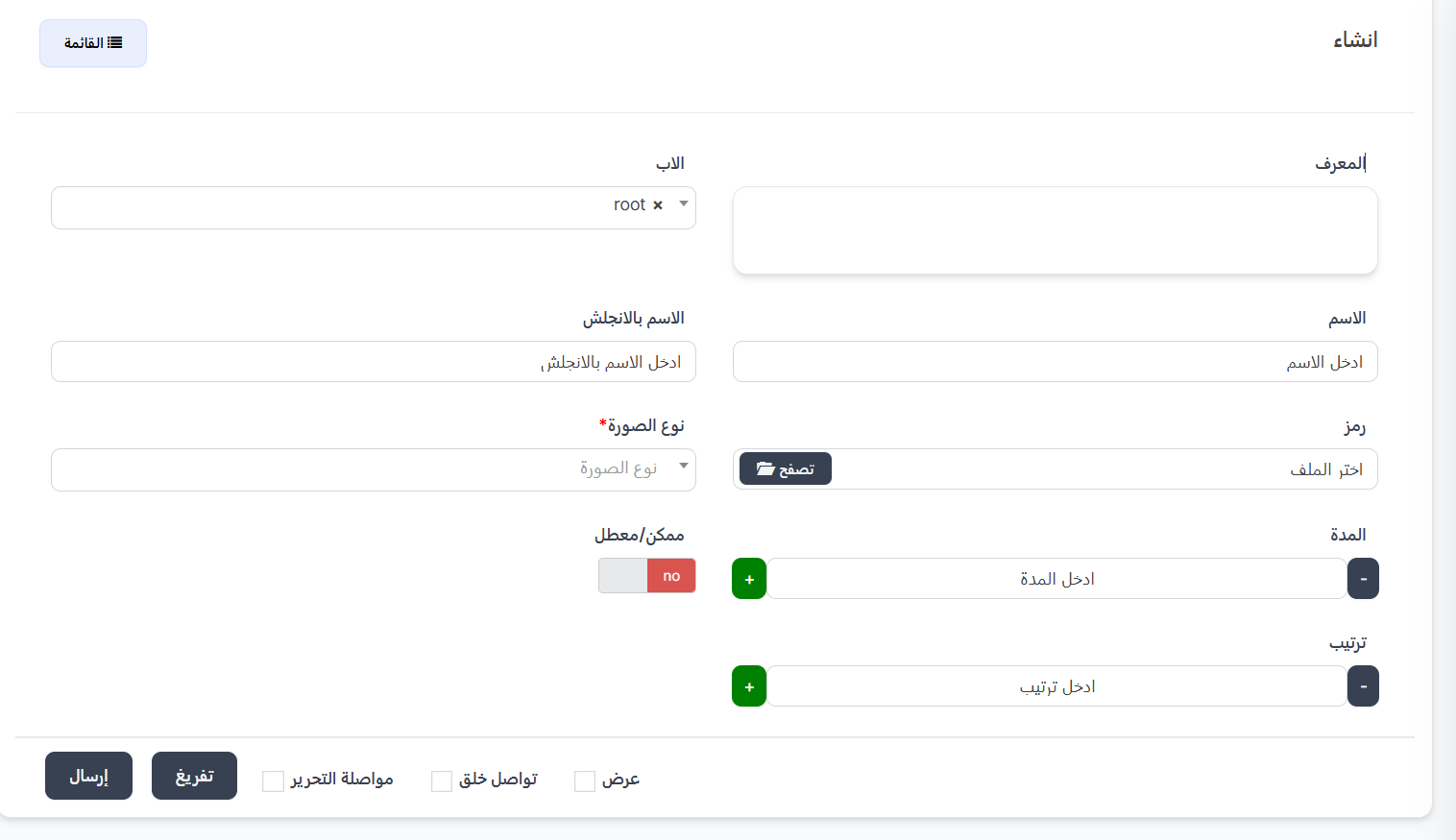
Click ➕ Add to create a new emoji.
| Field | Description | Required |
|---|---|---|
| ID | Emoji identifier | ❌ No |
| Parent | Parent category (e.g., root) — dropdown list | ❌ No |
| Name | Emoji name in Arabic | ❌ No |
| English Name | Emoji name in English | ❌ No |
| Emoji | Emoji file — click 📂 Browse to select | ❌ No |
| Image Type | Image file type — dropdown list | ✅ Yes |
| Duration | Emoji display duration (number with +/-) | ❌ No |
| Enabled/Disabled | Enable or disable the emoji (no = disabled) | ❌ No |
| Order | Emoji display order (number with +/-) | ❌ No |
---
Emoji Categories
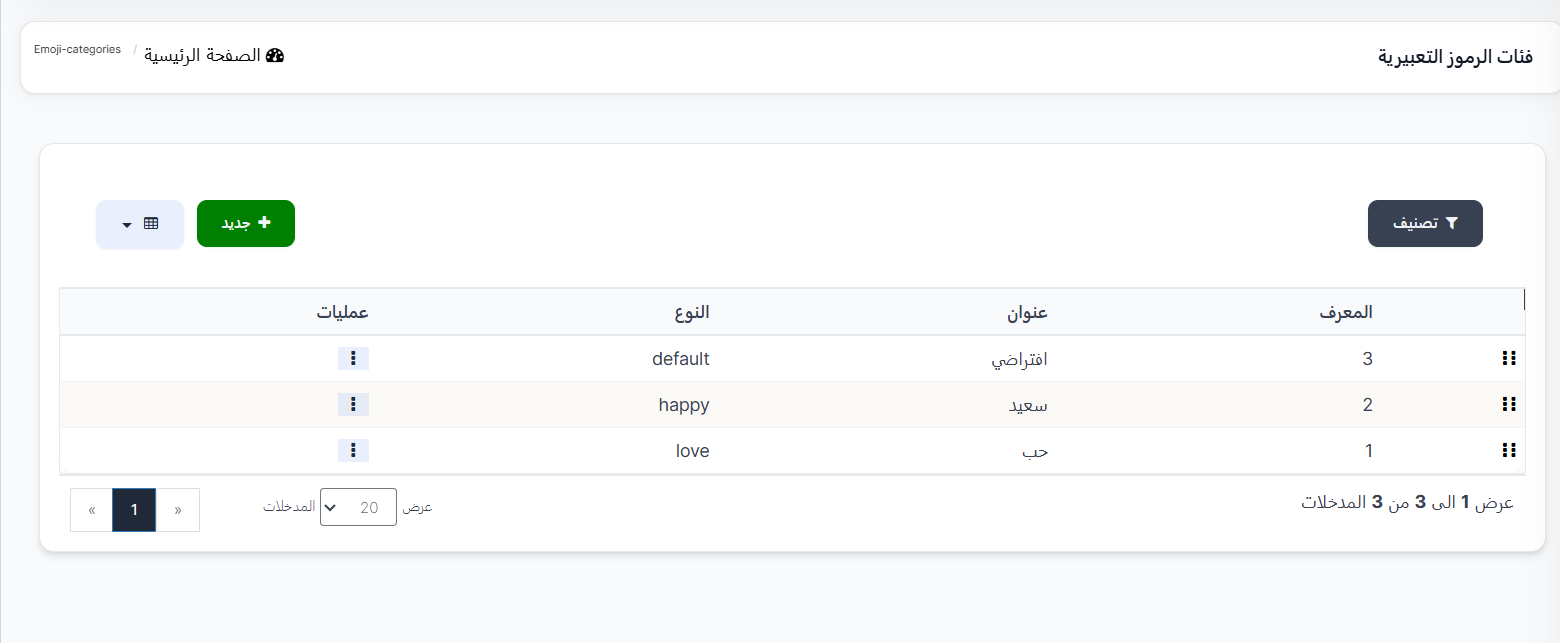
The Emoji Categories page displays the categories/classifications that emojis are divided into.
Access:
Sidebar → Emojis → Emoji Categories
Categories Table:
| Column | Description |
|---|---|
| ⠿ | Drag icon to change category order (drag & drop) |
| ID | Unique category identifier |
| Title | Category name in Arabic |
| Type | Category type in English |
| Actions | Additional actions (⋮) |
Current Categories:
| ID | Title | Type |
|---|---|---|
| 3 | Default | default |
| 2 | Happy | happy |
| 1 | Love | love |
Create a New Category:
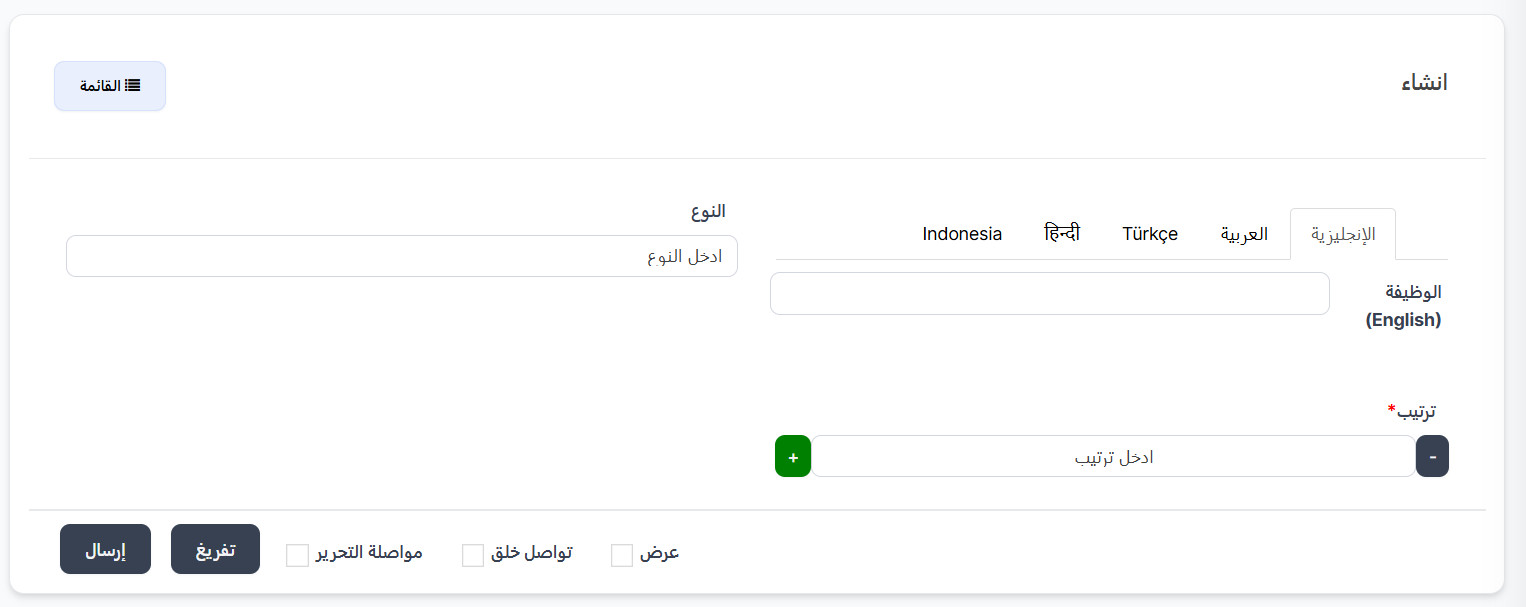
Click ➕ New to create a new category.
| Field | Description | Required |
|---|---|---|
| Type | Category type in English (e.g., happy, love) | ❌ No |
| Title | Category title in multiple languages (English, Arabic, Türkçe, हिन्दी, Indonesia) | ❌ No |
| Order | Category display order (number with +/-) | ✅ Yes |
Quick Summary:
| Action | Steps |
|---|---|
| View Emojis | Emojis → Emojis |
| Add Emoji | ➕ Add → Fill fields → Submit |
| Enable/Disable Emoji | Edit Enabled/Disabled from table |
| View Categories | Emojis → Emoji Categories |
| Create Category | ➕ New → Type + Title + Order → Submit |
| Change Category Order | Drag and drop using ⠿ icon |