🎁 Create a New Gift
How to Access:
Gifts → Gifts → Create
Gift Creation Types
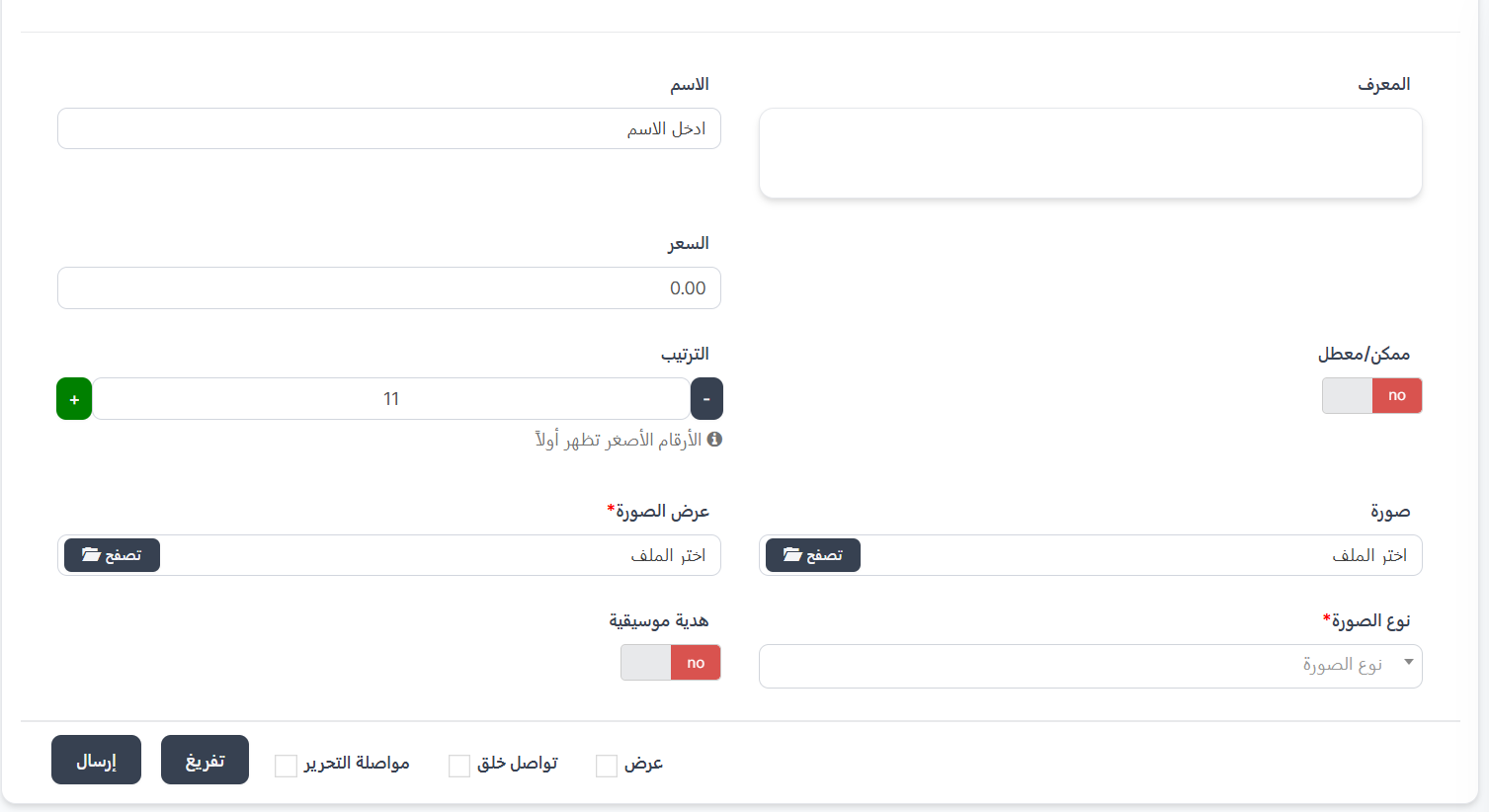
The gift creation form varies depending on the category type the gift belongs to. There are three different types:
1. Creating a Normal Gift
This form is used to create regular gifts that belong to normal or CP type categories. These gifts are available to all users without special conditions.
Required Fields:
| Field | Description | Required |
|---|---|---|
| ID | Gift identifier (auto-generated) | Auto |
| Name | Gift name | ✅ Yes |
| Price | Gift price in Coins | ✅ Yes |
| Enabled/Disabled | Enable or disable the gift (yes/no) | ✅ Yes |
| Sort Order | Display order (lower numbers appear first) | ✅ Yes |
| Image | Main gift image displayed in the list (click "Browse" to select) | ✅ Yes |
| Display Image | Animated display file shown when the gift is sent in the room | ✅ Yes |
| Image Type | Type of animated display file (see supported image types below) | ✅ Yes |
| Musical Gift | Whether the gift contains a sound effect (yes/no) | No |
Supported Image Types
When selecting the Image Type for the animated gift display, the following types are available:
| Type | Description |
|---|---|
| svga | SVGA animation file (most commonly used for gifts) |
| alpha | Video file with transparency (Alpha channel) |
| mp4 | MP4 video file |
| vap | VAP animation file |
Accepted image formats for the main image: jpg, jpeg, png, gif, bmp, tiff, svg, webp, mov, avi, wmv, flv, mkv, webm
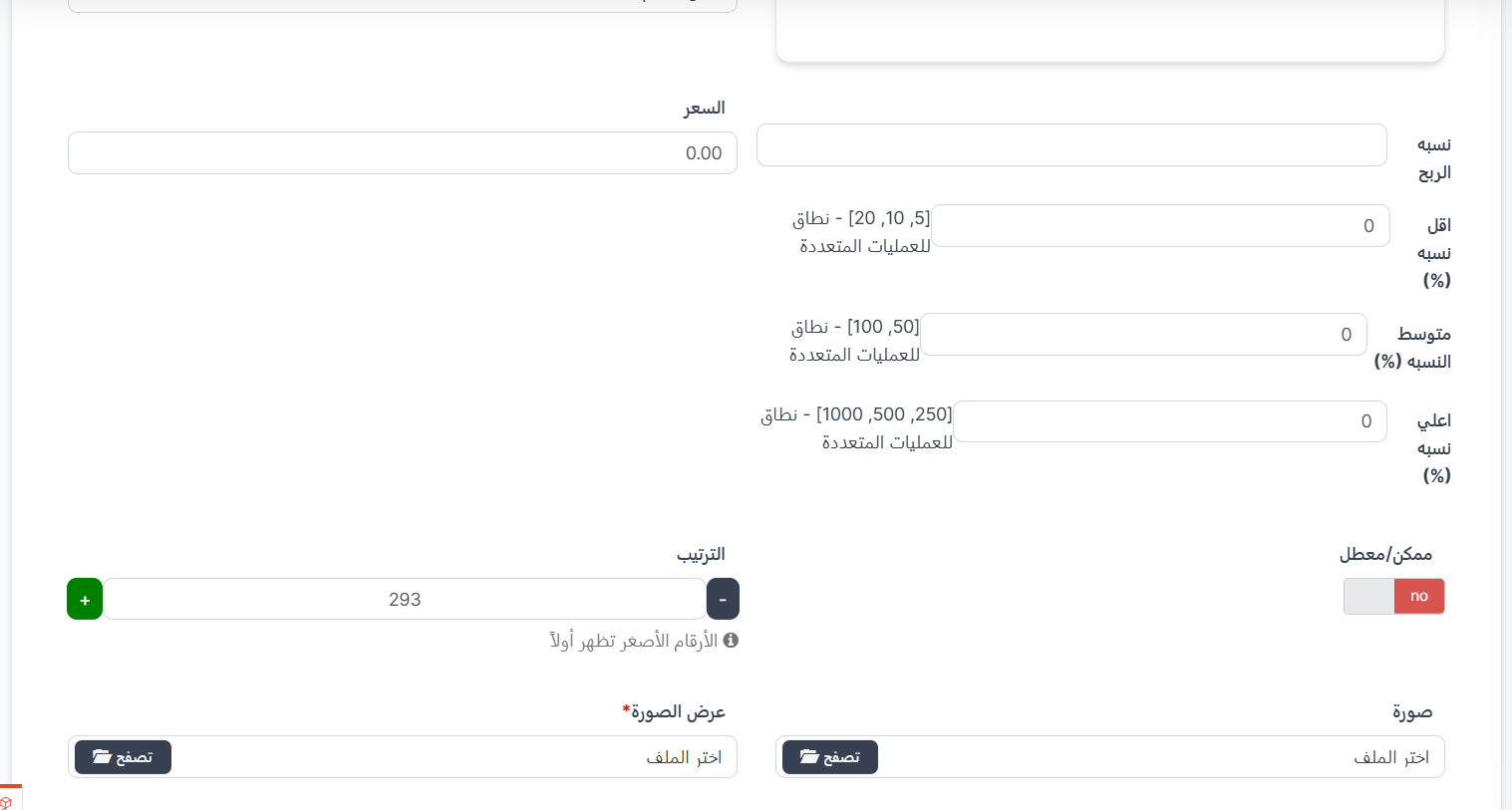
2. Creating a Lucky Gift
Lucky gifts are special gifts that give the recipient a chance to win additional random rewards. When creating a gift in a lucky_gift type category, additional fields for profit percentages appear.
Additional Fields (in addition to basic fields):
| Field | Description | Required |
|---|---|---|
| Profit Rate | Base profit rate from the gift | ✅ Yes |
| Min Rate (%) | Minimum possible profit rate - range for multiple operations (e.g.: [5, 10, 20]) | ✅ Yes |
| Medium Rate (%) | Medium profit rate - range for multiple operations (e.g.: [50, 100]) | ✅ Yes |
| Max Rate (%) | Maximum possible profit rate - range for multiple operations (e.g.: [250, 500, 1000]) | ✅ Yes |
How do Lucky Gifts work?
When a lucky gift is sent, the recipient receives a random reward based on the defined profit rates. The rates range between Min Rate and Max Rate, creating an element of excitement and thrill for users.
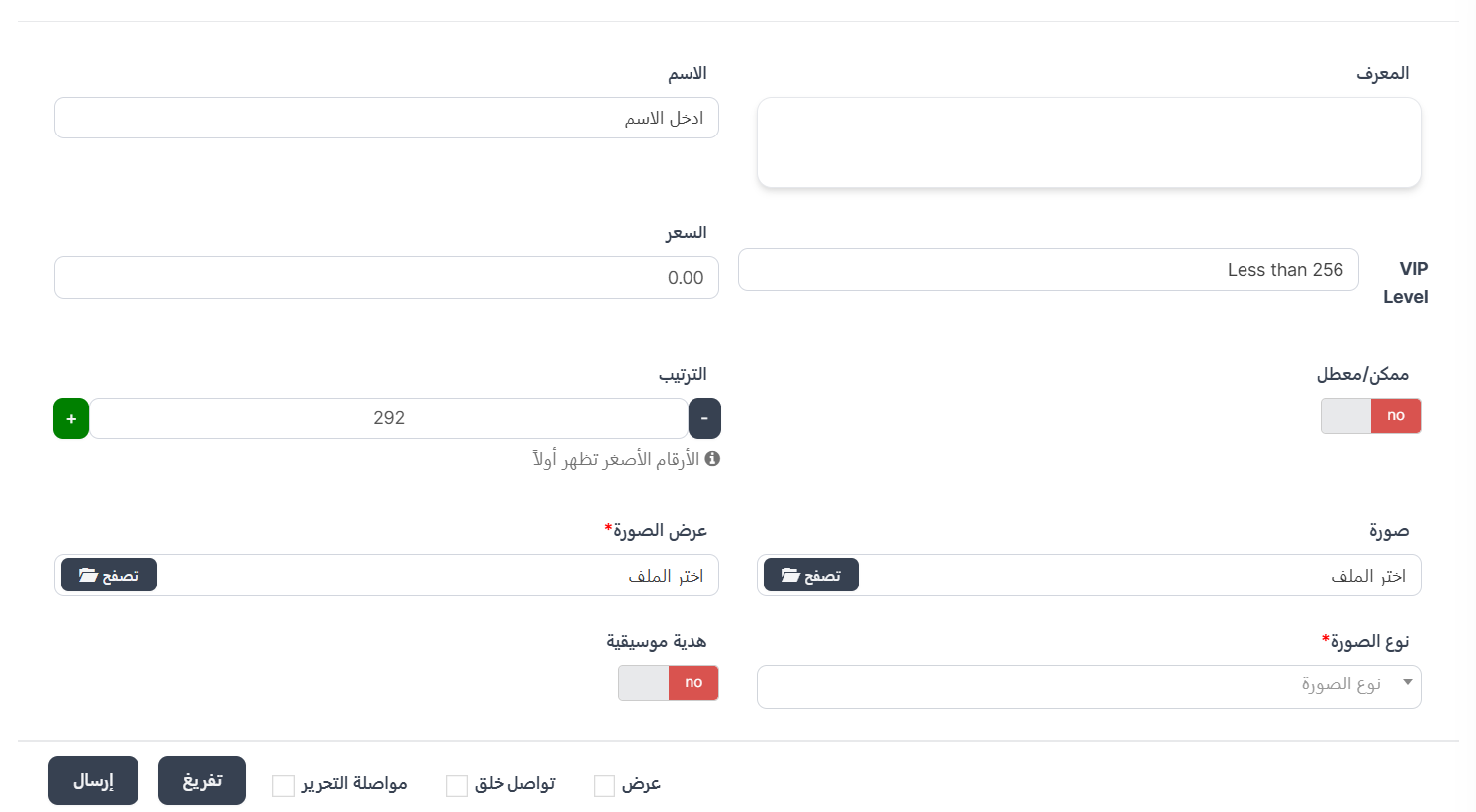
3. Creating a VIP Gift
VIP gifts are exclusive gifts that a user can only send (throw) if they have reached a specific VIP level. This makes the gifts more distinguished and exclusive.
Additional Fields (in addition to basic fields):
| Field | Description | Required |
|---|---|---|
| VIP Level | VIP level required to send this gift (less than 256) | ✅ Yes |
Warning
Users who have not reached the specified VIP level for the gift will not be able to send it. Make sure to set the appropriate level for each VIP gift.
Common Fields Across All Types
All gift types (Normal, Lucky, VIP) share the following fields:
| Field | Description |
|---|---|
| ID | Unique identifier (auto) |
| Name | Gift name |
| Price | Price in Coins |
| Enabled/Disabled | Enable/disable the gift |
| Sort Order | Display order (lower numbers appear first) |
| Image | Main gift image |
| Display Image | Animated display file |
| Image Type | Display file type (svga, alpha, mp4, vap) |
| Musical Gift | Sound effect (yes/no) |
Additional Save Options:
| Option | Description |
|---|---|
| View | View the gift after saving |
| Continue Creating | Continue creating new gifts after saving |
| Continue Editing | Stay on the editing page after saving |
Tips
- Choose the appropriate Image Type for the animated display file (SVGA is the most common).
- Set an appropriate price for the gift that matches its value and attractiveness.
- Use Enabled/Disabled to temporarily disable a gift instead of deleting it.
- Lower numbers in Sort Order make the gift appear first in the list.