🎯 Target Events
🎯 Target Events (Charge Events)
Introduction
The Target Events system is a rewards system based on the user's total recharges during the month. When a user's total recharges reach a certain value (a defined target), they automatically receive the gift associated with that target.
How Does the System Work?
- Define Targets: The admin creates targets with different values (e.g., 30, 80,000, 100,000, 10,000,000).
- Link Gifts: Each target is linked to one or more gifts (item, badge, VIP membership, points, achievement).
- User Recharges: When the user recharges during the month, their total recharges are accumulated.
- Achieve Target: When the total recharges reach the defined value, the user automatically receives the gift.
- Progression: The more the user recharges, the higher targets they can achieve and better gifts they receive.
Important Note
Targets are cumulative - if a user achieves a target of 80,000 and then reaches 100,000, they receive gifts for both targets.
How to Access
Sidebar Menu → Events → Charge Events
Or via direct link:
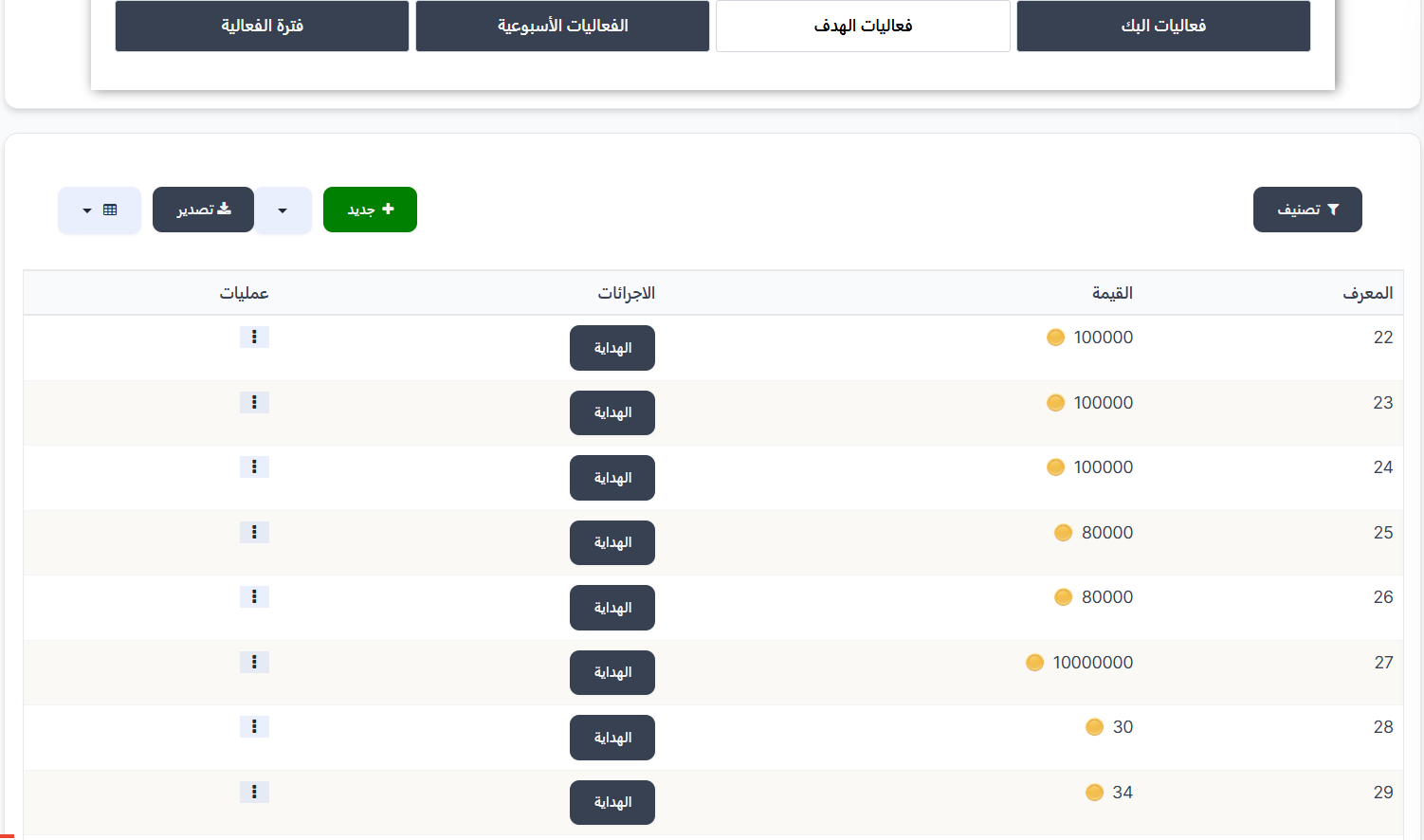
Target Events Page
When entering the events page, you'll find several tabs at the top:
| Tab | Description |
|---|---|
| PK Events | Events related to the PK system |
| Target Events ✅ | Charge target events (current page) |
| Weekly Events | Events that renew weekly |
| Event Period | Event period settings |
Click on the "Target Events" tab to access this page.
Targets Table
The table displays all available charge targets:
| Column | Description |
|---|---|
| ID | Unique identifier for the target (e.g., 22, 23, 24...) |
| Value 🟡 | Required charge value to receive the gift (e.g., 100,000 or 80,000 or 30) |
| Actions | "Gift" button - to enter and manage gifts linked to this target |
| Operations | Actions menu (⋮) to edit or delete the target |
Main Control Buttons
| Button | Description |
|---|---|
| + New 🟢 | Create a new charge target |
| Filter 🔘 | Filter and sort displayed targets |
| Export 🔵 | Export target data as a file |
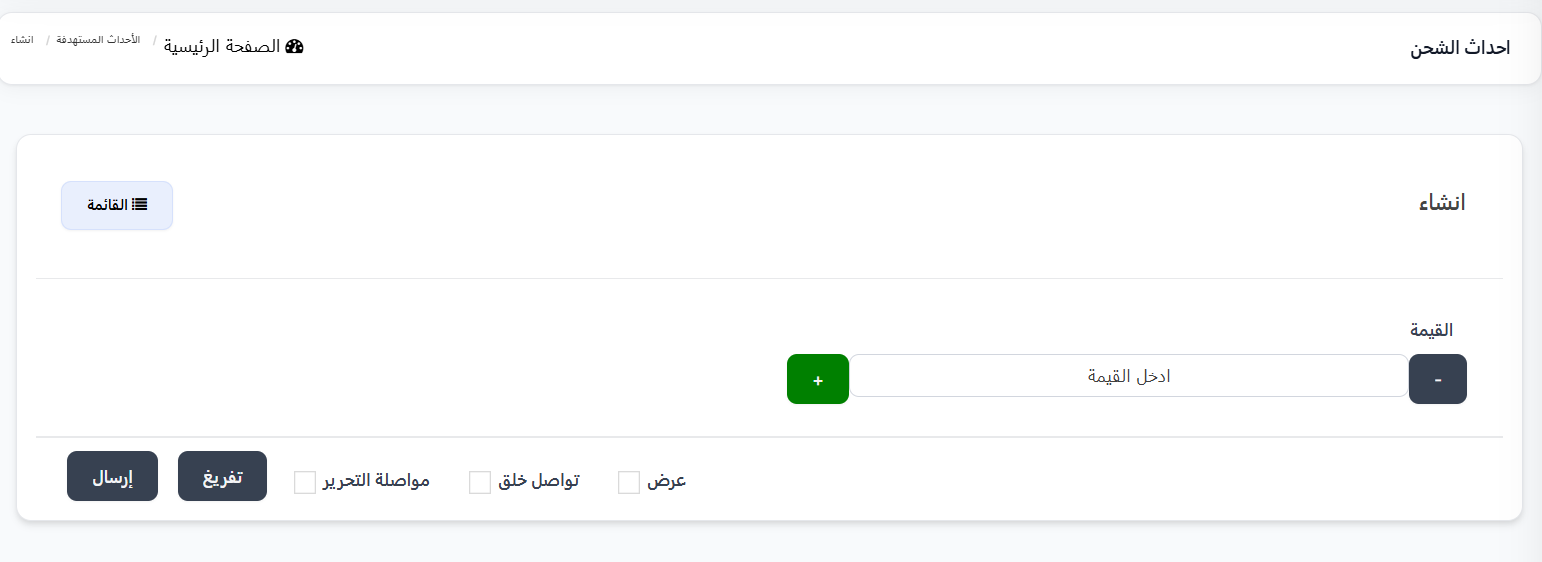
Create New Target
To create a new charge target:
- Click the "+ New" 🟢 button
- The creation page will appear with the following fields:
| Field | Description | Example |
|---|---|---|
| Value | Required charge value that the user's total monthly recharges must reach | 100,000 |
- Use the + and - buttons to increase or decrease the value, or enter it manually
- Click "Submit" to save the target
Managing Target Gifts
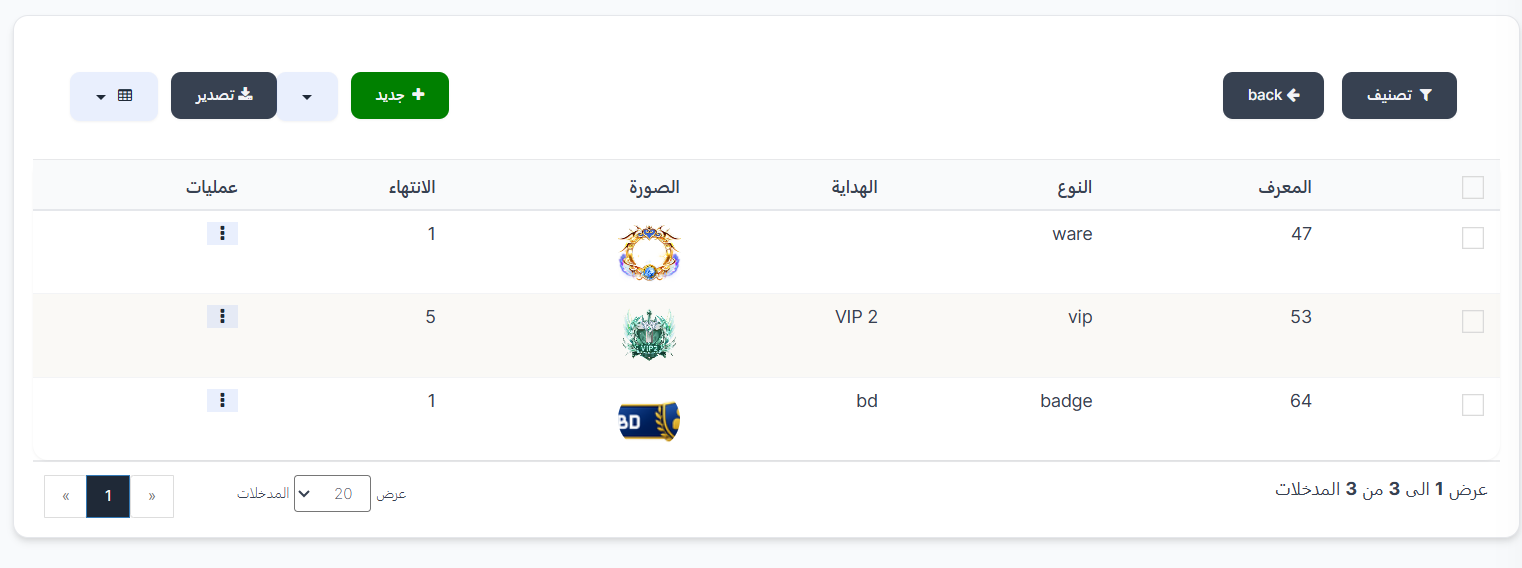
After creating a target, you need to link gifts to it. Click the "Gift" button in the actions column to enter the gift management page for this target.
Gifts Table
| Column | Description |
|---|---|
| ID | Unique identifier for the gift (e.g., 47, 53, 64) |
| Type | Gift type (ware - item, vip - VIP membership, badge - badge) |
| Gift | Specific gift name (e.g., VIP 2, bd) |
| Image | Gift image displayed |
| Expiry | Gift validity period in days (e.g., 1, 5) |
| Operations | Actions menu (⋮) to edit or delete the gift |
Adding a New Gift to Target
- From the target gifts page, click "+ New" 🟢
- Fill in the following fields:
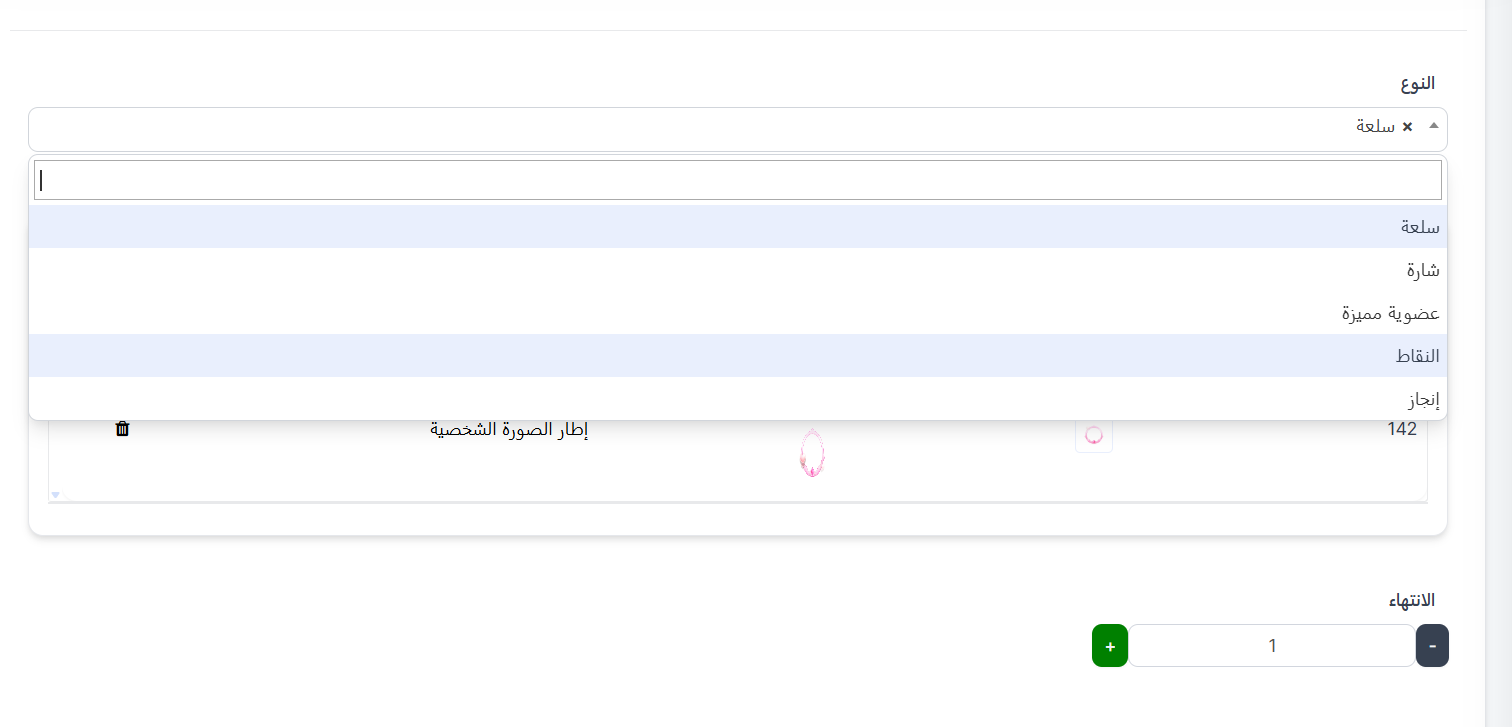
Type Field
Choose the gift type from the dropdown:
| Type | Description |
|---|---|
| Item (ware) | Store item such as avatar frame, entrance effects, etc. |
| Badge (badge) | Badge displayed on user's profile |
| VIP Membership (vip) | VIP membership at a specific level |
| Points (points) | Points added to user's balance |
| Achievement (achievement) | Achievement added to user's record |
Gift Field
After selecting the type, a list of available gifts of that type will appear. Choose the desired gift.
Example
When selecting type "Item", a list of all available items like "Avatar Frame" with their image and ID will appear.
Expiry Field
| Field | Description |
|---|---|
| Expiry | Gift validity period in days. Use + and - buttons or enter the number manually |
- Click "Submit" to save and link the gift to the target
Practical Example
Scenario: Creating a Tiered Charge Rewards System
Let's say you want to reward users for their monthly recharges:
| Target | Value | Gift | Type | Expiry |
|---|---|---|---|---|
| Target 1 | 30 | Special Badge | Badge (badge) | 1 day |
| Target 2 | 80,000 | Golden Avatar Frame | Item (ware) | 1 day |
| Target 3 | 100,000 | VIP 2 | VIP Membership (vip) | 5 days |
| Target 4 | 10,000,000 | Exclusive Gift Package | Item (ware) | 1 day |
How It Works for the User?
👤 User recharges during the month
    ↓
💰 Total recharges = 30 ← Gets special badge 🏅
    ↓
💰 Total recharges = 80,000 ← Gets golden avatar frame 🖼️
    ↓
💰 Total recharges = 100,000 ← Gets VIP 2 💎
    ↓
💰 Total recharges = 10,000,000 ← Gets exclusive package 🎁
    ↓
🔄 End of month → Reset total → New month begins
Important Notes
Tip
Create tiered targets starting with low values and gradually increasing. This motivates users to recharge more to reach the next target and get better gifts.
Warning
- Make sure the gifts linked to each target are appropriate for the required charge value.
- Higher value targets should contain more valuable gifts to motivate users.
- The expiry duration determines how many days the gift will remain active for the user.
Information
You can link more than one gift to the same target. For example, when a user reaches 100,000 in recharges, they can receive an item + badge + VIP membership at the same time.
Edit or Delete Target
From the "Operations" column (⋮) in the targets table, you can:
- Edit: Change the target value
- Delete: Delete the target and all linked gifts
Warning
When deleting a target, all linked gifts will also be deleted. Make sure before proceeding.