🗑️ Deleted Accounts
Introduction
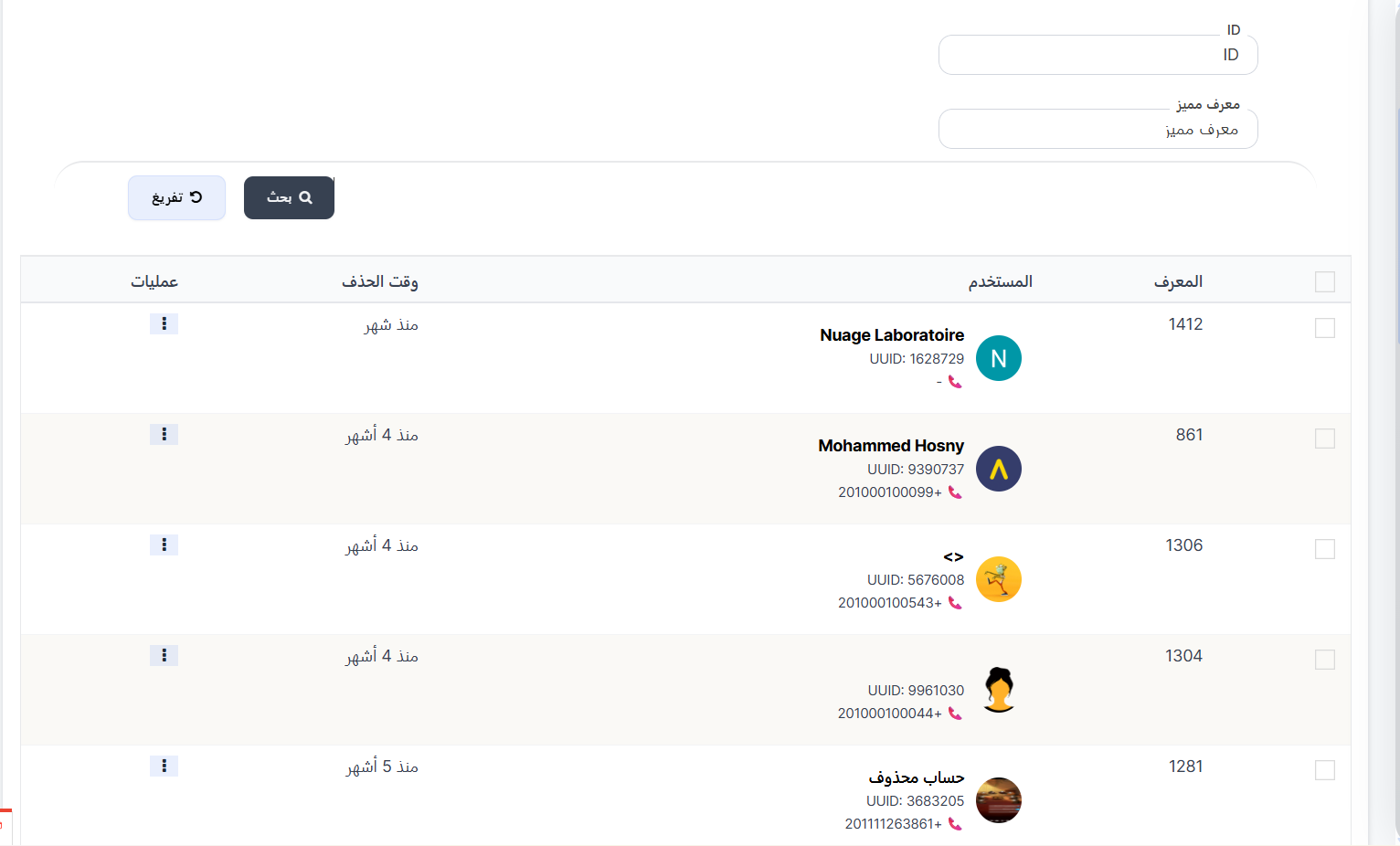
The Deleted Accounts page displays all user accounts that have been deleted (moved to trash). From this page you can restore an account or permanently delete it from the system.
How to Access
Sidebar ← Users ← Deleted Accounts
Search & Filter
| Field | Description |
|---|---|
| ID | Search by account's internal ID |
| UUID | Search by user's unique UUID |
Deleted Accounts Table
| Column | Description |
|---|---|
| ID | Account's internal system ID |
| User | User information: name, profile picture, UUID, and phone number 📞 |
| Deletion Time | Time since account was deleted (e.g., "1 month ago", "4 months ago") |
| Operations | Options menu (⋮) with restore or permanent delete actions |
Available Operations
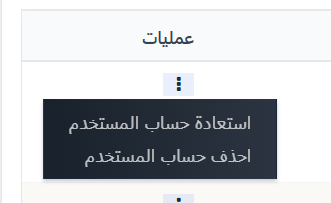
When pressing the Operations menu (⋮) next to any deleted account:
| Option | Function |
|---|---|
| Restore User Account ↩️ | Restore the deleted account to active status — user will reappear in the regular users list and can use the app normally |
| Delete User Account 🔴 | Permanently delete the account from the system — this action cannot be undone |
Steps to Restore a Deleted Account
| Step | Action |
|---|---|
| 1 | Go to Users ← Deleted Accounts |
| 2 | Search for the user using ID or UUID |
| 3 | Press the Operations menu (⋮) |
| 4 | Select Restore User Account |
| 5 | Account will be restored to the active users list |
Steps for Permanent Deletion
| Step | Action |
|---|---|
| 1 | Go to Users ← Deleted Accounts |
| 2 | Search for the user using ID or UUID |
| 3 | Press the Operations menu (⋮) |
| 4 | Select Delete User Account |
| 5 | Confirm the permanent deletion |
Important Warning ⚠️
- Permanent deletion cannot be undone — all user data will be permanently removed from the system.
- Make sure you want to permanently delete the account before confirming.
- Prefer restoration if there is any doubt.
Tip
- If a user requests account restoration, search here using UUID or ID and restore the account.
- Deleted accounts remain in trash until permanently deleted or restored.
- The Deletion Time column helps you know when the account was deleted.