➕ Add a New Area Manager
This function allows you to assign a new area manager and give them the necessary permissions to manage their area efficiently.
How to Access:
Sidebar ← Area System ← Area Manager ← Add New Area Manager
Steps to Add an Area Manager:
- From the "Area Managers" section, click the "Add New Area Manager" button.
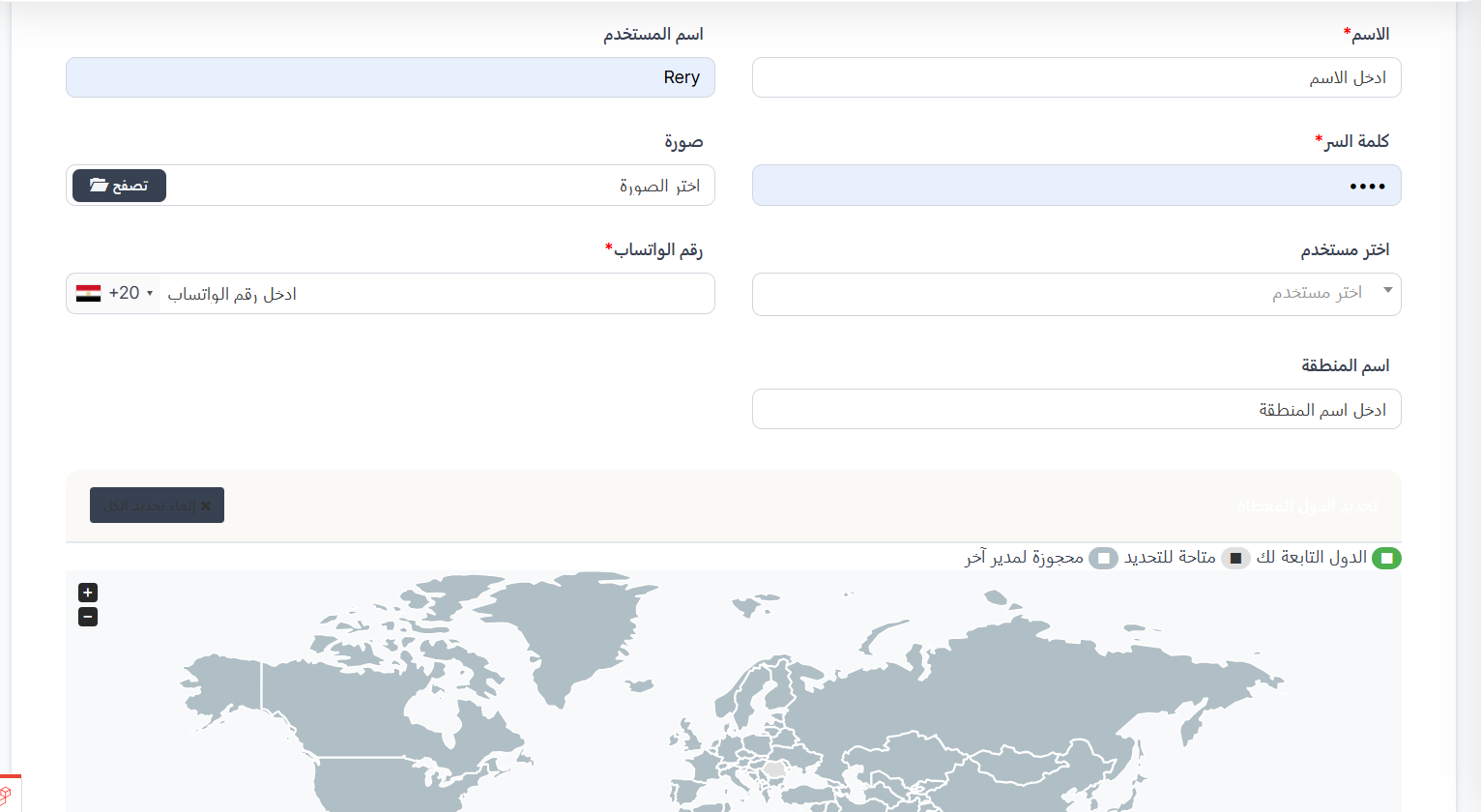
- Fill in the following information:
Basic Information:
| Field | Description | Required |
|---|---|---|
| Name | Enter the area manager's name | ✅ Yes |
| Username | The username they will use to log in | No |
| Password | Set a password for the manager | ✅ Yes |
| Photo | Upload a profile photo for the area manager (click "Browse" to select) | No |
| Select User | Choose an existing user from the dropdown list | No |
| WhatsApp Number | Enter the WhatsApp number with country code (e.g., +20) | ✅ Yes |
| Area Name | Enter the name of the area they will manage | No |
Select Countries:
After filling in the basic information, you will find a world map to select the countries that the area manager will manage. The map contains three types of countries:
- 🟢 Your Countries: Countries currently assigned to this manager.
- ⬛ Available for Selection: Countries you can choose and add to this manager.
- 🔲 Reserved for Another Manager: Countries already assigned to another area manager and cannot be selected.
Click on a country on the map to select or deselect it.
- After completing all the information and selecting countries, click "Save".
Tips:
- Make sure to set a strong password.
- Select countries carefully to avoid overlap with other area managers.
- You can deselect a country by clicking the ✕ mark next to its name in the selected countries bar.