🎮 Games
Introduction
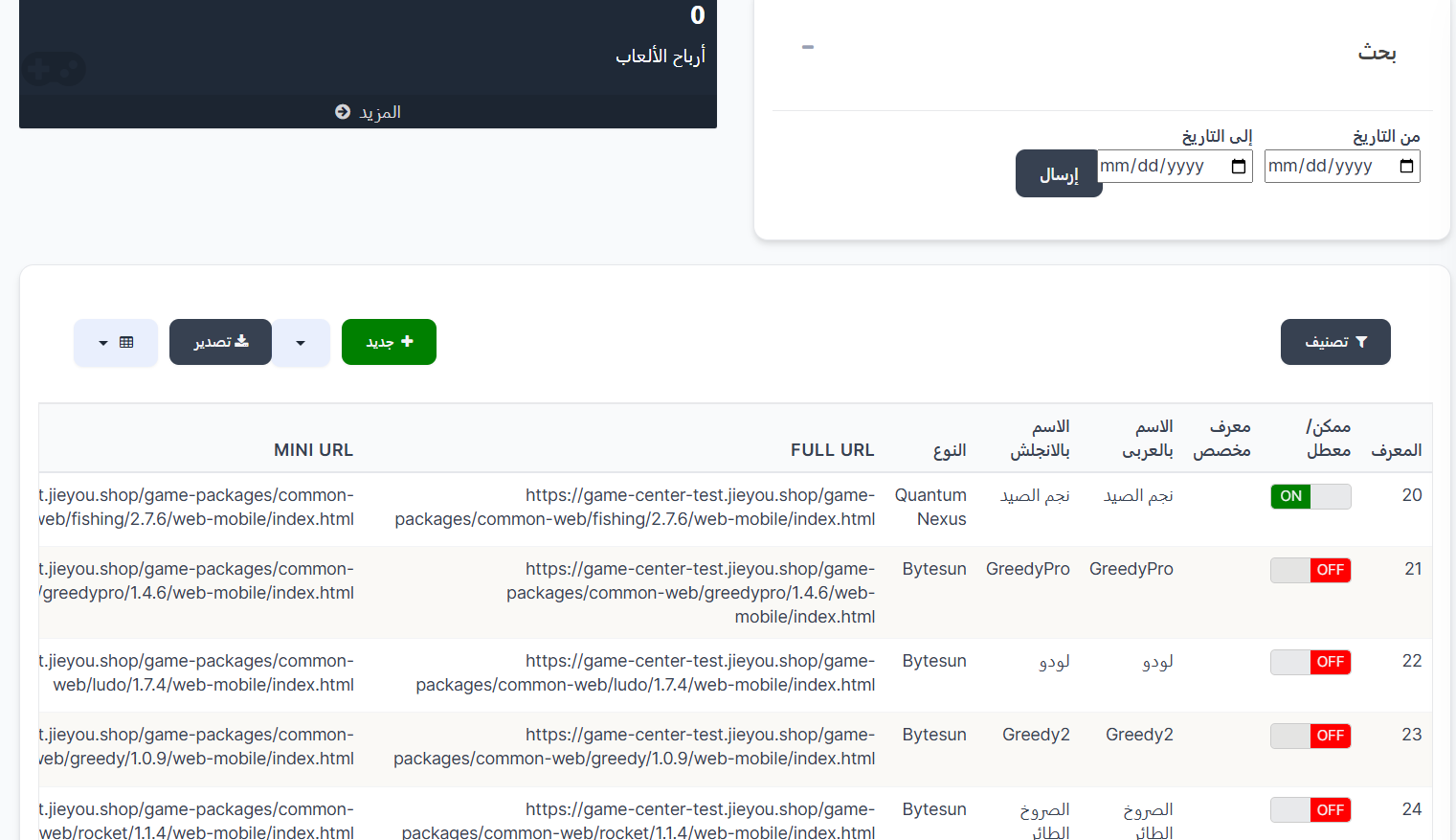
The Games page displays all games available in the application with the ability to add new games, manage them, and enable or disable them. It also includes game earnings and date-based search statistics.
How to Access
Sidebar ← Games ← Games
🎮 Open Games Page
Game Earnings
At the top of the page, a Game Earnings box appears showing total earnings. You can click More to view additional details.
Game Earnings Search
| Field |
Description |
| From Date |
Start date of search period |
| To Date |
End date of search period |
| Submit |
Execute search and display results |
Top Page Buttons
| Button |
Description |
| 🔘 Filter |
Open search and filter options |
| ➕ New |
Add a new game |
| 📤 Export |
Export games data |
Games Table
The table displays all registered games:
| Column |
Description |
| ID |
Unique game identifier (example: 20, 21, 22...) |
| Enabled/Disabled |
Game status — 🟢 ON (enabled) or 🔴 OFF (disabled) |
| Custom ID |
Custom game identifier (optional) |
| Arabic Name |
Game name in Arabic (example: نجم الصيد, لودو, الصروخ الطائر) |
| English Name |
Game name in English (example: Quantum Nexus, GreedyPro) |
| Type |
Game provider (example: Bytesun, Quantum Nexus) |
| FULL URL |
Full game URL |
| MINI URL |
Mini game URL |
Adding a New Game
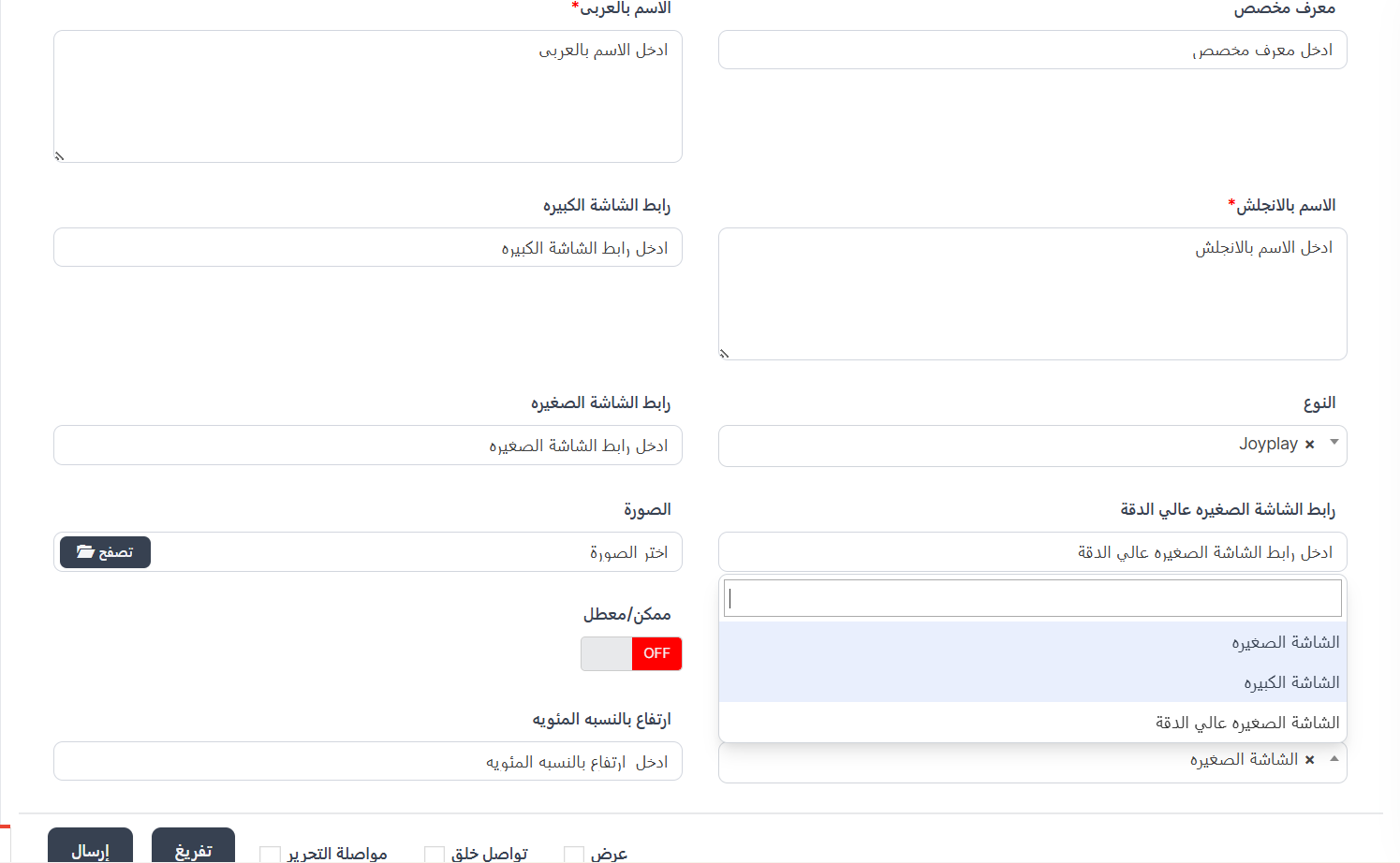
When clicking ➕ New, the create page appears.
Creation Fields:
| Field |
Description |
Required |
| Custom ID |
Unique custom game identifier |
❌ |
| Arabic Name |
Game name in Arabic |
✅ |
| English Name |
Game name in English |
✅ |
| Full Screen URL |
Game URL for full screen |
❌ |
| Type |
Game provider — dropdown |
❌ |
| Mini Screen URL |
Game URL for mini screen |
❌ |
| HD Mini Screen URL |
High-definition mini screen URL |
❌ |
| Image |
Game image (📁 Browse to select) |
❌ |
| Image Height (pixel) |
Image height in pixels |
❌ |
| Enabled/Disabled |
Enable or disable (ON/OFF) |
❌ |
| In Room |
Display type in room |
❌ |
| Height Percentage |
Display height percentage |
❌ |
Game Providers (Type):
| Provider |
| Joyplay |
| OX |
| Bytesun |
| Quantum Nexus |
| Zero Games |
Room Display Options:
| Option |
Description |
| Mini Screen |
Display game in small size in room |
| Full Screen |
Display game in large size in room |
| HD Mini Screen |
Display game in small size with high definition |
Enable / Disable a Game
- Click the ON/OFF button in the "Enabled/Disabled" column:
- 🟢 ON = Game is enabled and visible to users
- 🔴 OFF = Game is disabled and hidden
Quick Summary
| Action |
Steps |
| View games |
Games ← Games |
| Add new game |
➕ New ← Fill in data ← Submit |
| Enable/Disable |
Click ON/OFF in the table |
| Search earnings |
Set From/To date ← Submit |
Next Step
📊 User Reports