🎁 Gift Badges
Introduction
The Gift Badges page displays badges that can be gifted to users, with the ability to gift a badge to a specific user for a certain time period, and view records of all gifting operations.
How to Access
Sidebar ← Badges ← Gift Badges
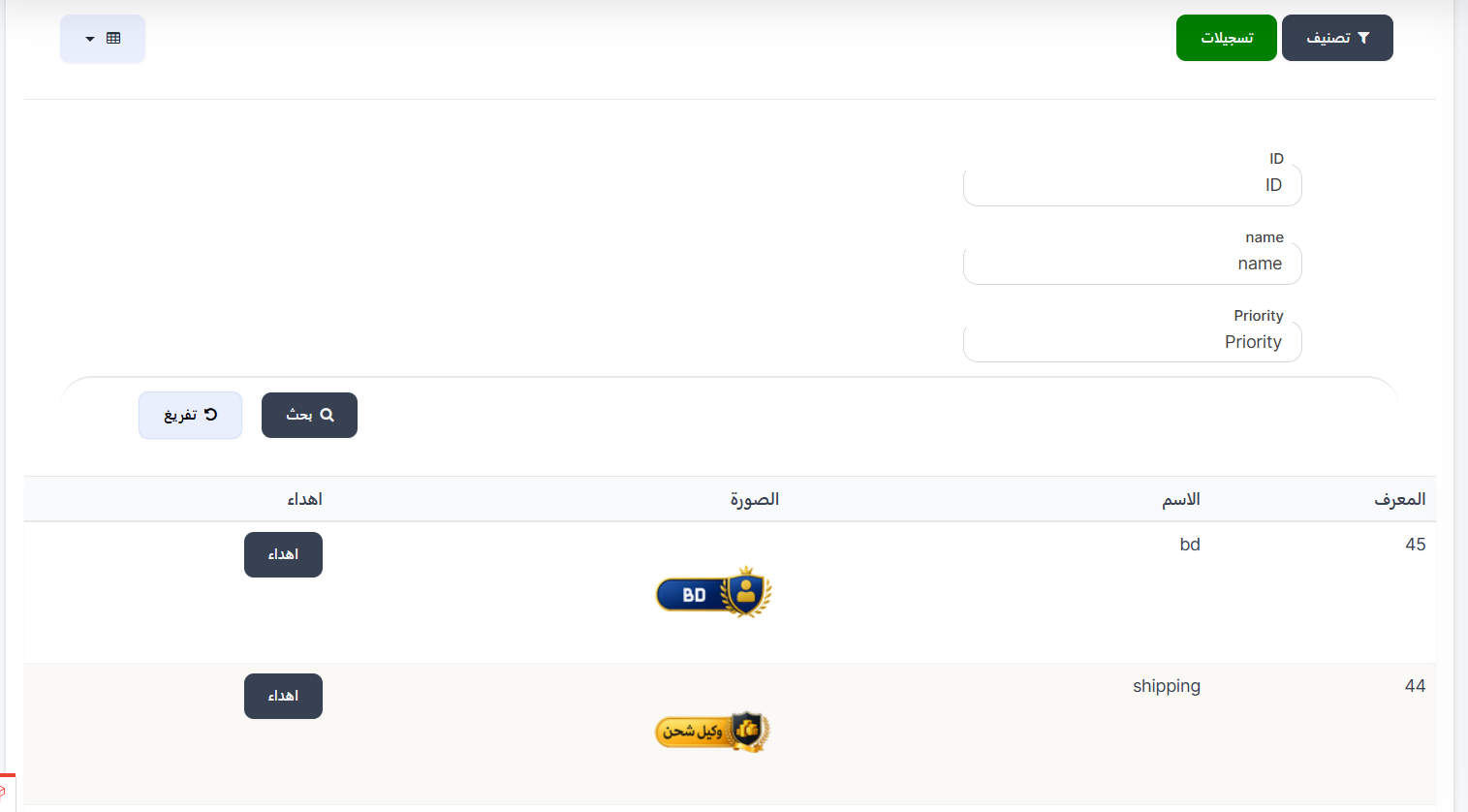
Top Buttons
| Button | Description |
|---|---|
| 🔘 Filter | Open search and filter options |
| 🟢 Records | View records of all badge gifting operations |
Search Filters
| Field | Description |
|---|---|
| ID | Search by badge ID |
| name | Search by badge name |
| Priority | Search by priority value |
| 🔍 Search | Execute search |
| 🔄 Clear | Clear all filters |
Gift Badges Table
| Column | Description |
|---|---|
| ID | Badge identifier number (example: 44, 45) |
| Name | Badge name (example: bd, shipping) |
| Image | Badge image |
| Gift | Gift button to gift the badge to a user |
Gifting a Badge to a User
When clicking the Gift button next to any badge, the gifting window appears:
| Field | Description |
|---|---|
| Days | Number of days the badge is valid (enter number of days) |
| User UUID | UUID identifier of the user to receive the badge |
Window Buttons:
| Button | Description |
|---|---|
| Submit | Confirm the gifting operation |
| Close | Close the window without gifting |
Tip
Make sure to enter the correct UUID for the user before submitting.
Gifting Records
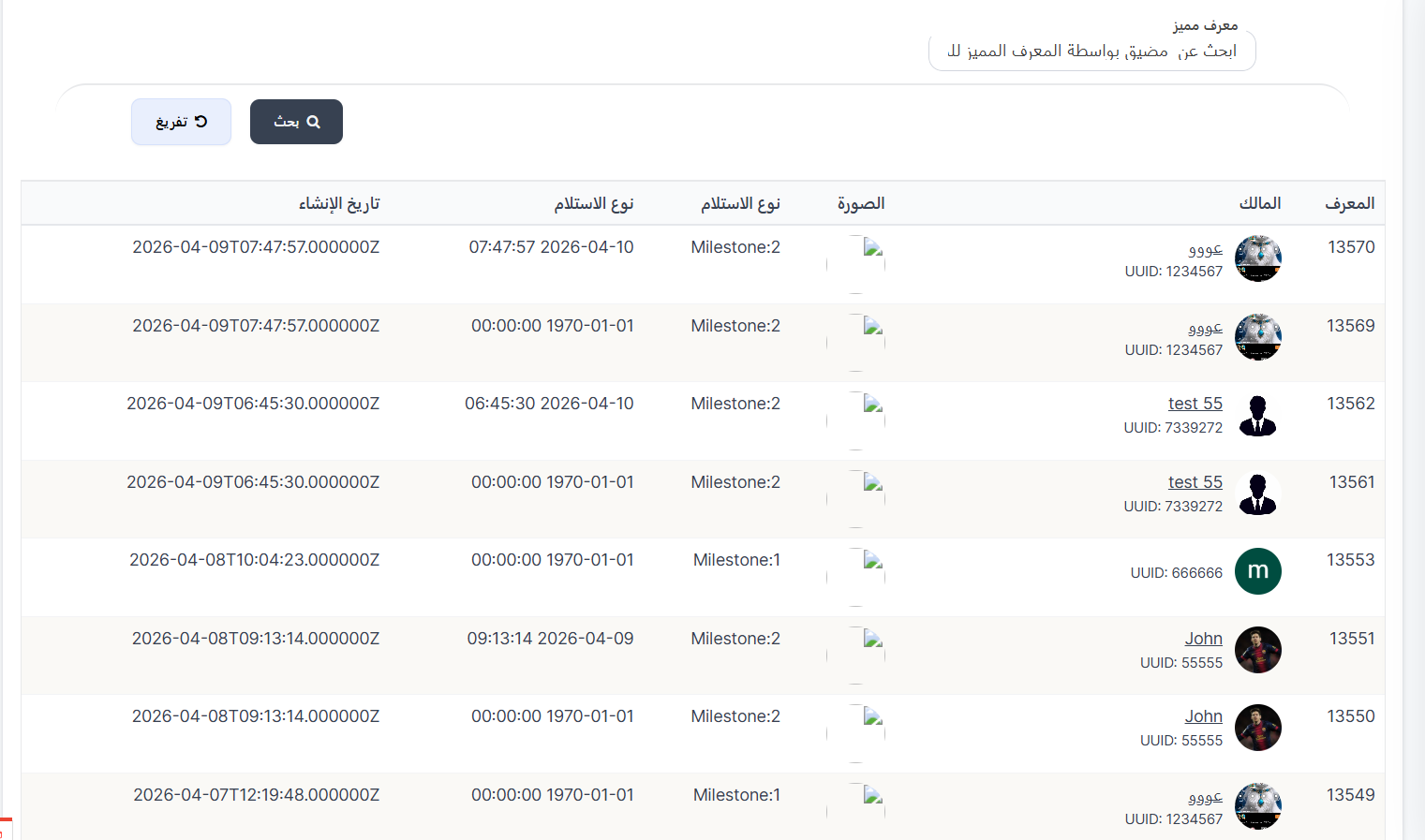
When clicking the 🟢 Records button at the top of the page, a page appears showing records of all badge gifting operations.
Records Search Filters:
| Field | Description |
|---|---|
| Special ID | Search for a user by special ID |
| 🔍 Search | Execute search |
| 🔄 Clear | Clear filters |
Records Table:
| Column | Description |
|---|---|
| ID | Record identifier number (example: 13570, 13569) |
| Owner | Username who received the badge with image and UUID |
| Image | Awarded badge image |
| Receipt Type | Stage at which the badge was received (example: Milestone:1, Milestone:2) |
| Receipt Date | Date and time of badge receipt |
| Creation Date | Record creation date and time in ISO format |
Note
- Milestone:1 and Milestone:2 refer to different receipt stages
- If the receipt date is
1970-01-01, this means the badge hasn't been received yet or is pending activation
Quick Summary
| Action | Steps |
|---|---|
| View gift badges | Badges ← Gift Badges |
| Gift a badge | Click Gift ← Enter days and UUID ← Submit |
| View records | Click 🟢 Records |
| Search records | Enter Special ID ← Search |
| Search by badge | Filter ← Enter name or ID ← Search |