💳 E-Wallet (Payment Methods)
Introduction
The E-Wallet page displays payment methods that users can use to top up within the application. You can add new payment methods (digital wallet or bank account), and through the Wallet Fields button, you can define the data requested from the user to fill in when topping up (such as: phone number, name, account number).
How to Access
Sidebar ← Wallet ← E-Wallet
Payment Methods Table
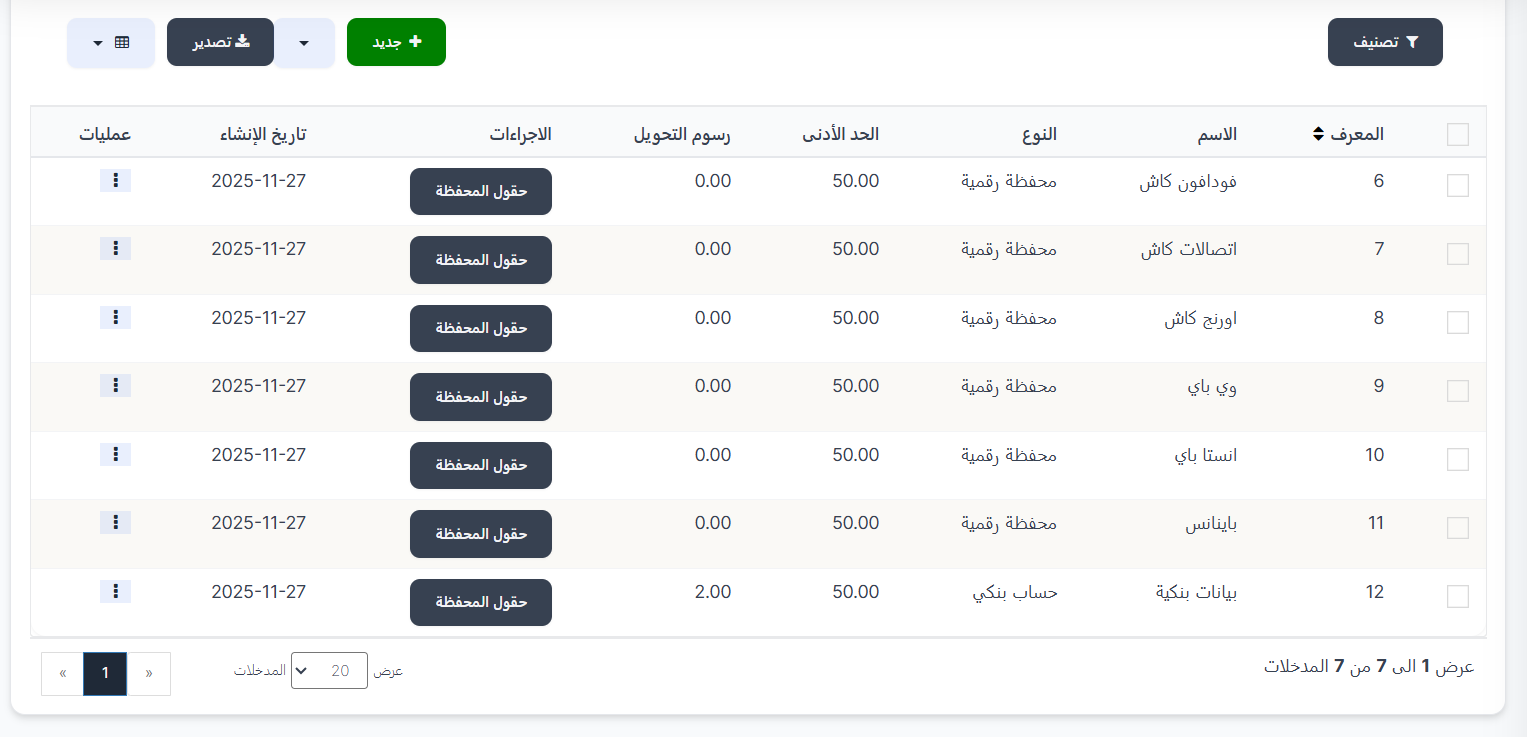
When opening the page, you'll find a table displaying all available payment methods:
Table Columns:
| Column | Description |
|---|---|
| ID | Unique identifier for the payment method (sortable ⇕) |
| Name | Payment method name (example: Vodafone Cash, Binance, Bank Details) |
| Type | Method type: Digital Wallet or Bank Account |
| Minimum | Minimum amount allowed for top-up (example: 50.00) |
| Transfer Fees | Fees applied to each top-up operation (example: 0.00 or 2.00) |
| Actions | Wallet Fields button — to manage fields required from the user |
| Creation Date | Date the payment method was created |
| Operations | Options menu (⋮) to edit or delete |
Top Page Buttons:
| Button | Description |
|---|---|
| 🔘 Filter | Open search and filter options |
| ➕ New | Create a new payment method |
| 📤 Export | Export payment methods data |
Available Payment Methods (Examples)
| ID | Name | Type | Minimum | Transfer Fees |
|---|---|---|---|---|
| 6 | Vodafone Cash | Digital Wallet | 50.00 | 0.00 |
| 7 | Etisalat Cash | Digital Wallet | 50.00 | 0.00 |
| 8 | Orange Cash | Digital Wallet | 50.00 | 0.00 |
| 9 | WE Pay | Digital Wallet | 50.00 | 0.00 |
| 10 | InstaPay | Digital Wallet | 50.00 | 0.00 |
| 11 | Binance | Digital Wallet | 50.00 | 0.00 |
| 12 | Bank Details | Bank Account | 50.00 | 2.00 |
Creating a New Payment Method
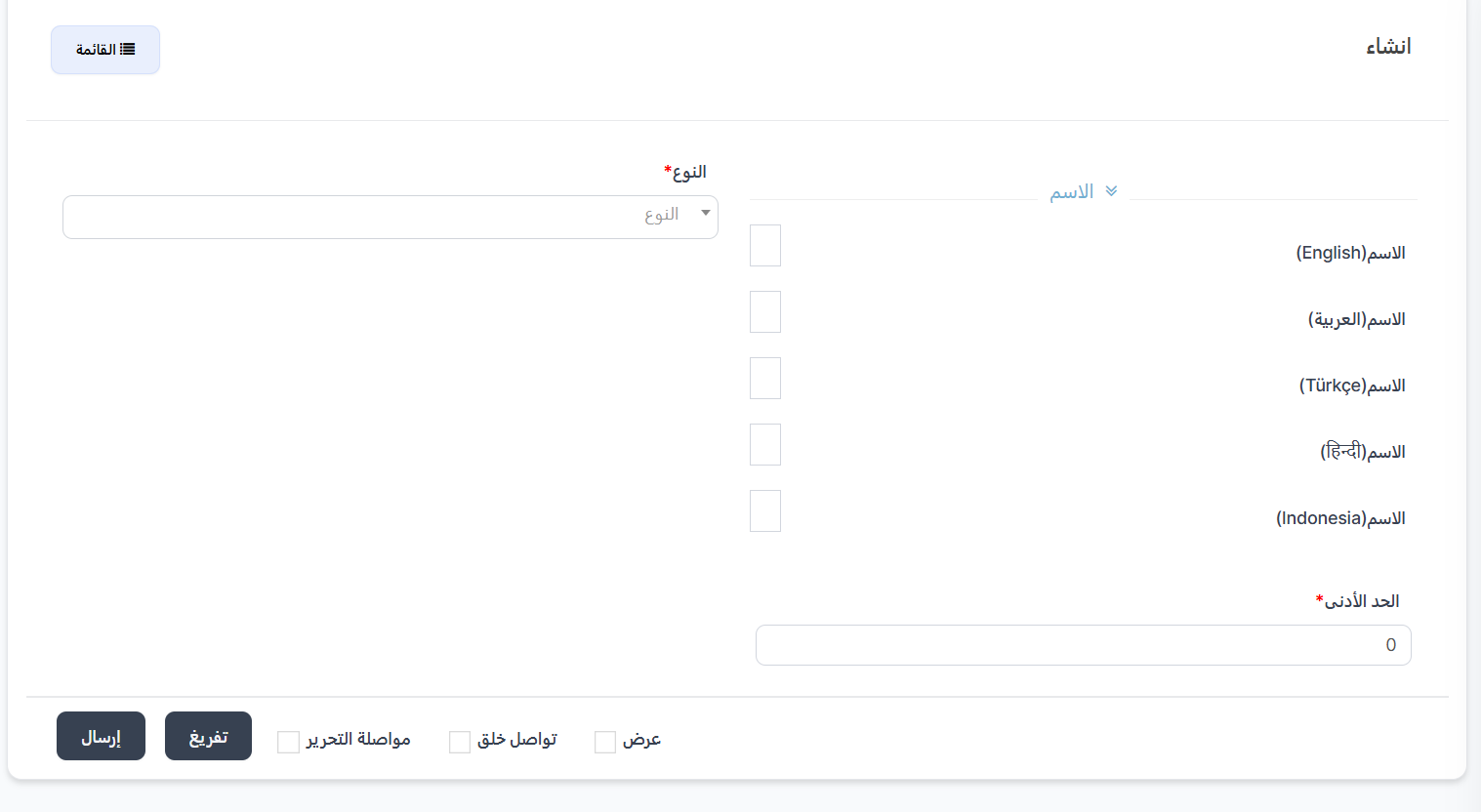
When clicking ➕ New, the Create new payment method page appears.
Creation Fields:
| Field | Description |
|---|---|
| Name ⬇️ | Payment method name in multiple languages: English, العربية, Türkçe, हिन्दी, Indonesia |
| Type * | Choose from dropdown: Digital Wallet or Bank Account |
| Minimum * | Minimum amount allowed for top-up with this method |
Creation Steps:
- Click ➕ New.
- Enter the name in all available languages.
- Choose the type: Digital Wallet or Bank Account.
- Set the minimum amount.
- Click Submit ✅ to save the method.
Wallet Fields (Data Required from User)
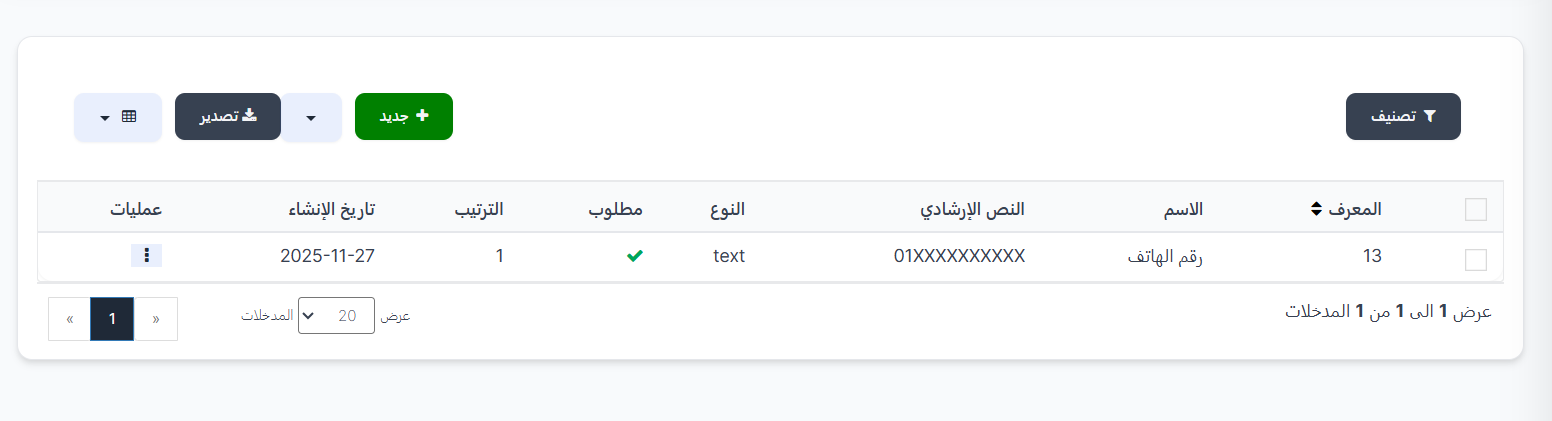
When clicking the Wallet Fields button next to any payment method, you're taken to the Wallet Fields page for that method. This page displays the fields the user must fill when topping up with this method.
Example
If you add a "Phone Number" field to the "Vodafone Cash" method, when the user chooses to top up via Vodafone Cash, they'll be asked to enter their phone number.
Wallet Fields Table:
| Column | Description |
|---|---|
| ID | Unique identifier for the field (sortable ⇕) |
| Name | Field name displayed to the user (example: Phone Number) |
| Placeholder | Hint text inside the field (example: 01XXXXXXXXX) |
| Type | Data type: text |
| Required | ✅ Mandatory or ❌ Optional |
| Order | Display order of the field (1 = appears first) |
| Creation Date | Date the field was created |
| Operations | Edit or delete (⋮) |
Creating a New Field
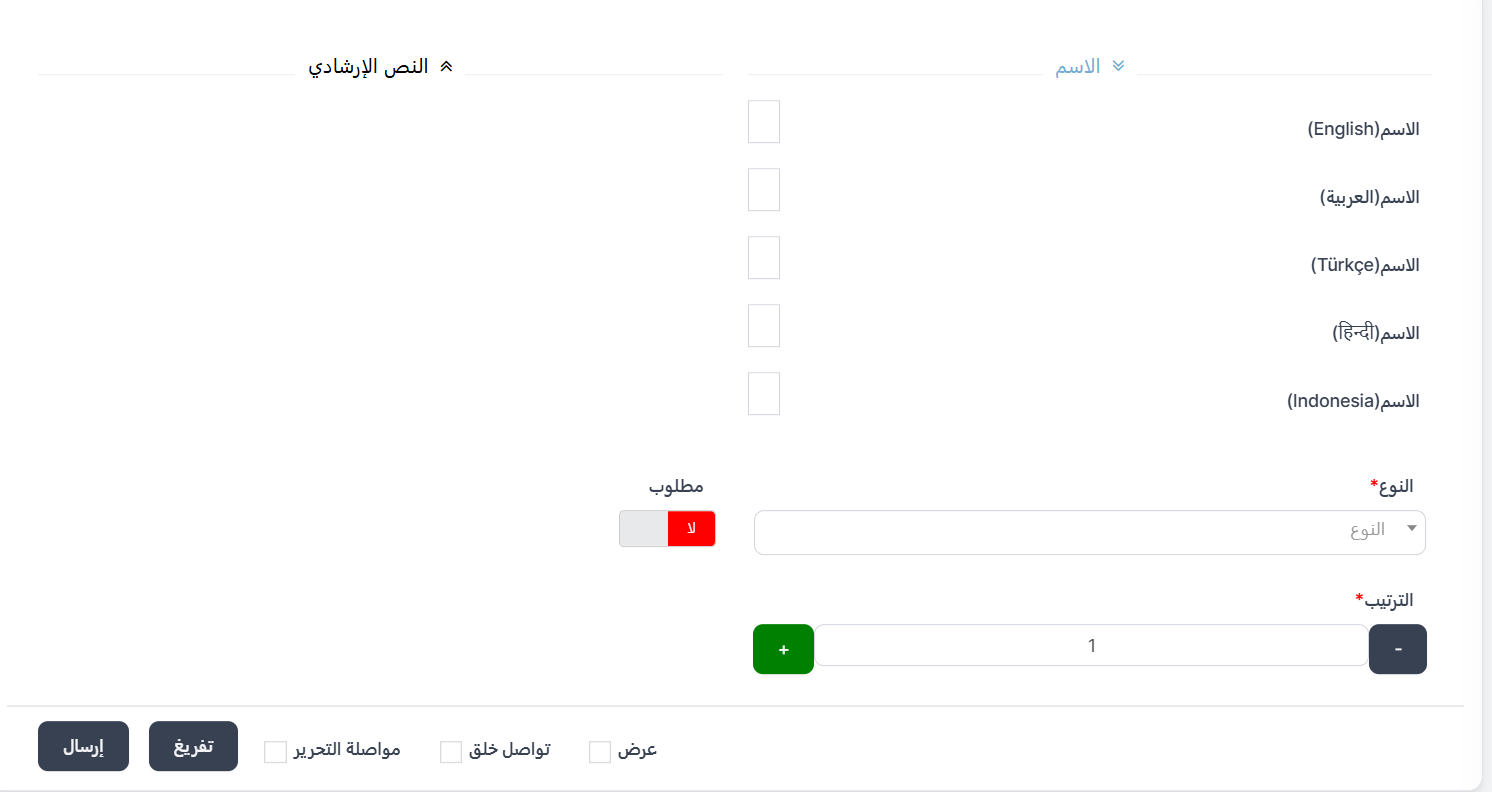
When clicking ➕ New in the wallet fields page:
Form Fields:
| Field | Description |
|---|---|
| Name ⬇️ | Field name in multiple languages: English, العربية, Türkçe, हिन्दी, Indonesia |
| Placeholder ⬇️ | Hint text in multiple languages that appears inside the field as a guide |
| Type * | Data type from dropdown |
| Required | Toggle button — Yes (mandatory) or No (optional) |
| Order * | Field display order (➕/➖ buttons or type the number) |
Available Field Types:
| Type | Description | Example Usage |
|---|---|---|
| Text | Regular text field | Name, phone number, wallet address |
| Number | Numeric only field | Account number, national ID |
| Email field | Email linked to the wallet |
Tip
Add appropriate fields based on the payment method:
- Digital Wallets (Vodafone Cash, Etisalat Cash): "Phone Number" field
- Bank Accounts: "Account Holder Name", "Account Number", "Bank Name" fields
- Binance: "Wallet Address" or "Email" field
Quick Summary
| Action | Steps |
|---|---|
| View payment methods | Wallet ← E-Wallet |
| Create new payment method | ➕ New ← Enter name, type, and minimum ← Submit |
| Manage payment method fields | Click "Wallet Fields" next to the method |
| Add new field | Wallet Fields ← ➕ New ← Enter name and type ← Submit |
| Edit/Delete | Click (⋮) ← Edit or Delete |