⚙️ Agency System Settings
The Agency System Settings page allows you to control the basic settings for the agency system, such as target percentages, achieved days, and what happens to remaining diamonds.
Access:
Sidebar → Agency System → Agency System Settings
🔗 Open Agency System Settings Page
Sections:
The page contains a sidebar menu titled ⚙️ Settings with 3 sections:
| Section | Description |
|---|---|
| Target Requirements Percentage | Set the percentage of each requirement in achieving the target |
| Achieved Days | Set the minimum hours to count as a full day |
| Remaining Diamonds | Set what happens to remaining diamonds at the end of each month |
1️⃣ Target Requirements Percentage
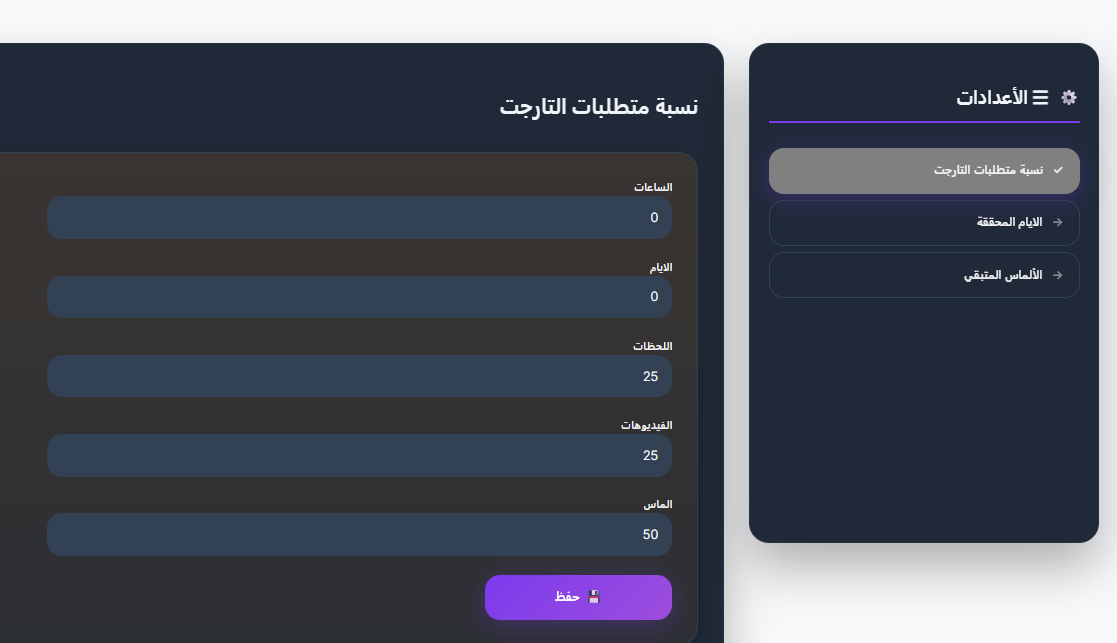
This section defines the percentage of each requirement in calculating target achievement for the host. When a host achieves a certain milestone, its percentage is calculated based on these ratios.
Important: Total must be 100%
The sum of all percentages must equal exactly 100. It cannot be more or less.
Fields:
| Field | Description | Default Value |
|---|---|---|
| Hours | Hours percentage in target achievement | 0 |
| Days | Days percentage in target achievement | 0 |
| Moments | Moments percentage in target achievement | 25 |
| Videos | Videos percentage in target achievement | 25 |
| Diamonds | Diamonds percentage in target achievement | 50 |
Example:
Hours:      0%
Days:       0%
Moments:   25%
Videos:    25%
Diamonds:  50%
─────────────
Total:    100% ✅
Press 💾 Save after modifying the percentages.
2️⃣ Achieved Days
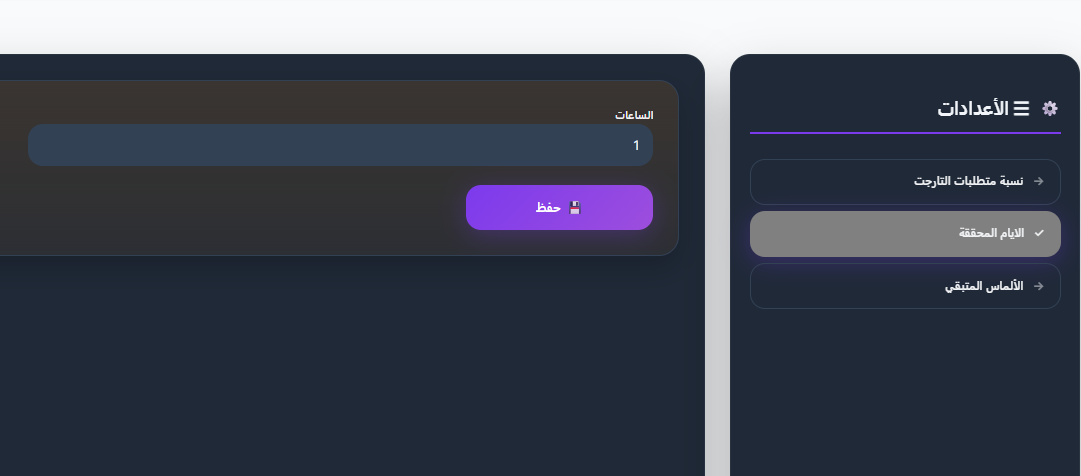
This section defines the minimum number of hours a host must spend in rooms to count as having completed a full day.
Field:
| Field | Description | Default Value |
|---|---|---|
| Hours | Minimum hours to count as a full day | 1 |
Example
If the value = 1, this means the host needs to spend at least one hour in rooms for it to count as a full day in the achieved days record.
Press 💾 Save after editing.
3️⃣ Remaining Diamonds
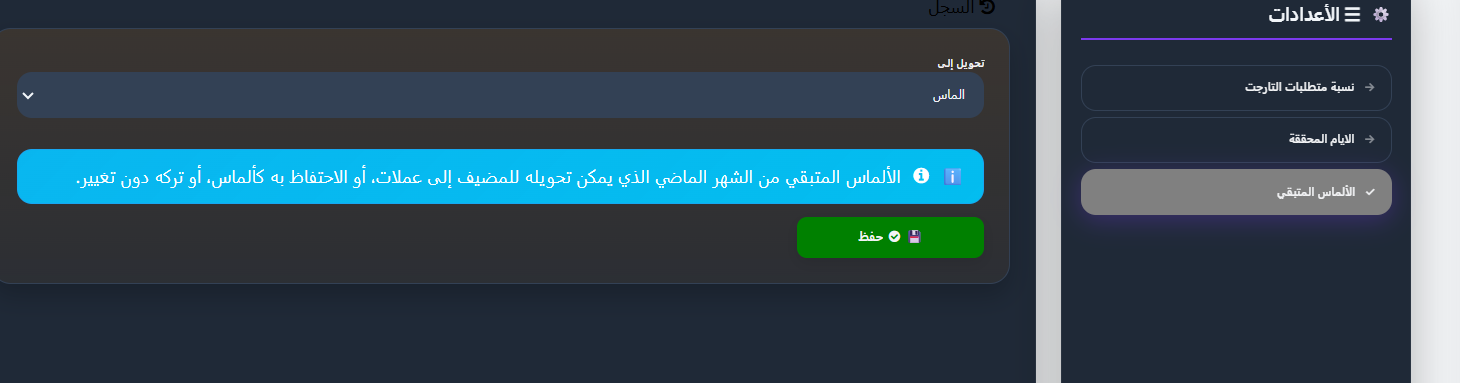
This section defines what happens to remaining diamonds from the previous month for each host.
Description
Remaining diamonds from the previous month can be converted for the host to coins, kept as diamonds, or left unchanged.
Field:
| Field | Description |
|---|---|
| Convert To | Choose what happens to remaining diamonds — dropdown |
Conversion Options:
| Option | Description |
|---|---|
| Diamonds | Remaining diamonds are kept as diamonds and added to the new month |
| Coins | Remaining diamonds are converted to coins |
| Do Nothing | Remaining diamonds are left unchanged and not converted |
Press 💾 Save after selecting the appropriate option.
Log
You can click 🔄 Log to view the history of previous changes to this setting.
Quick Summary:
| Action | Steps |
|---|---|
| Edit target percentages | Agency System Settings → Target Requirements Percentage → Edit percentages (total = 100) → Save |
| Edit day hours | Agency System Settings → Achieved Days → Edit hours → Save |
| Edit remaining diamonds | Agency System Settings → Remaining Diamonds → Choose (diamonds / coins / do nothing) → Save |
🔗 Open Agency System Settings Page