🔐 Verification Codes
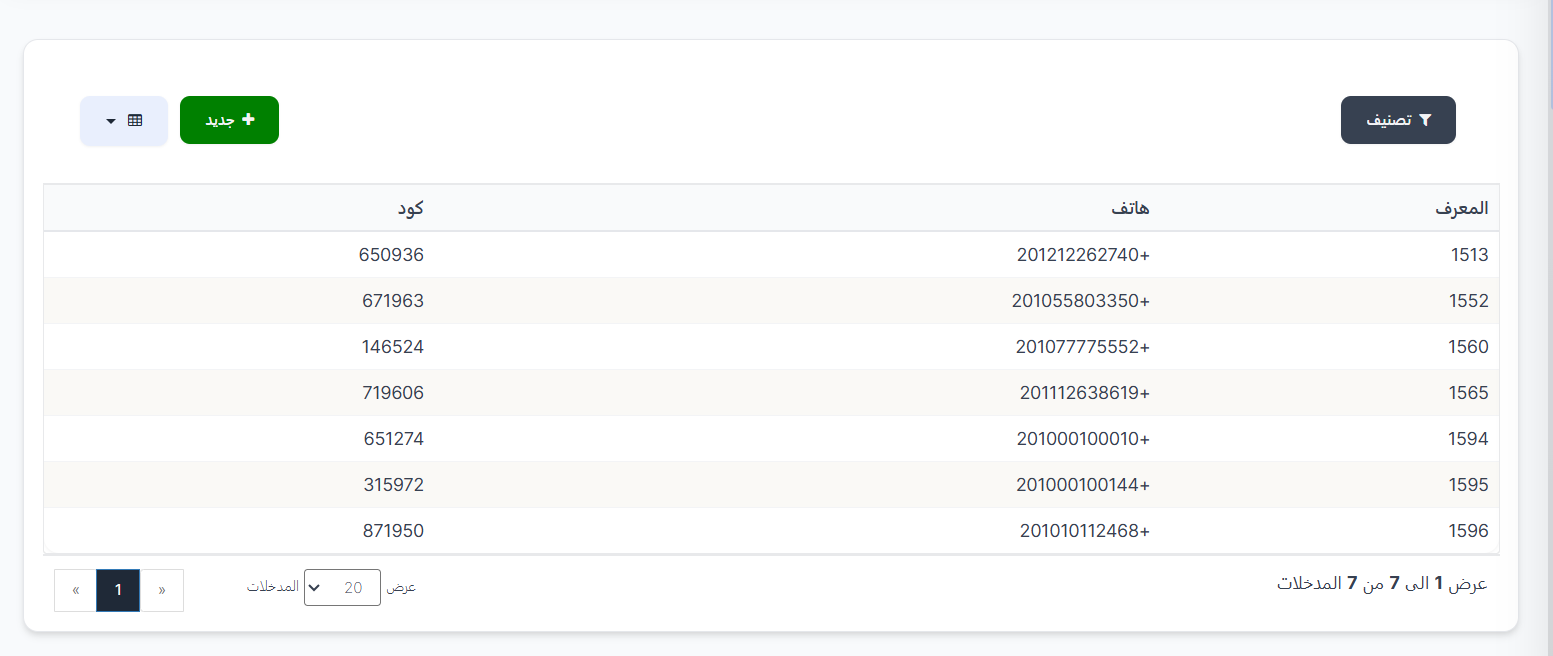
The Verification Codes page displays all verification codes sent to users when registering in the app. When a person registers from the app using their mobile number, a verification code is sent via WhatsApp so they can complete the registration process after verifying the code is correct.
This page allows you to view all phone numbers and sent codes, and you can also manually create a new verification code.
Access:
🔗 Open Verification Codes Page
Top Buttons:
| Button | Description |
|---|---|
| 🔽 Sort | Sorting and classification options |
| ➕ New | Manually create a new verification code |
Verification Codes Table:
| Column | Description |
|---|---|
| ID | Unique identifier number for the record |
| Phone | Mobile phone number the code was sent to (in international format, e.g., +201212262740) |
| Code | The 6-digit verification code sent via WhatsApp |
How Does the Verification Process Work?
- The user opens the app and chooses to register with their mobile number
- They enter their phone number in international format
- A 6-digit verification code is sent to their WhatsApp number
- The user enters the code in the app
- The code is verified — if correct, the registration process is completed
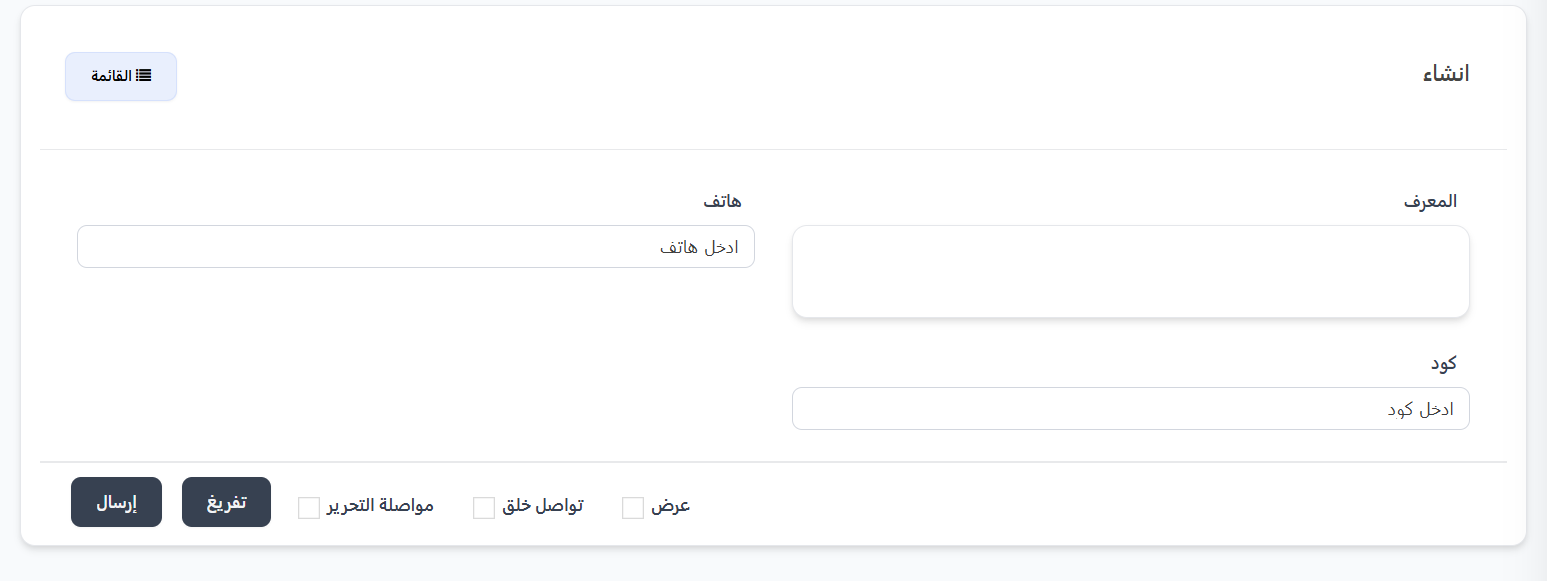
Create a New Verification Code:
Click ➕ New to manually create a new verification code.
Fields:
| Field | Description | Required |
|---|---|---|
| ID | Identifier number (automatic) | — |
| Phone | Mobile phone number in international format | ✅ Yes |
| Code | 6-digit verification code | ✅ Yes |
Options After Creation:
| Option | Description |
|---|---|
| View | View code details after creation |
| Continue Creating | Continue creating new codes |
| Continue Editing | Stay in editing mode |
Quick Summary:
| Action | Steps |
|---|---|
| View Verification Codes | Settings → System Settings → Codes |
| Create a Code Manually | ➕ New → Phone Number + Code → Submit |
| Search for a Code | Use the search field with the phone number |
🔗 Open Verification Codes Page