✅ Verified Charging Agents
The Verified Charging Agents page displays trusted agencies in the system. When an agency is activated as verified, transfers to it are enabled and it appears to users in the app. Through this page you can view verified agencies, add a new verified agency, and manage existing ones.
Access:
Sidebar → Agency System → Charging Agencies → Verified Charging Agents
🔗 Open Verified Charging Agents Page
Page Content:
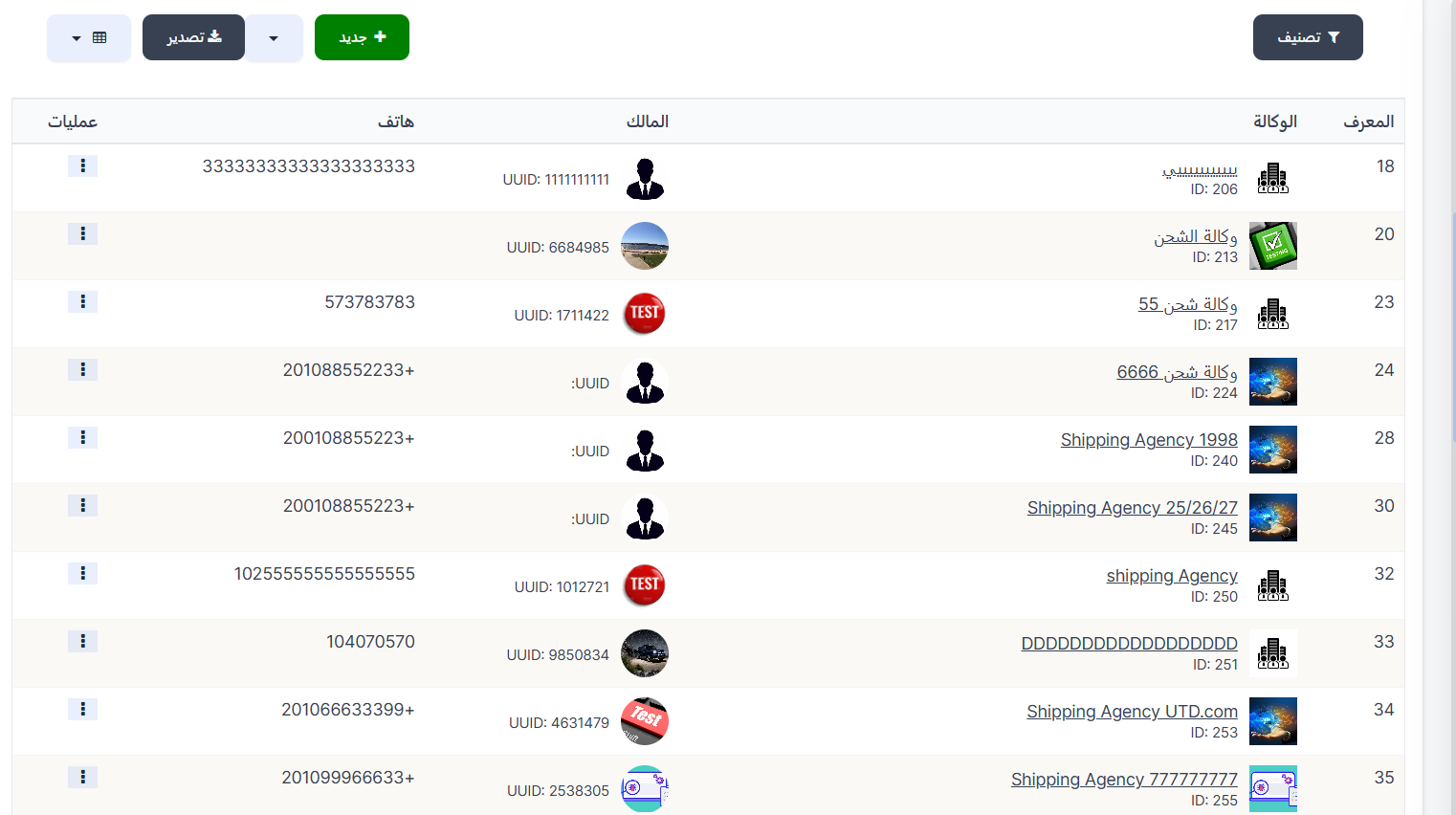
When opening the page, you'll find at the top:
- 🔽 Filter button for data filtering
- + New button to add a new verified agency
- 📥 Export button to export data
Below is the verified charging agents table displaying all registered verified agencies.
Verified Charging Agents Table:
| Column | Description |
|---|---|
| ID | Record identification number (ID) |
| Agency | Charging agency name with image and its ID |
| Owner | Agency owner image and UUID |
| Phone | Agency owner's phone number |
| Actions | Available actions |
Add New Verified Agency:
To add a new verified charging agency, click the + New button at the top of the page.
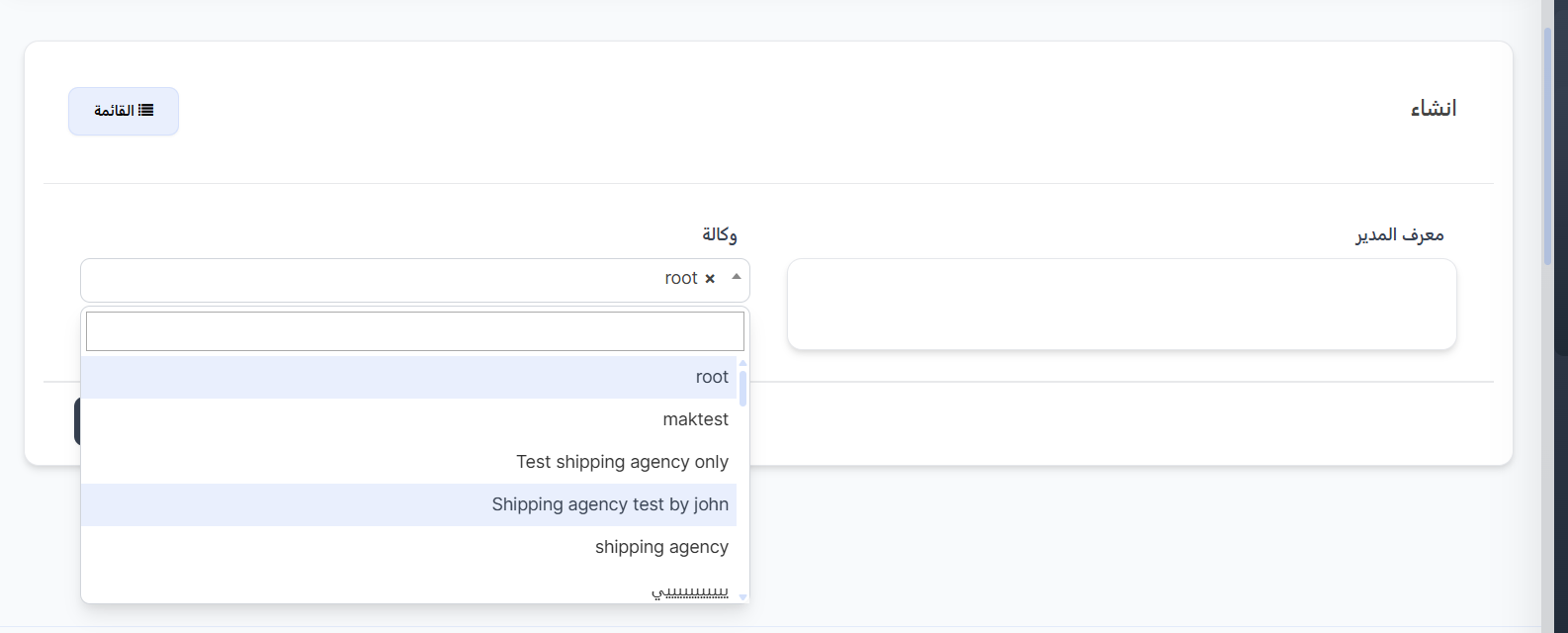
Creation Fields:
| Field | Description | Required |
|---|---|---|
| Manager ID | Responsible manager ID | ✅ Yes |
| Agency | Select charging agency from dropdown (with search capability) | ✅ Yes |
Creation Steps:
- Click the + New button
- Enter the responsible Manager ID
- Select the Agency from the dropdown — you can search by name for easier selection
- Click Submit to save the agency as verified
Note
- The dropdown displays charging agency names registered in the system.
- When adding an agency as verified, transfers to it will be enabled and it will appear to users in the app.
Available Actions:
From the Actions column in the table, click the ⋮ icon to show the menu:
| Action | Description |
|---|---|
| Edit | Edit verified agency data |
| Delete | Remove the agency from the verified list |
Quick Summary:
| Action | Steps |
|---|---|
| View verified agencies | Agency System → Charging Agencies → Verified Charging Agents |
| Add verified agency | Click + New → Enter Manager ID → Select Agency → Submit |
| Edit verified agency | Click ⋮ in Actions column → Edit |
| Remove from verified | Click ⋮ in Actions column → Delete |
🔗 Open Verified Charging Agents Page