🏅 Badges
Introduction
The Badges page allows you to manage badges that users earn in the application. You can create new badges, edit them, and set their priority. Badges are used to distinguish users with specific roles or achievements such as "host" or "agency_owner".
How to Access
Sidebar ← Badges ← Badges
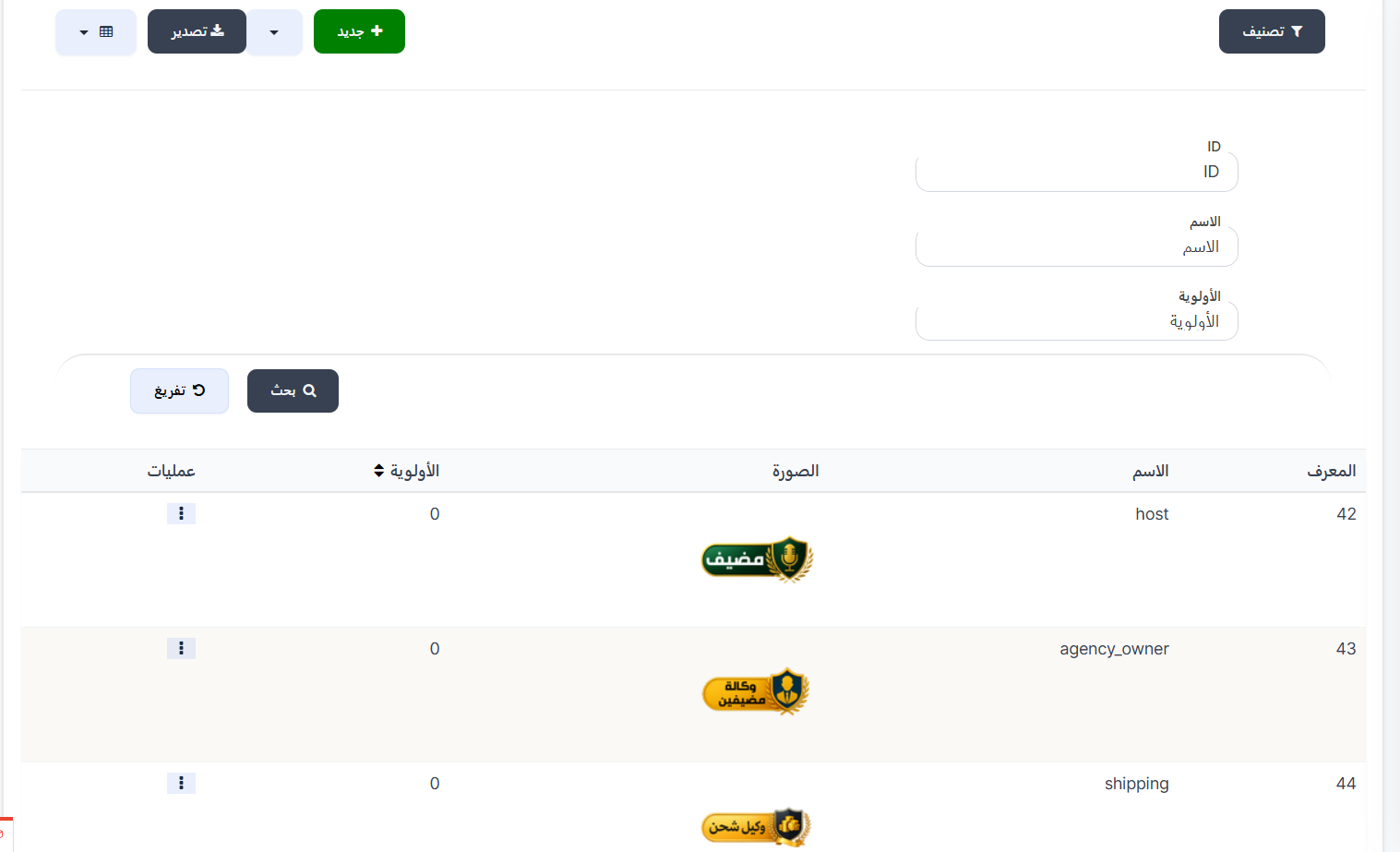
Top Buttons
| Button | Description |
|---|---|
| 🔘 Filter | Open search and filter options |
| ➕ New | Create a new badge |
| 📤 Export | Export badges data |
Search Filters
| Field | Description |
|---|---|
| ID | Search by badge ID |
| Name | Search by badge name |
| Priority | Search by priority value |
| 🔍 Search | Execute search |
| 🔄 Clear | Clear all filters |
Badges Table
| Column | Description |
|---|---|
| ID | Badge identifier number (example: 42, 43) |
| Name | Badge name (example: host, agency_owner) |
| Image | Badge image displayed next to the username |
| Priority | Badge display priority order (0 = default) |
| Operations | ⋮ menu with edit and delete options |
Creating a New Badge
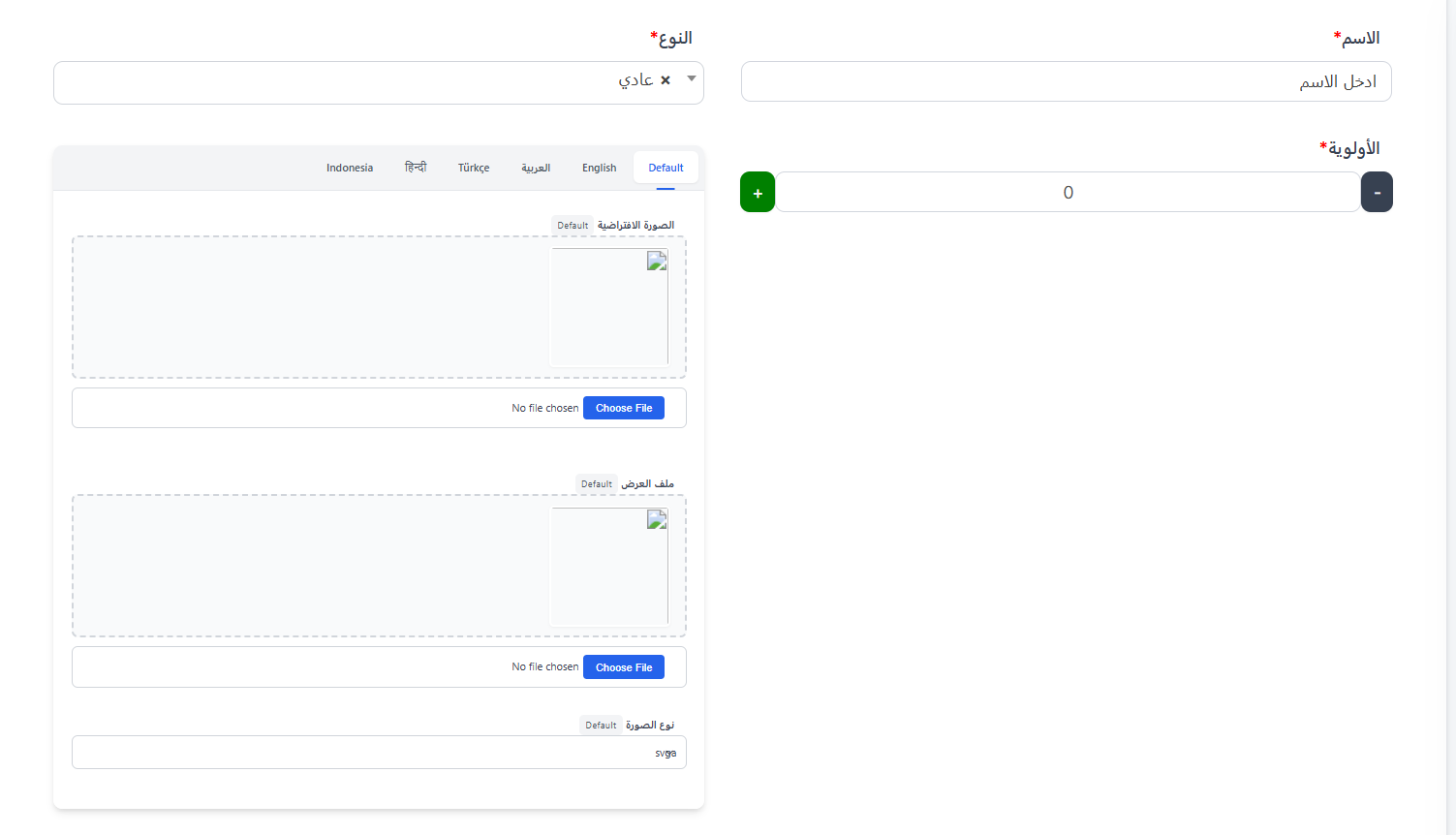
When clicking ➕ New, the create window appears:
Required Fields:
| Field | Description |
|---|---|
| Name ⭐ | Badge name (required) |
| Type ⭐ | Badge type (example: Normal) (required) |
| Priority ⭐ | Badge display priority order (required) — ➕/➖ buttons |
Images (Per Language):
Images are uploaded for each language separately via tabs:
| Tab | Description |
|---|---|
| Default | Default image |
| English | English language image |
| العربية | Arabic language image |
| Türkçe | Turkish language image |
| हिन्दी | Hindi language image |
| Indonesia | Indonesian language image |
For each language:
| Field | Description |
|---|---|
| Default Image | Basic badge image (Choose File to upload) |
| Display File | Animated display file for the badge (Choose File to upload) |
| Image Type | Image file type (example: svga) |
Operations Menu
When clicking ⋮ next to any badge:
| Action | Description |
|---|---|
| Edit | Edit badge data |
| Delete | Permanently delete the badge |
Warning
Deleting a badge will remove it from all users who currently have it.
Quick Summary
| Action | Steps |
|---|---|
| View all badges | Badges ← Badges |
| Create new badge | ➕ New ← Fill in data ← Submit |
| Search by name | Filter ← Enter name ← Search |
| Edit badge | ⋮ ← Edit |
| Delete badge | ⋮ ← Delete |
| Export data | 📤 Export |