🎁 Gifts
Introduction
Gifts are interactive items that users send (throw) inside rooms, whether voice rooms or live streams. Gifts are one of the most important means of interaction between users, allowing a user to send a gift to another user to express admiration, support, or appreciation.
Gifts are purchased using Coins within the app, and their value counts toward the experience and wealth system.
Gift Categories
How to Access:
Gifts → Gift Categories
What Are Gift Categories?
Gift categories are classifications under which gifts are organized within the app. Each category represents a group of similar gifts or gifts with a common theme, making it easier for users to browse and choose the right gift.
Default Categories:
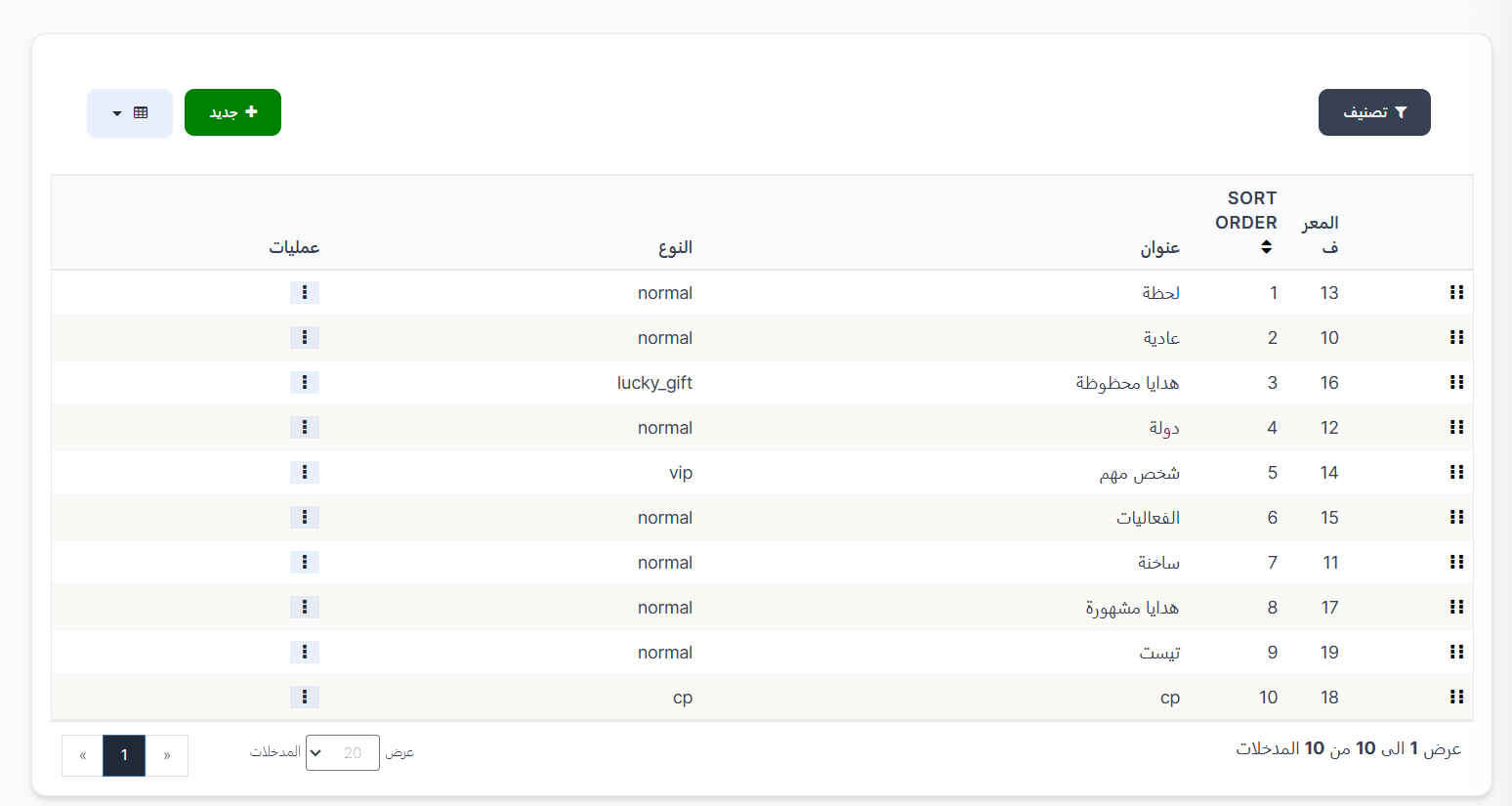
The system comes with a set of ready-made default categories, and you can add more as needed:
| ID | Title | Type | Order | Description |
|---|---|---|---|---|
| 13 | Moment | normal | 1 | Moment and occasion gifts |
| 10 | Normal | normal | 2 | Basic normal gifts |
| 16 | Lucky Gifts | lucky_gift | 3 | Lucky gifts that offer a chance to win additional rewards |
| 12 | Country | normal | 4 | Country-specific gifts |
| 14 | VIP | vip | 5 | Exclusive gifts for VIP users |
| 15 | Events | normal | 6 | Special event gifts |
| 11 | Hot | normal | 7 | Most popular and trending gifts |
| 17 | Famous Gifts | normal | 8 | Famous and distinguished gifts |
| 18 | CP | cp | 10 | Gifts for the CP (Couples) system |
Category Types:
| Type | Description |
|---|---|
| Normal | Regular gift category available to all users |
| Lucky Gift (lucky_gift) | Lucky gift category that offers a chance to win random rewards |
| VIP | Exclusive gift category available only to VIP users |
| CP | Gift category for the CP (Couples) system |
Note
These are the default categories that come with the system. You can create additional categories as needed to organize gifts in the way that suits your app.
Create a New Gift Category
How to Access:
Gifts → Gift Categories → + New
Creation Steps:
- From the Gift Categories page, click the "+ New" button.
- Fill in the following details:
| Field | Description | Required |
|---|---|---|
| Title (English) | Category name in English | ✅ Yes |
| Title (العربية) | Category name in Arabic | No |
| Title (Türkçe) | Category name in Turkish | No |
| Title (हिन्दी) | Category name in Hindi | No |
| Title (Indonesia) | Category name in Indonesian | No |
| Type | Select the category type from the dropdown (Normal, Lucky Gift, CP, VIP) | ✅ Yes |
| Sort Order | Set the display order of the category in the app (use + and - to increase or decrease) | ✅ Yes |
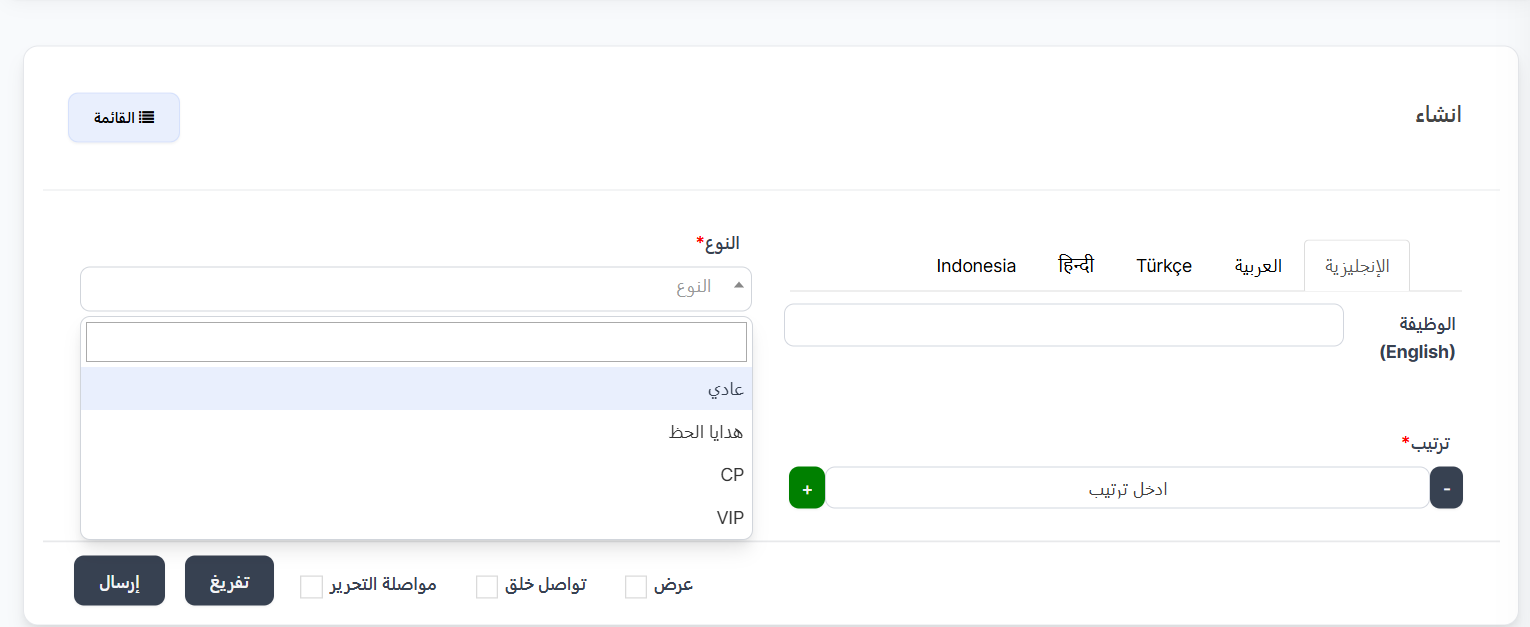
- After filling in all the details, click "Submit" to save the new category.
Additional Save Options:
| Option | Description |
|---|---|
| View | View the category after saving |
| Continue Creating | Continue creating new categories after saving |
| Continue Editing | Stay on the editing page after saving |
Tip
- Enter the category name in all supported languages to ensure the correct name appears for each user based on their language.
- Choose the sort order carefully as it determines where the category appears in the gift list in the app.
- Use the appropriate type (Normal, VIP, lucky_gift, CP) based on the nature of the gifts you will place in this category.
Gifts Page
How to Access:
Gifts → Gifts
Viewing Gifts:
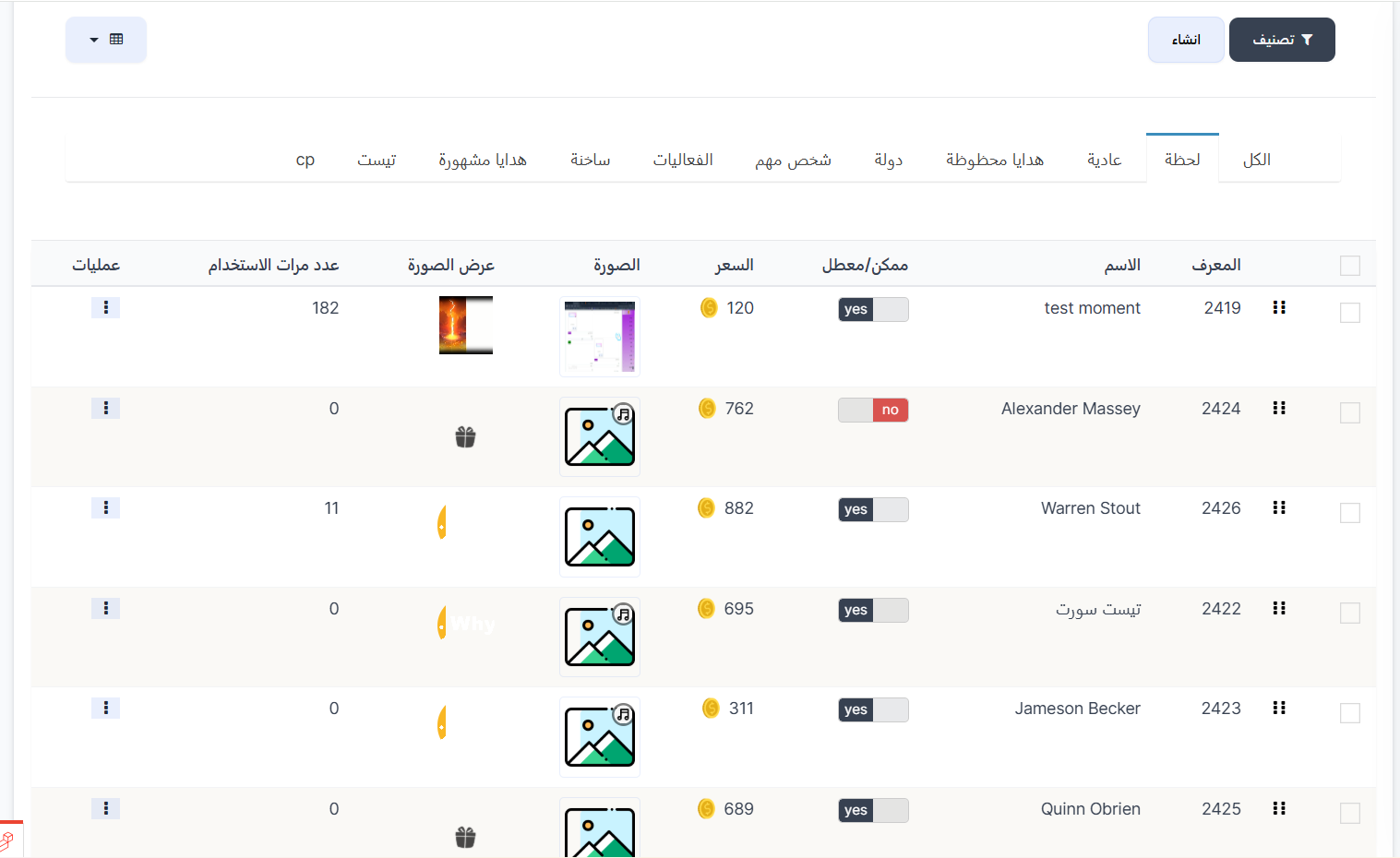
The Gifts page displays all available gifts in the app. At the top of the page, you'll find category tabs that were previously created (All, Moment, Normal, Lucky Gifts, Country, VIP, Events, Hot, Famous Gifts, CP... etc.) to filter gifts by category.
Gift Table Columns:
| Column | Description |
|---|---|
| ID | Unique gift identifier |
| Name | Gift name |
| Enabled/Disabled | Gift status (yes = enabled and visible in the app / no = disabled and hidden) |
| Price | Gift price in Coins 💰 |
| Image | The main gift image displayed in the gift list |
| Display Image | The animated display (Animation) that appears when the gift is sent in the room |
| Usage Count | The number of times this gift has been sent by users |
| Actions | Edit, delete, and other action options |
Tip
- Use the tabs at the top of the page to quickly navigate between gift categories.
- You can enable or disable any gift by changing the Enabled/Disabled status without deleting it.
- The usage count helps you identify the most popular gifts among users.