🌍 Country Manager Management
This section allows you to manage country managers, who have broader permissions to manage operations at the country level.
How to Access:
Sidebar ← Country System ← Country Manager
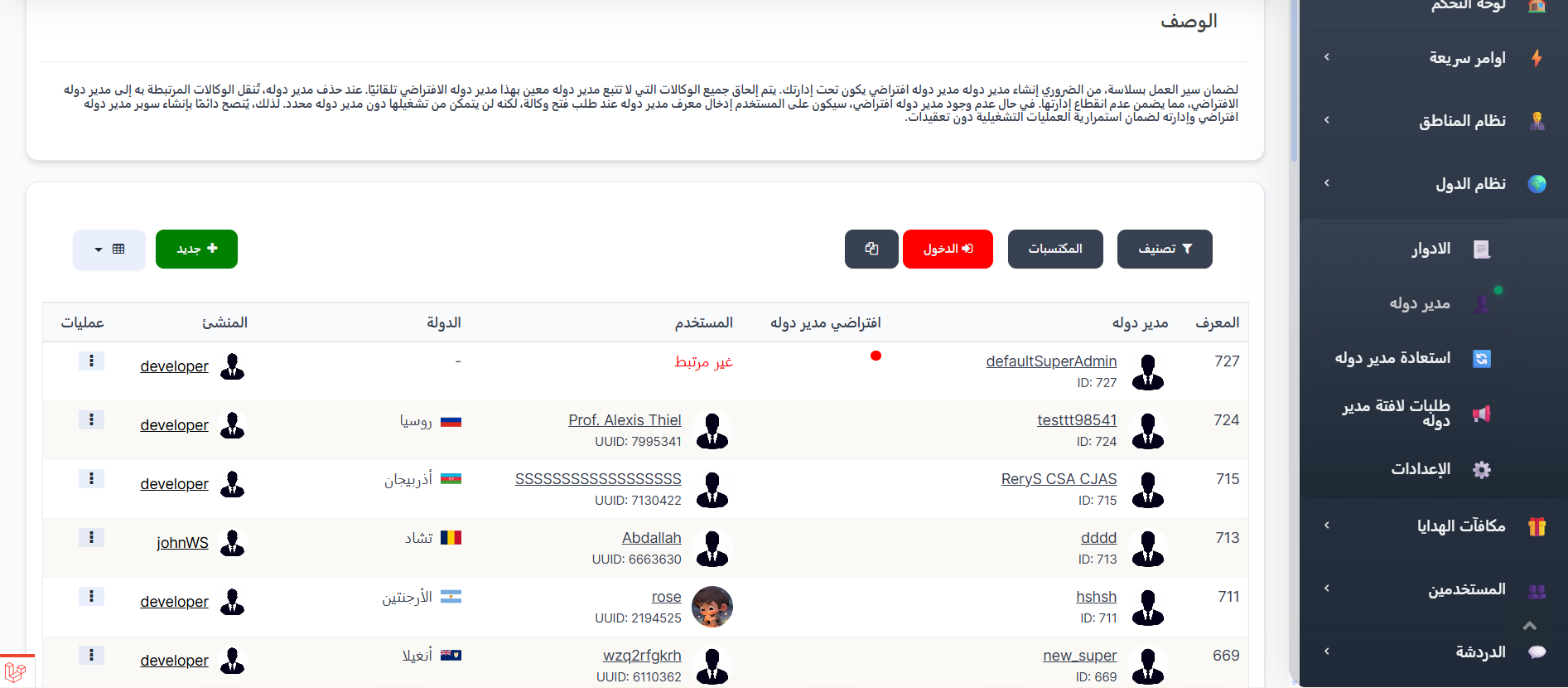
Country Manager Functions:
- View a list of all country managers.
- Add new country managers.
- Delete country managers.
How to Add a New Country Manager:
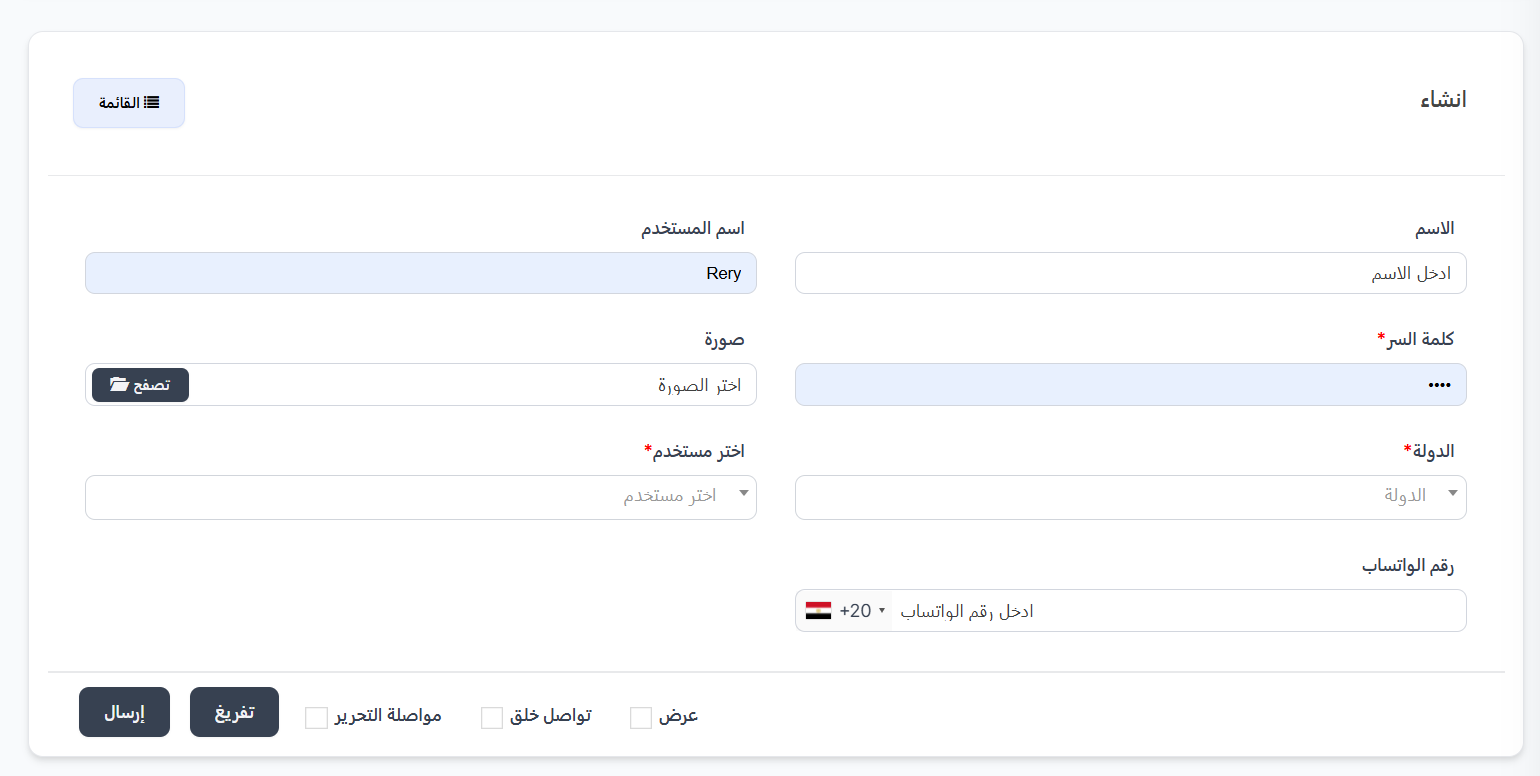
- From the "Country Managers" section, click the "Add New Country Manager" button.
- Fill in the required information (name, username, password, photo, WhatsApp number, country).
- Click "Save".
Deleting a Country Manager
When attempting to delete a country manager from the system, the behavior differs depending on the manager type (default or non-default):
1. Default Country Manager
The default country manager cannot be deleted from the system. When you try to delete them, an alert will appear indicating that this is the default manager and cannot be removed.
Important Notice
The default country manager is a core manager in the system and cannot be deleted under any circumstances. This is the manager that receives all orphaned BDs when other country managers are deleted.
2. Non-Default Country Manager
When deleting a non-default country manager, the following operations are automatically performed:
| Operation | Details |
|---|---|
| Country Manager Deleted | The country manager is permanently deleted from the system |
| BDs Transferred | All BDs belonging to the deleted country manager are automatically transferred to the Default Country Manager |
| Sub Country Managers Deleted | All Sub Country Managers belonging to the deleted country manager are permanently deleted from the system |
Summary of What Happens on Deletion:
Delete Country Manager (non-default)
│
├── ✅ Country Manager ← Permanently deleted
│
├── 🔄 BDs ← Transferred to the Default Country Manager
│
└── ❌ Sub Country Managers ← Permanently deleted
Warning
Deletion cannot be undone. Make sure to review all BDs and sub country managers belonging to the country manager before confirming deletion.
Tip
Before deleting a country manager, it is recommended to review their associated BDs and ensure that transferring them to the default country manager will not cause any issues in work organization.
Restoring a Deleted Country Manager:
When a country manager is deleted, they are not permanently removed. You can restore them from the "Restore Country Manager" page.
How to Access:
Sidebar ← Country System ← Restore Country Manager
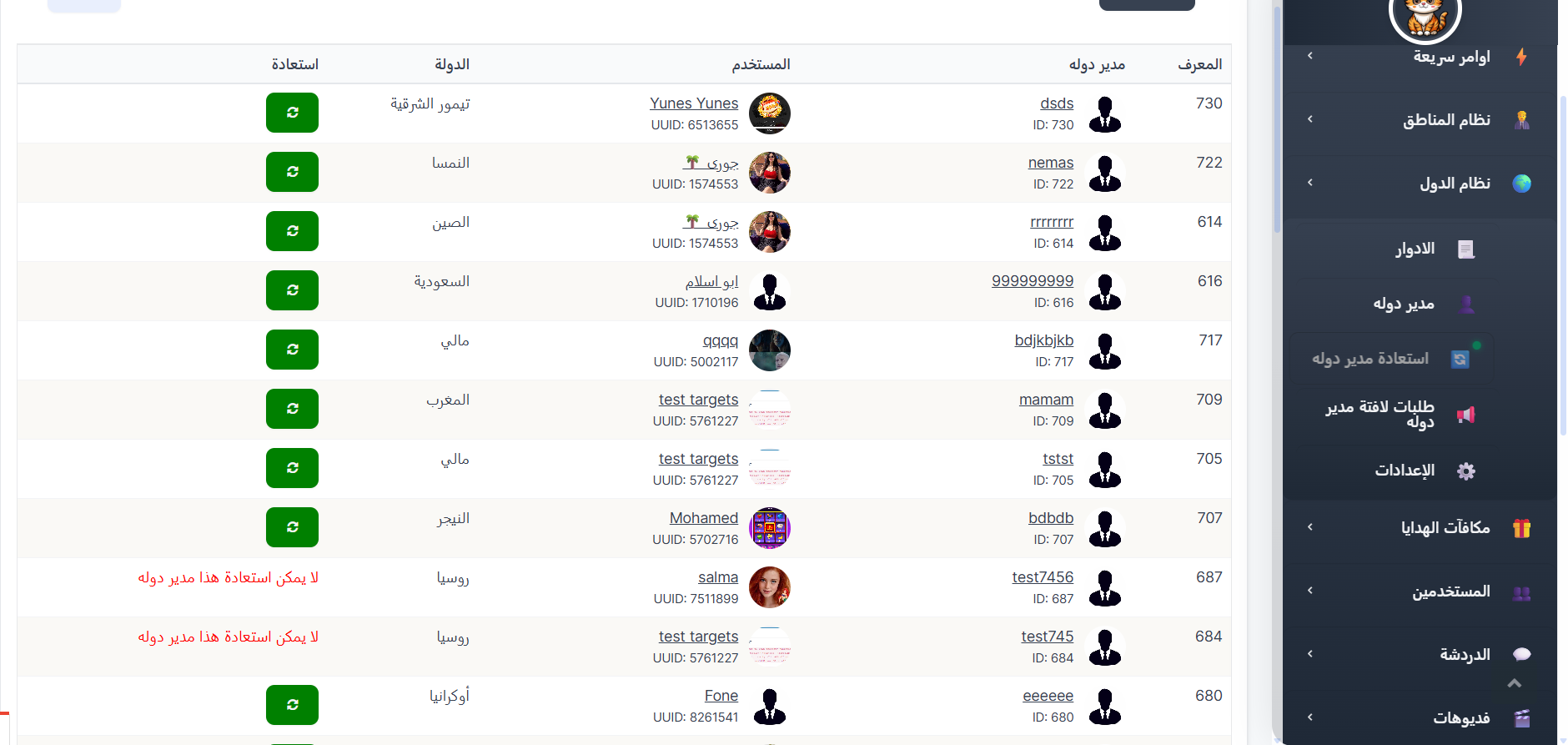
Deleted Country Managers Table:
The table displays the following information:
| Column | Description |
|---|---|
| ID | The unique identifier for the country manager |
| Country Manager | The country manager's name with their photo and ID number |
| User | The associated username and UUID number |
| Country | The country they were managing |
| Restore | Restore button or message indicating restoration is not possible |
How to Restore:
- Go to the Restore Country Manager page.
- Find the country manager you want to restore in the table.
- Click the Restore 🟢 (↻) button next to their name.
When Can't You Restore?
Cannot restore this country manager
If the message "Cannot restore this country manager" appears in red, this means that another account has already been assigned to the same country that the deleted manager was managing. To restore them, you must first remove the current manager from that country or move them to another country.
Tip
Before deleting a country manager, make sure you won't need them in the future. If deleted by mistake, you can restore them immediately as long as another manager has not been assigned to the same country.
Tips:
- Country managers have sensitive permissions, so assign them carefully.
- Review permissions regularly to ensure they match the manager's responsibilities.
🌍 Open Create Country Manager Page