👤 Hosts
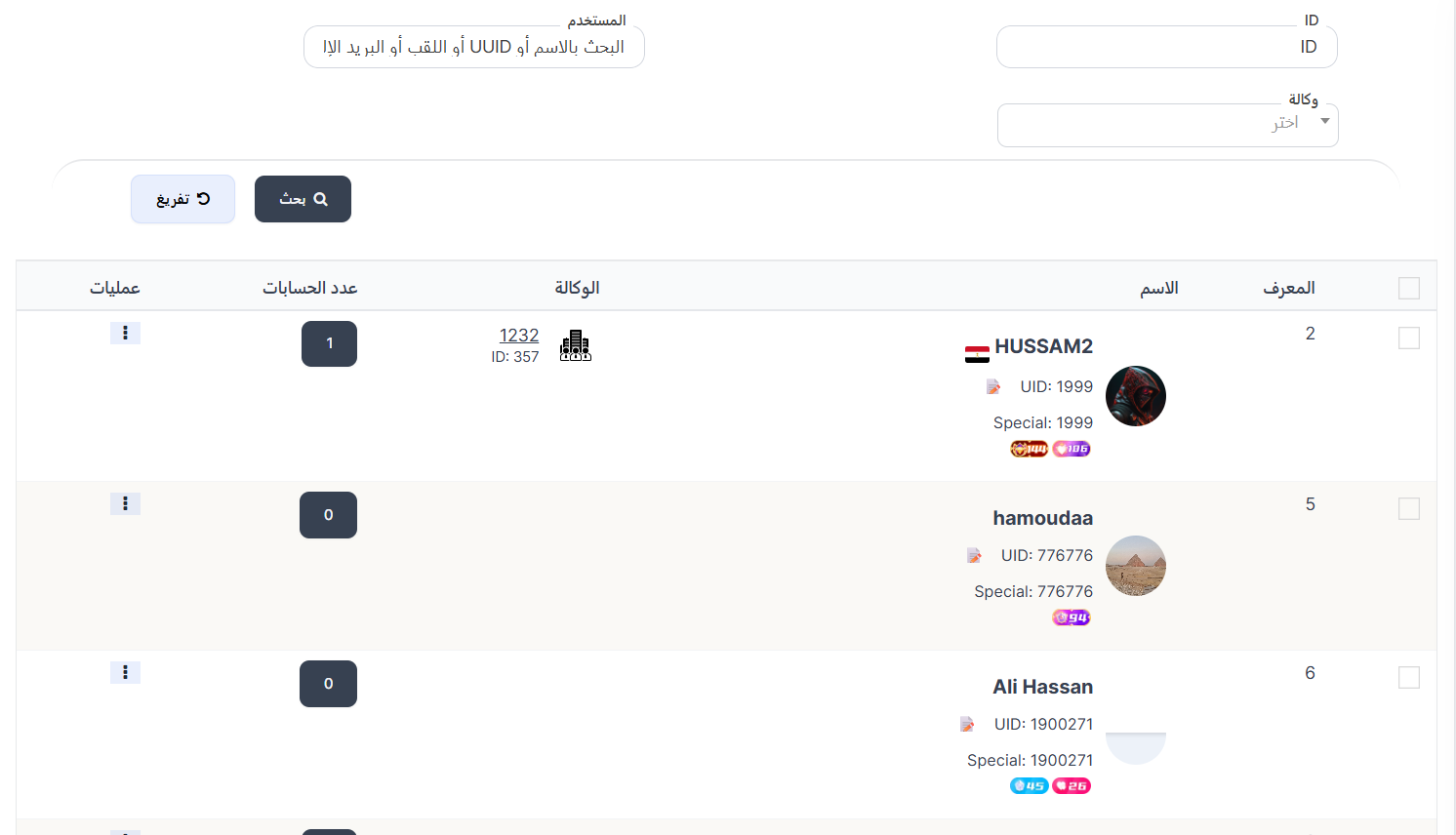
The Hosts page displays all users who have joined agencies in the system. You can view details of each host, search for specific hosts, and manage their operations such as changing agencies.
Access:
Sidebar → Agency System → Hosts System → Hosts
Search Filter:
| Filter | Description |
|---|---|
| Search | Search for a host by name or ID |
After entering data, press 🔍 Search to display results, or 🔄 Clear to reset the filter.
Hosts Table:
| Column | Description |
|---|---|
| ID | Host identification number in the table |
| Name | Host name with image, country flag, UID, Special number, and level badges |
| Agency | Image and ID of the agency the host belongs to |
| Accounts Count | Number of accounts linked to the host |
| Actions | Available actions |
Note
For more details, see 👥 Users - Overview