📋 Registration Forms
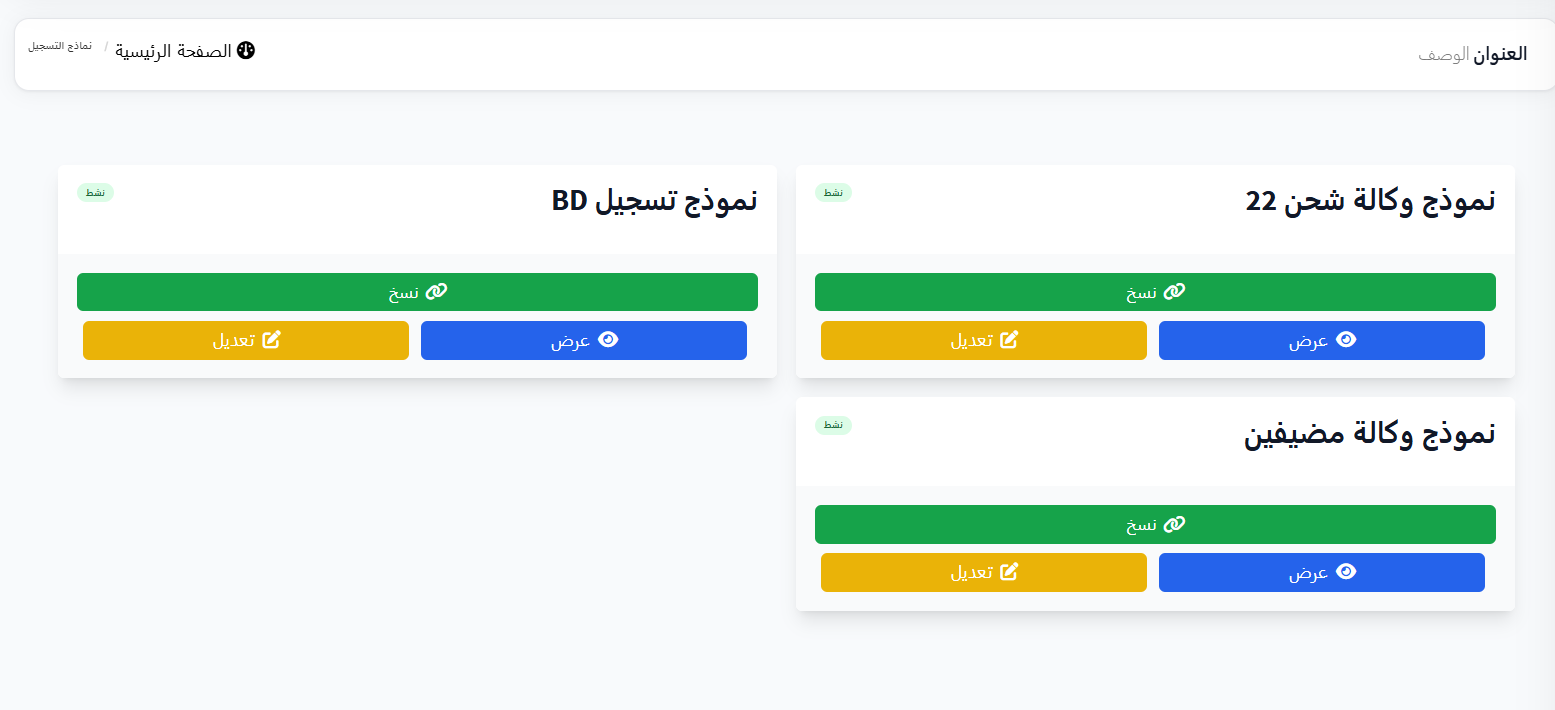
The Registration Forms page displays all registration forms available in the system. Each form represents a registration application for a specific type (e.g., charging agency, host agency, BD). You can copy the form link and share it, edit its fields, or view it.
Access:
Sidebar → Agency System → Registration Forms → Registration Forms
🔗 Open Registration Forms Page
Available Forms:
Forms appear as cards, each card containing:
| Element | Description |
|---|---|
| Form Name | Form title (e.g., Shipping Agency Form 22) |
| 🔗 Copy | Copy form link to share with users |
| ✏️ Edit | Open form field and settings editor |
| 👁️ View | View form as the end user sees it |
| Dots | Additional options menu |
1️⃣ Shipping Agency Form
Form Type: shipping_agency
Description: Form for registering a shipping agency
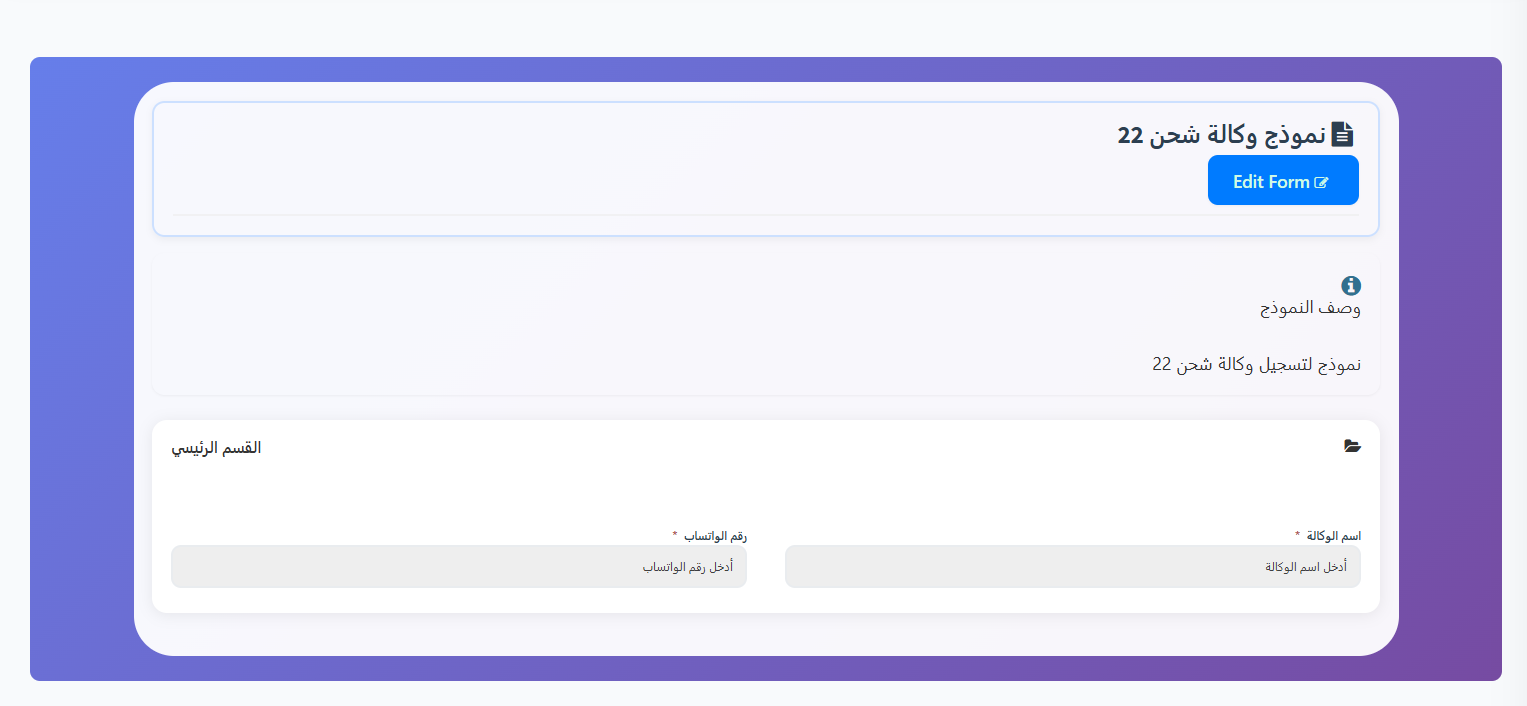
Form View (Share Link):
| Section | Field | Type | Required |
|---|---|---|---|
| Main Section | Agency Name | Text | ✅ |
| Main Section | WhatsApp Number | Text | ✅ |
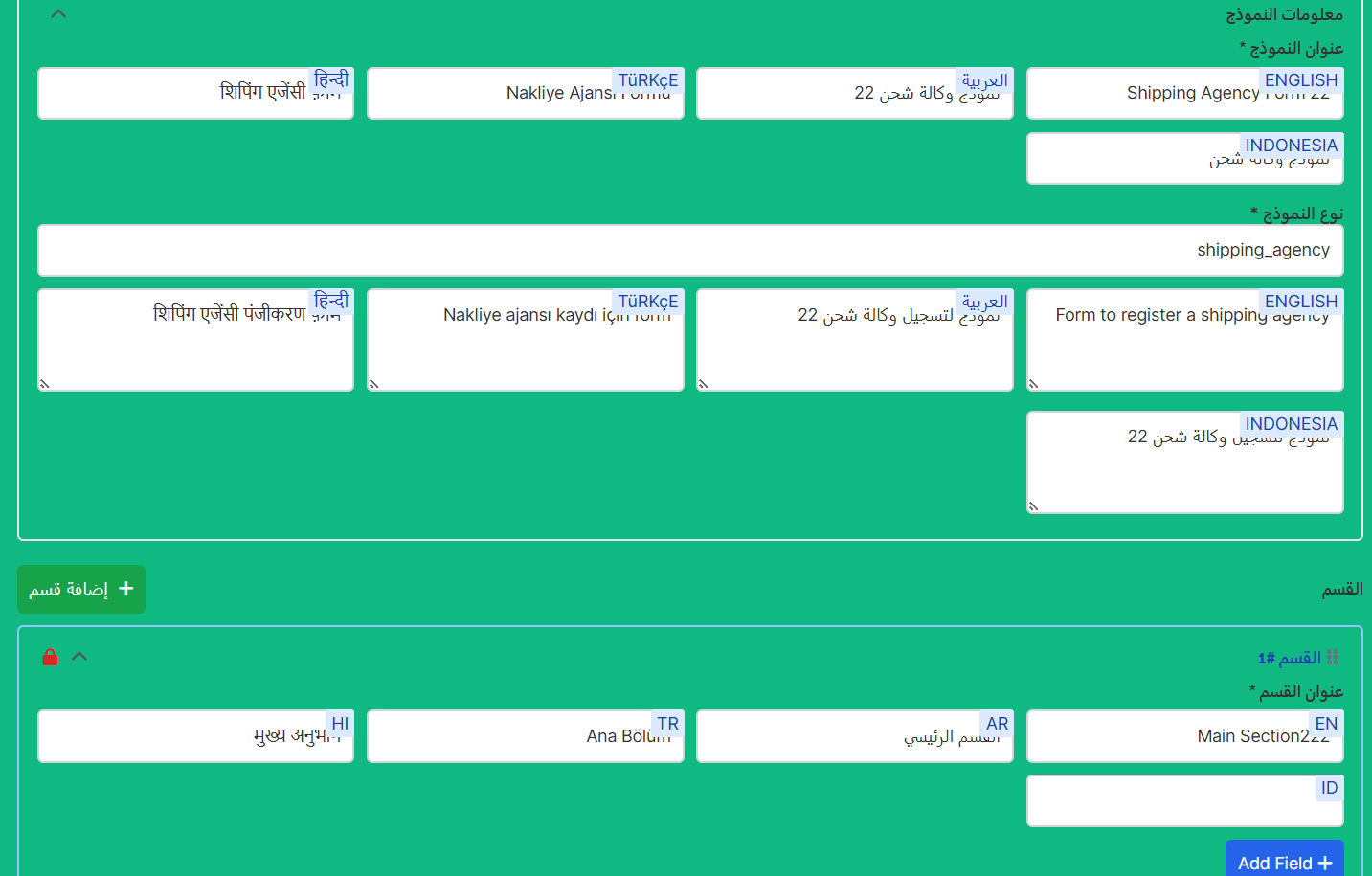
Form Edit:
| Field | Field Name | Field Type | Required | Enabled |
|---|---|---|---|---|
| Agency Name | agency_name |
Text | ✅ | ✅ |
| WhatsApp Number | whatsapp_number |
Text | ✅ | ✅ |
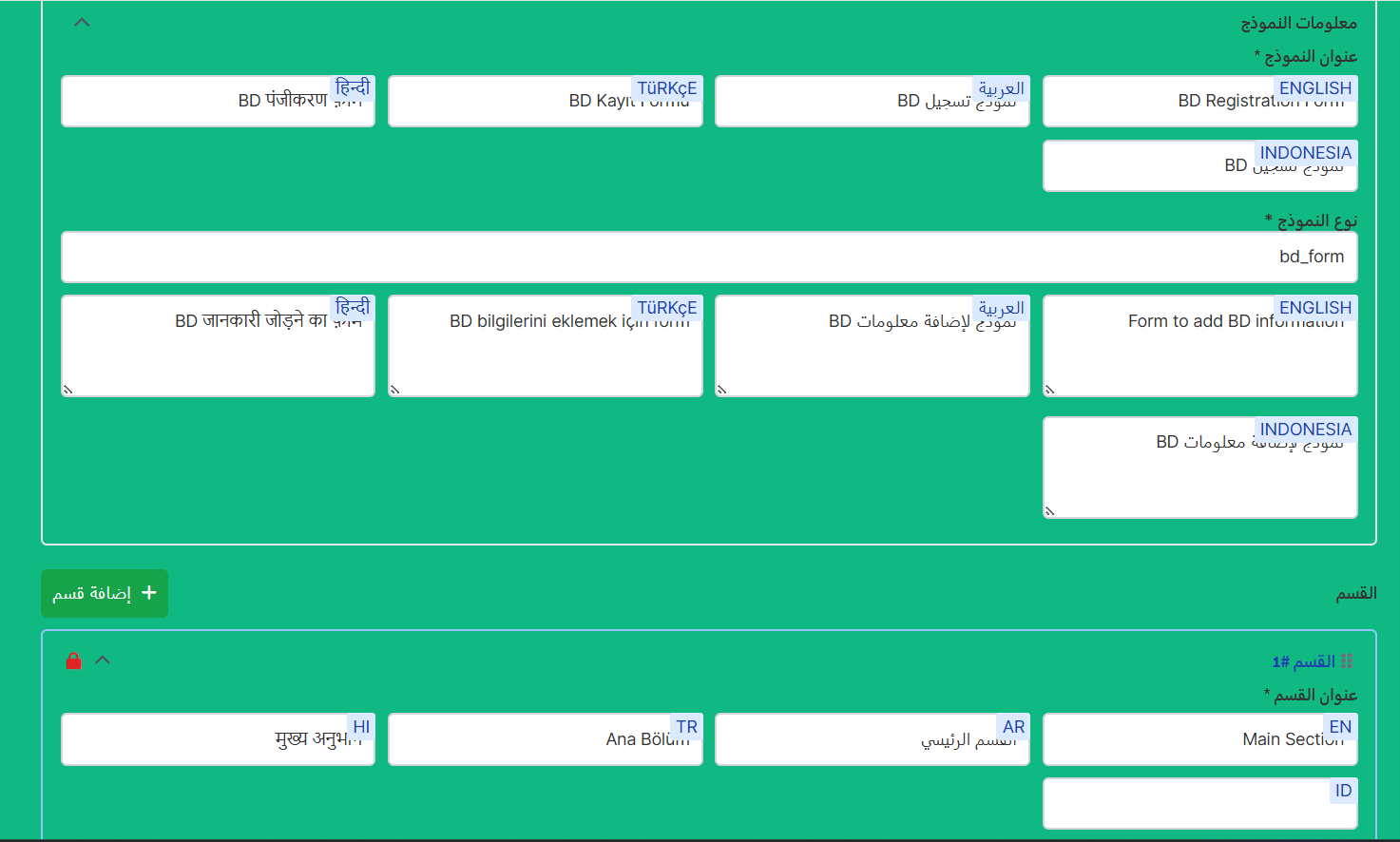
2️⃣ BD Registration Form
Form Type: bd_form
Description: Form for adding BD information
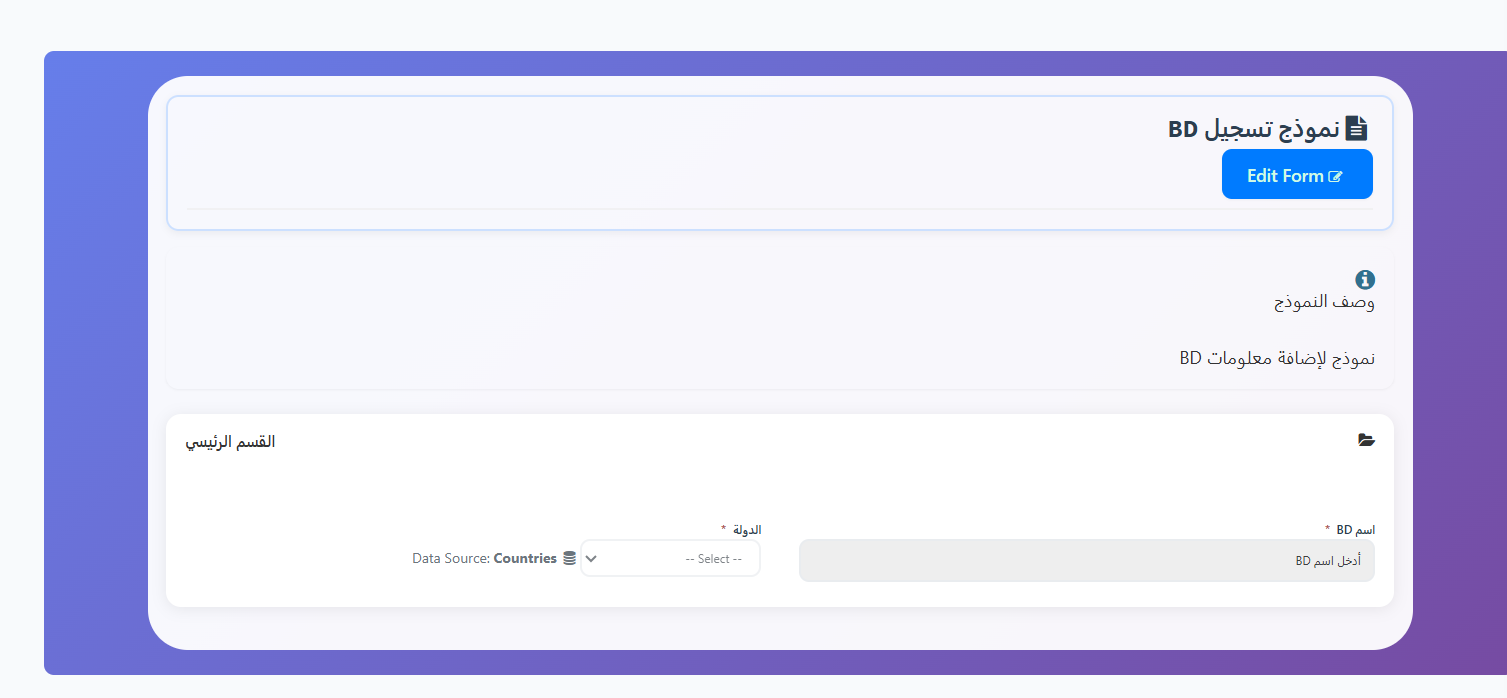
Form View (Share Link):
| Section | Field | Type | Required |
|---|---|---|---|
| Main Section | BD Name | Text | ✅ |
| Main Section | Country | Dropdown (Data Source: Countries) | ✅ |
Form Edit:
| Field | Field Name | Field Type | Required | Enabled |
|---|---|---|---|---|
| BD Name | bd_name |
Text | ✅ | ✅ |
| Country | country |
Select (Data Source: Countries) | ✅ | ✅ |
3️⃣ Host Agency Form
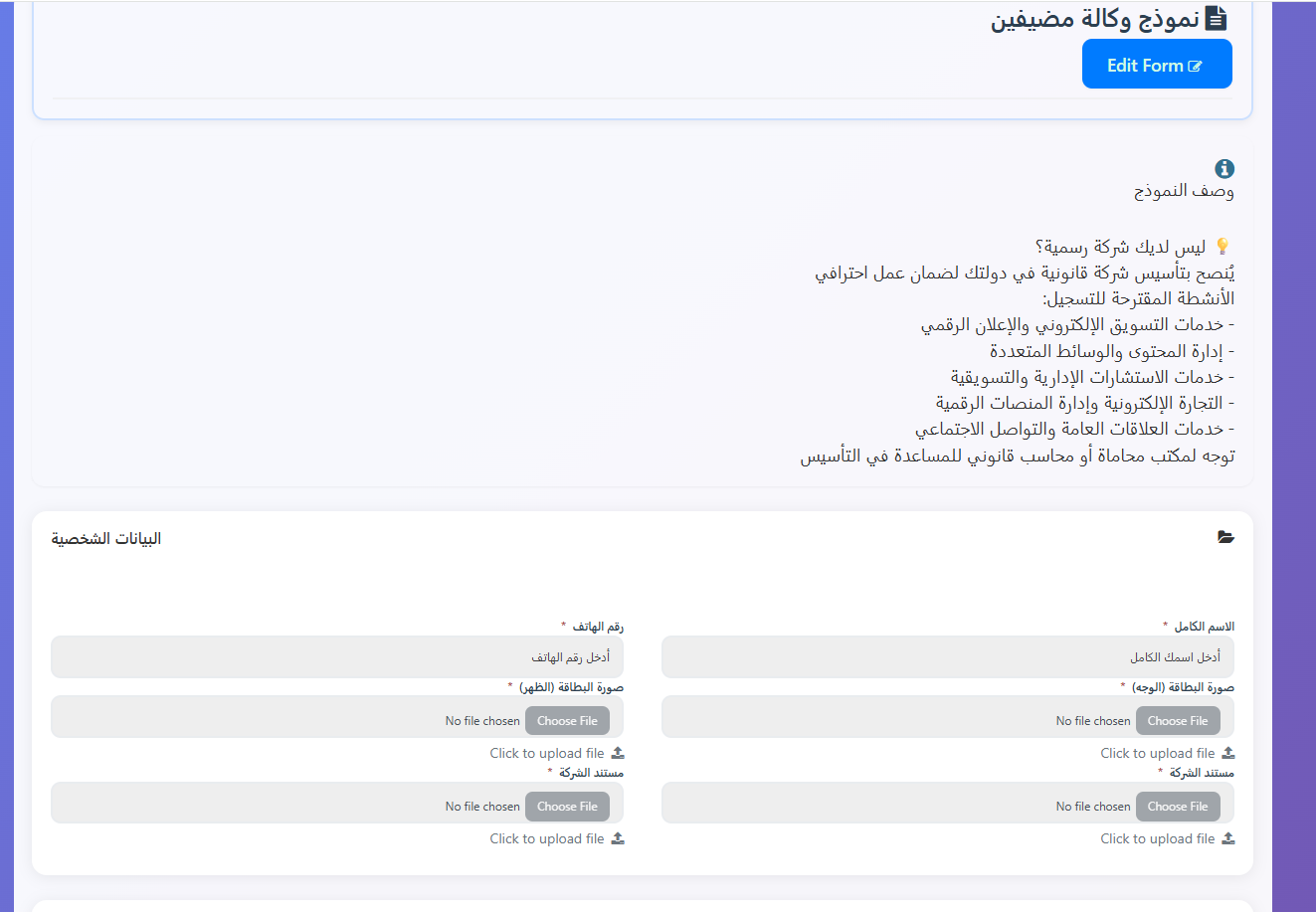
Form Type: host_agency
Description: The form includes an important tip for the applicant:
Form Description
💡 Don't have an official company? It is recommended to establish a legal company in your country to ensure professional work.
Suggested registration activities:
- Electronic marketing and digital advertising services
- Content management and multimedia
- Management and marketing consulting services
- E-commerce and digital platform management
- Public relations and social media services
Contact a law firm or legal accountant for help with establishment.
Form View (Share Link):
| Section | Field | Type | Required |
|---|---|---|---|
| Personal Data | Full Name | Text | ✅ |
| Personal Data | Phone Number | Text | ✅ |
| Personal Data | ID Card (Front) | File Upload | ✅ |
| Personal Data | ID Card (Back) | File Upload | ✅ |
| Personal Data | Company Document (1) | File Upload | ✅ |
| Personal Data | Company Document (2) | File Upload | ✅ |
Form Editor — General Guide:
When clicking ✏️ Edit on any form, the form editor page opens.
1. Basic Form Settings:
| Field | Description | Required |
|---|---|---|
| Form Title | Form name in multiple languages (EN, AR, TR, HI, ID) | ✅ Yes |
| Form Type | Form type (e.g., shipping_agency, bd_form, host_agency) |
✅ Yes |
| Form Description | Form description in multiple languages (EN, AR, TR, HI, ID) | ❌ No |
2. Sections:
| Element | Description |
|---|---|
| Section Title | Section name in multiple languages (EN, AR, TR, HI, ID) |
| ➕ Add Section | Add a new section to the form |
| ➕ Add Field | Add a new field within the section |
| 🔒 Lock / ❌ Delete | Lock or delete the section |
3. Field Settings:
| Setting | Description | Required |
|---|---|---|
| Field Label | Field name visible to user in multiple languages (EN, AR, TR, HI, ID) | ✅ Yes |
| Field Name | Programmatic field name (e.g., agency_name) |
✅ Yes |
| Field Type | Field type (Text, File, Select, etc.) | ✅ Yes |
| Placeholder | Placeholder text inside the field in multiple languages | ❌ No |
| ✅ Required | Whether the field is mandatory | - |
| ✅ Enabled | Whether the field is enabled and visible | - |
Quick Summary:
| Action | Steps |
|---|---|
| View registration forms | Agency System → Registration Forms → Registration Forms |
| Copy form link | Click 🔗 Copy on the form card |
| View form | Click 👁️ View on the form card |
| Edit form | Click ✏️ Edit → Edit fields and sections → Save |
| Add new section | Edit → ➕ Add Section |
| Add new field | Edit → ➕ Add Field within the section |
🔗 Open Registration Forms Page