👥 Users - Overview
Introduction
The Users page is the central database for managing all registered users in the app. From this page you can view, search, filter, and manage the entire user base, with access to profiles, balances, VIP status, and country information for each user.
How to Access
Sidebar ← Users
Search & Filtering
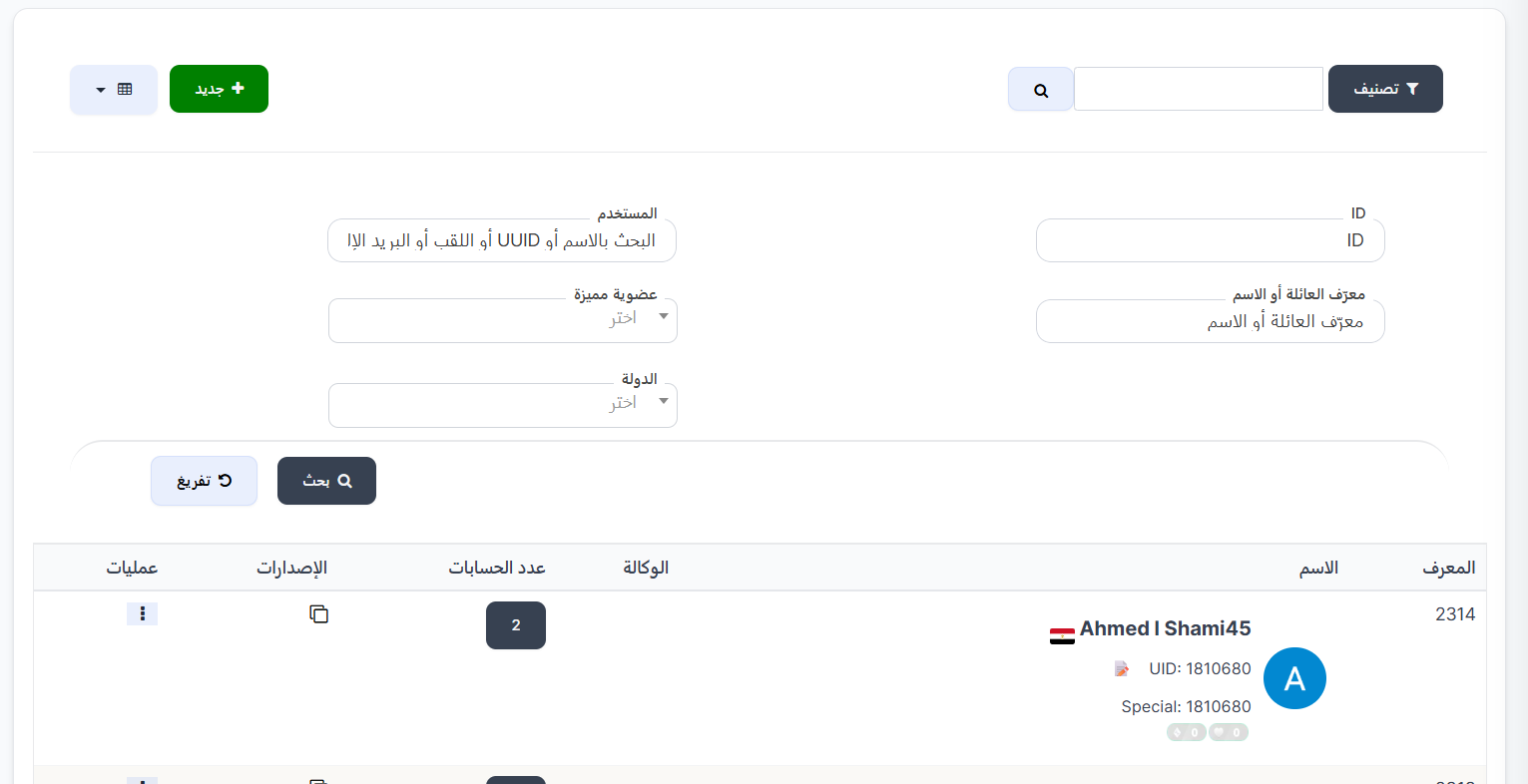
At the top of the page, you'll find search and filter fields to quickly find any user:
| Field | Description |
|---|---|
| ID | Search by user's unique system ID |
| User | Search by name, UUID, nickname, or email |
| Family ID or Name | Search by family ID or family name the user belongs to |
| VIP | Filter users by VIP level (select from dropdown) |
| Countries | Filter users by country (select from dropdown) |
Control Buttons:
| Button | Description |
|---|---|
| Search 🔍 | Execute search with specified criteria |
| Reset ↺ | Reset all search/filter fields and show all users |
Tip
You can combine multiple search fields simultaneously to narrow results. For example: search by username + filter by country.
Users Table
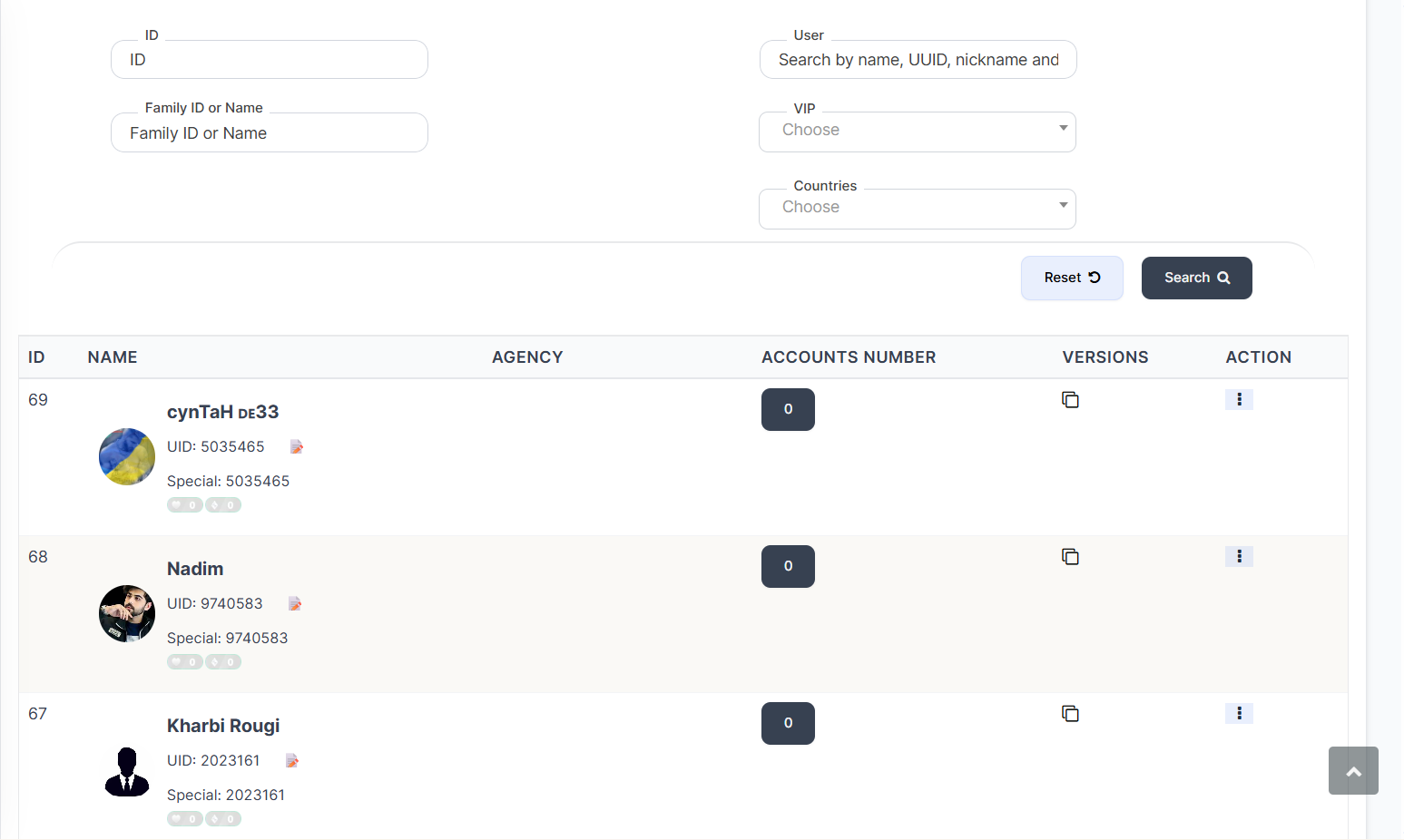
The page displays a table containing all users with the following columns:
| Column | Description |
|---|---|
| ID | User's unique system ID |
| NAME | Detailed user information (see details below) |
| AGENCY | Agency the user belongs to (if any) |
| ACCOUNTS NUMBER | Number of accounts linked to the same device |
| VERSIONS | App version installed on user's device |
| ACTION | Available actions menu |
NAME Column - User Details
The name column displays detailed information about each user in one place:
| Info | Description |
|---|---|
| User Photo | User's avatar with level frame |
| Name | Username displayed in the app |
| Country Flag | 🇪🇬 User's country flag next to their name |
| UID | User's unique ID with copy icon 📋 for quick copying |
| Special | Special UUID if the user has one |
| Level Badges | Badges showing user's send/receive levels (e.g., 🟢 0 🔵 0) |
AGENCY Column
If the user is a member of an agency, this column shows:
| Info | Description |
|---|---|
| Agency Logo | Agency image/logo |
| Agency Name | Agency name (clickable link) |
| Agency ID | Agency unique ID (e.g., ID: 361) |
ACCOUNTS NUMBER Column
This column displays the number of other accounts logged in from the same device. The number appears inside a dark circle.
- Number 6 means 6 accounts were opened from the same device.
- Number 0 means no other accounts are linked to the same device.
Viewing Linked Account Details
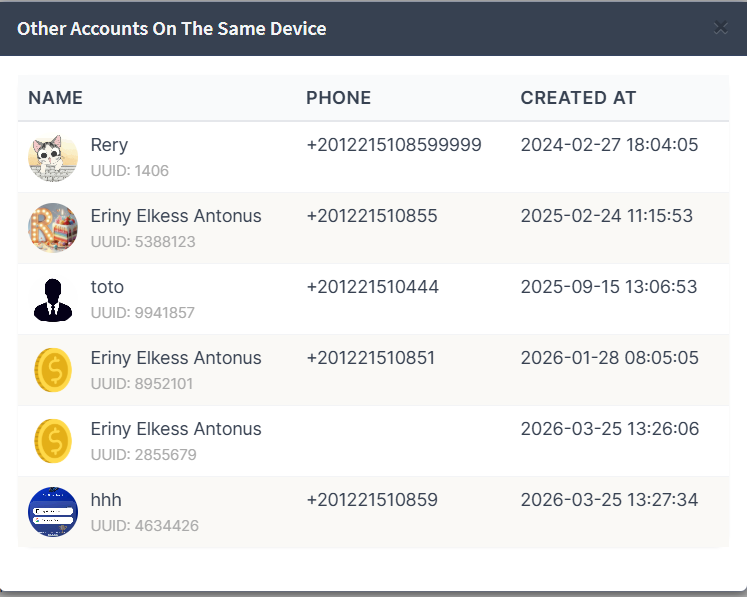
When clicking the account number, a popup titled "Other Accounts On The Same Device" appears showing all accounts opened on the same device:
| Column | Description |
|---|---|
| NAME | Username with avatar and UUID |
| PHONE | Phone number linked to the account |
| CREATED AT | Account creation date and time |
Warning
This feature is very useful for detecting multi-accounts used by the same person from one device. It can be used to prevent manipulation or policy violations.
VERSIONS Column
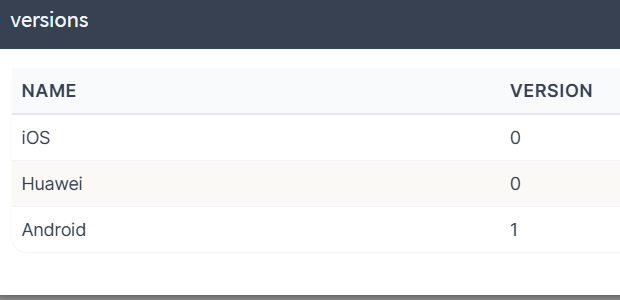
When clicking the copy icon 📋 in the VERSIONS column, a popup titled "versions" shows the app version installed on the user's devices:
| System | Description |
|---|---|
| iOS | App version on iOS (iPhone) |
| Huawei | App version on Huawei devices |
| Android | App version on Android |
Note
- Value 0 means the user hasn't used the app on that system.
- The version number shows the last app version used on each operating system.
ACTION Column
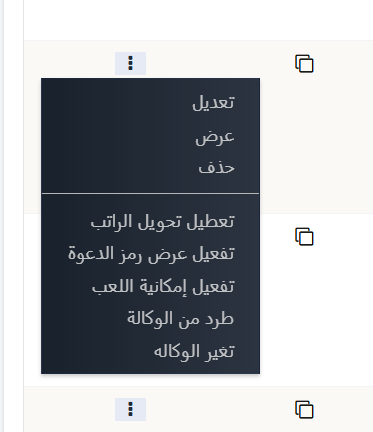
When clicking the three dots ⋮ in the actions column, a menu appears with available options:
Basic Actions:
| Action | Description |
|---|---|
| Edit | Open user data editing page |
| View | View user's full profile |
| Delete | Delete user from the system |
Advanced Actions:
| Action | Description |
|---|---|
| Disable Salary Transfer | When enabled, prevents the user from transferring salary (dollars) to anyone, and prevents others from transferring to them |
| Enable Invitation Code | When enabled, shows an invitation button in the app for the user to invite others |
| Enable Gaming | When enabled, games appear for the user in the app |
| Kick from Agency | Remove user from their agency (only appears if user is in an agency and is not the owner) |
| Change Agency | Transfer user to a different agency (only appears if user is in an agency and is not the owner) |