🏢 BD
Introduction
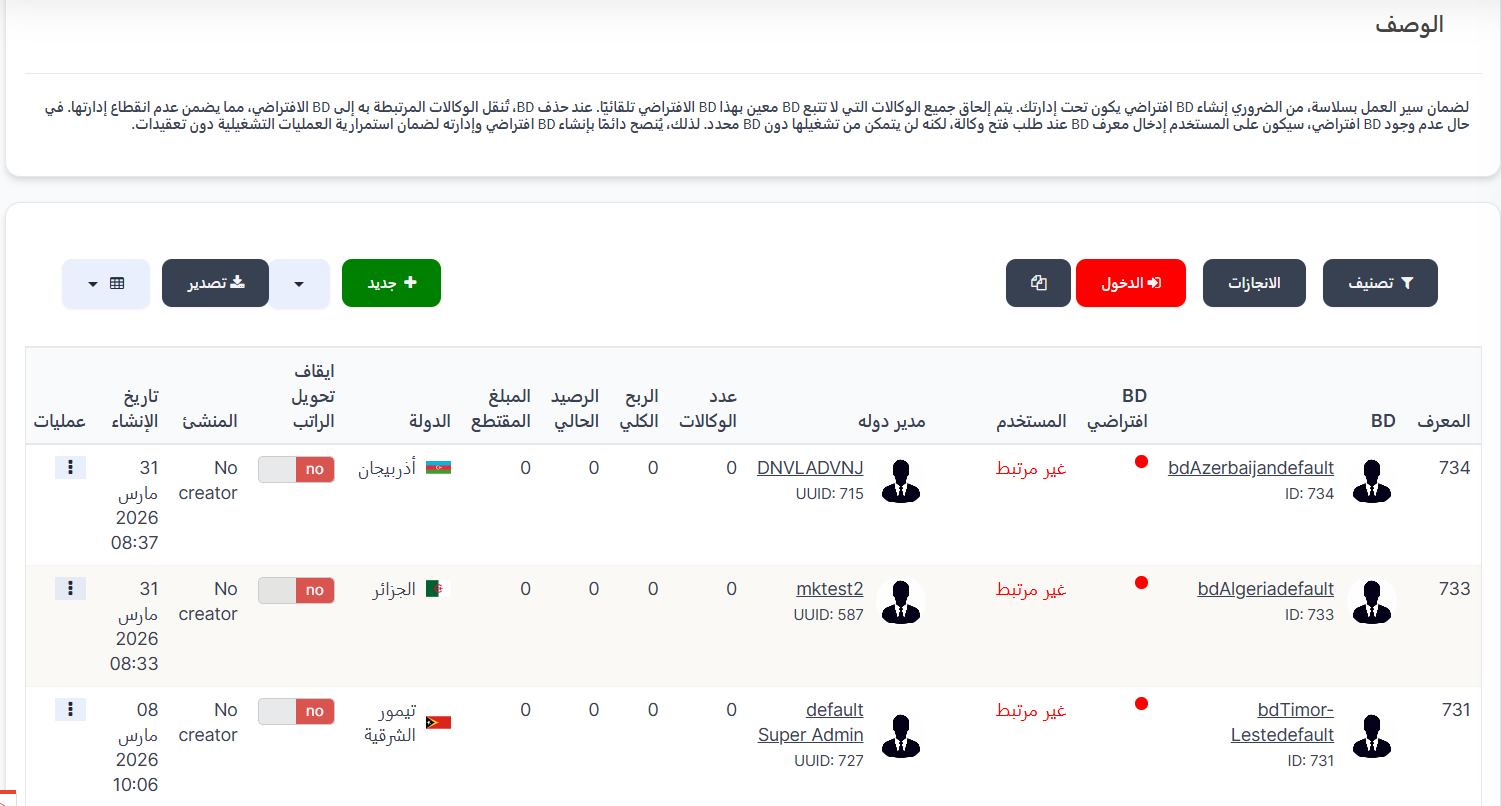
The BD is the entity responsible for managing a group of agencies in the system. Each BD is linked to a specific country and a managing user.
Default BD Concept
To ensure smooth operations, it is essential to create a default BD under your management. All agencies not assigned to a specific BD are automatically linked to this default BD. When a BD is deleted, its agencies are transferred to the default BD, ensuring uninterrupted management. Without a default BD, users must enter a BD ID when requesting to open an agency but won't be able to operate it without a designated BD. Therefore, always create and manage a default BD to ensure operational continuity.
Access:
Sidebar → Agency System → BD → BD
Top Buttons:
| Button | Description |
|---|---|
| 🔽 Filter | Open sorting and filtering options |
| 📋 Achievements | View BD achievements |
| 🔴 Login | Login as BD |
| 📋 Copy | Copy BD dashboard link |
| ➕ New | Create new BD |
| 📊 Export | Export data |
BD Table:
| Column | Description |
|---|---|
| ID | BD unique identifier in the system |
| BD | BD name with image and ID number |
| Default BD | 🔴 Indicates whether this is a default BD or not |
| User | User linked to the BD with UUID |
| Country Manager | Country manager linked to the BD (or "Not linked" if none) |
| Agencies Count | Number of agencies under this BD |
| Total Profit | Total profits achieved |
| Current Balance | Current financial balance |
| Deducted Amount | Amount that was deducted |
| Country | BD's country with flag |
| Stop Salary Transfer | Salary transfer status (no = enabled / yes = stopped) |
| Creator | Who created the BD (or "No creator") |
| Created At | BD creation date and time |
| Actions | Available actions (⋮) |
Create New BD:
Click ➕ New at the top of the page.
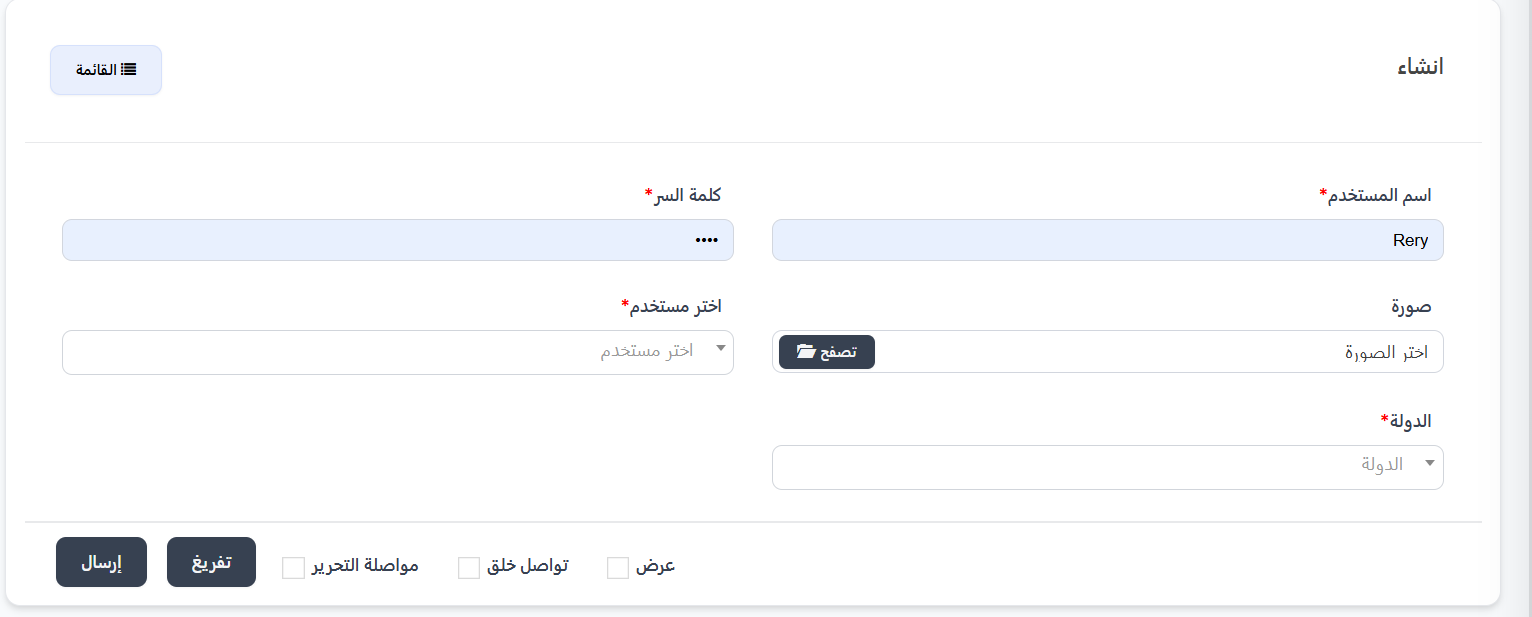
Creation Fields:
| Field | Description | Required |
|---|---|---|
| Username | BD account username | ✅ Yes |
| Password | BD account password | ✅ Yes |
| Image | BD image/logo — click 📂 Browse to select | ❌ No |
| Select User | Select the user linked to BD from dropdown | ✅ Yes |
| Country | Select BD's country from dropdown | ✅ Yes |
Creation Steps:
- Click ➕ New at the top of the page
- Enter Username and Password
- Optional: Upload a BD image
- Select the User from the dropdown
- Select the Country from the dropdown
- Click Submit to create the BD
Post-Creation Options:
| Option | Description |
|---|---|
| View | Go to view the BD after creation |
| Continue Creating | Stay on creation page to create another BD |
| Continue Editing | Go to edit page after creation |
Achievement Rewards:
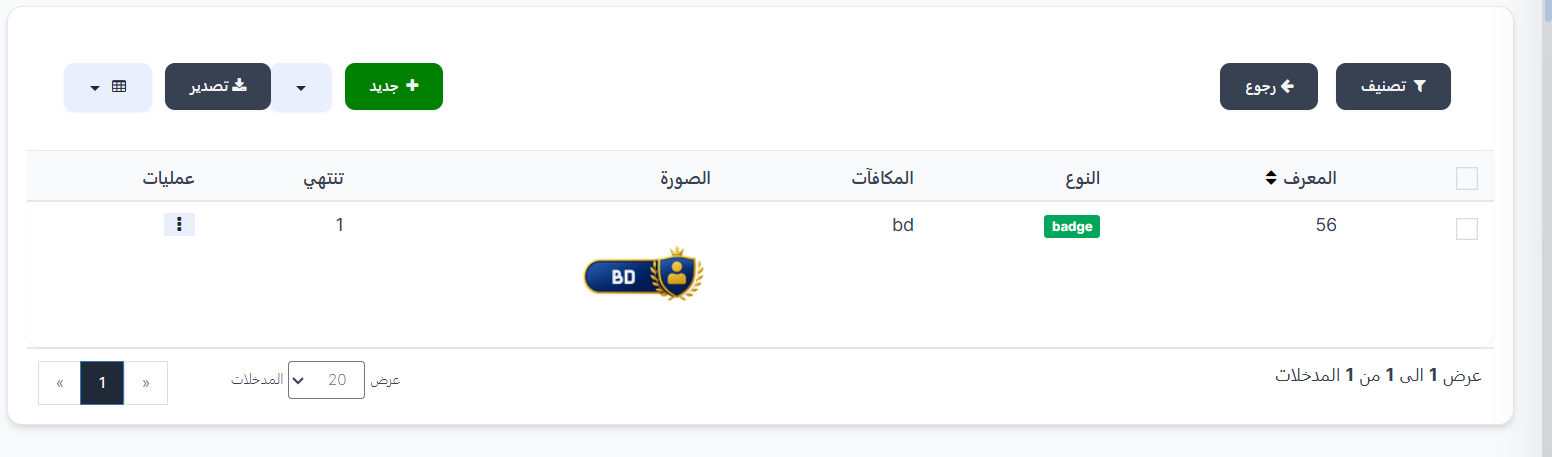
When clicking 📋 Achievements at the top, you'll be taken to the Achievement Rewards page for the selected BD.
Achievements Table:
| Column | Description |
|---|---|
| ID | Achievement unique identifier |
| Type | Reward type (e.g., badge) |
| Rewards | Reward name (e.g., bd) |
| Image | Reward image/icon |
| Expires | Reward expiration duration |
| Actions | Available actions (⋮) |
Create New Reward:
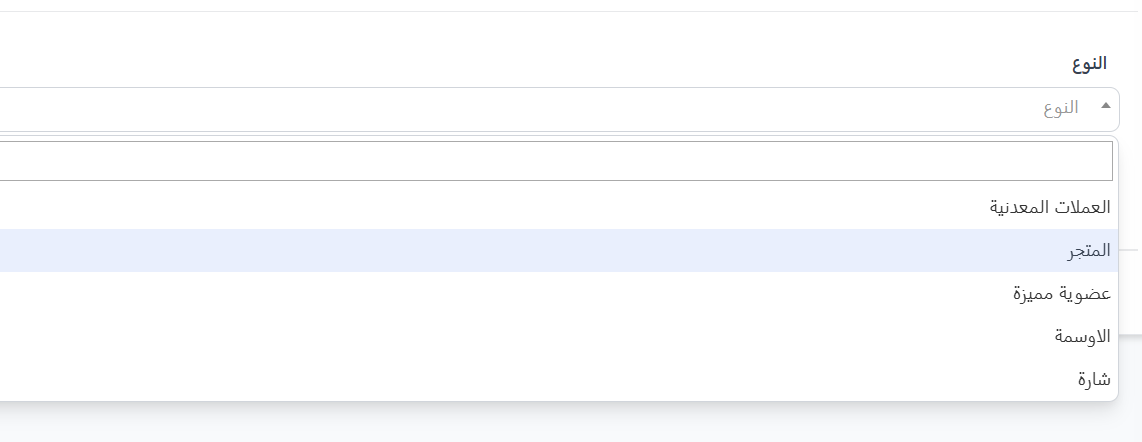
Click ➕ New on the achievements page. First field is Type — select from dropdown:
| Type | Description |
|---|---|
| Coins | Coin reward |
| Store | Store item reward |
| Premium Membership | VIP membership reward |
| Medals | Medal reward |
| Badge | Badge reward |
Delete BD:
Important Deletion Rules
- Default BD cannot be deleted — it is necessary for system continuity.
- When deleting a regular BD (non-default):
- All agencies under the deleted BD are automatically transferred to the default BD for the same country.
- If there's no default BD for the same country, agencies transfer to the system default BD.
Practical Example:
BD "test" (Country: Egypt) — contains 5 agencies
    ↓ Deleted
BD "bdEgyptdefault" (Egypt's default BD) — receives the 5 agencies

---

If no default BD for Egypt:
    ↓
System Default BD — receives the 5 agencies
Quick Summary:
| Action | Steps |
|---|---|
| View all BDs | Agency System → BD → BD |
| Create new BD | ➕ New → Fill fields → Submit |
| Delete BD | ⋮ → Delete (cannot delete default BD) |
| Edit BD | ⋮ → Edit |