🎁 Daily Gift
Introduction
The Daily Gift system is a daily reward system where the user receives a gift upon logging in each day. Gifts are organized into weeks (4 weeks per month), and each day of the week has a different gift. The more consistently a user logs in daily, the more gifts they collect.
How Does the System Work?
- Month Division: The month is divided into 4 weeks (Week 1, Week 2, Week 3, Week 4).
- 7 Gifts per Week: Each week has 7 gifts (from Day 1 to Day 7).
- Daily Login: When the user logs into the app, they automatically receive the current day's gift.
- Gift Variety: Gifts can be coins, wares, or VIP membership.
How to Access
Side Menu → Users → Daily Gift
Or via the direct link:
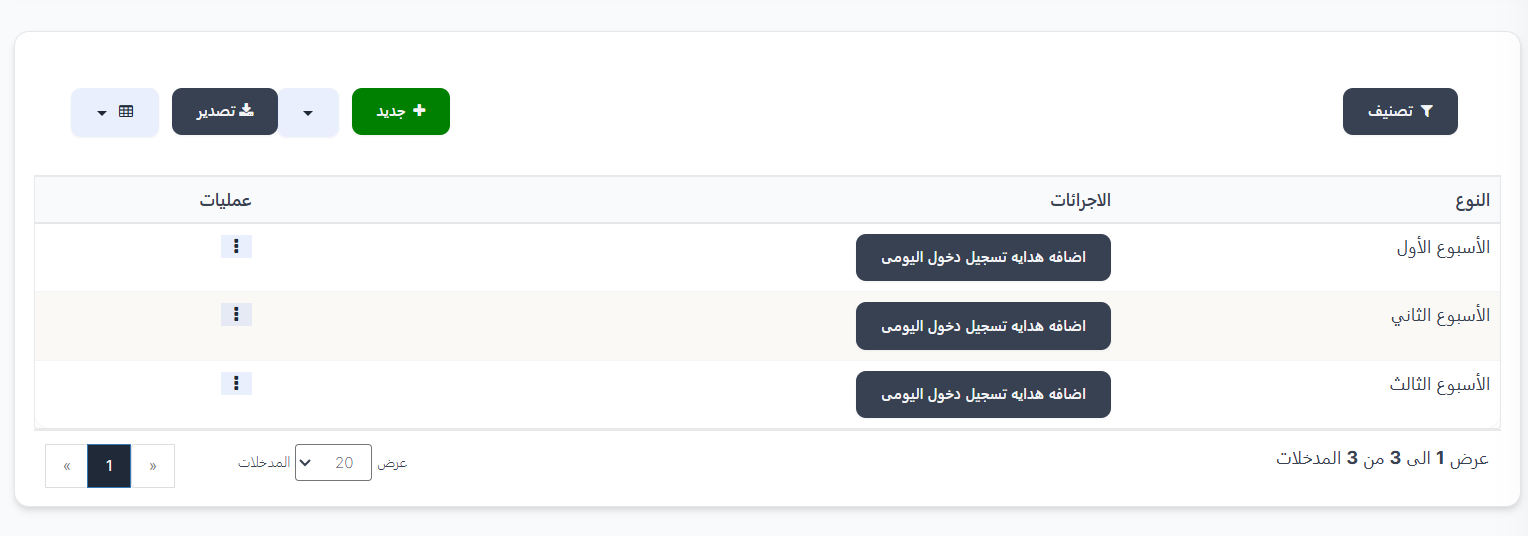
Daily Gift Types Page
The page displays a table of available weeks:
| Column | Description |
|---|---|
| Type | Week name (Week 1, Week 2, Week 3...) |
| Actions | "Add Daily Login Gift" button - to enter and manage this week's daily gifts |
| Operations | Actions menu (⋮) to edit or delete the week |
Control Buttons
| Button | Description |
|---|---|
| + New 🟢 | Create a new week |
| Category 🔘 | Filter weeks |
| Export 🔵 | Export data |
Create a New Week
To add a new week:
- Click the "+ New" 🟢 button
- Select the Type from the dropdown menu:
| Type | Description |
|---|---|
| Week 1 | Gifts for the first week of the month |
| Week 2 | Gifts for the second week of the month |
| Week 3 | Gifts for the third week of the month |
| Week 4 | Gifts for the fourth week of the month |
- Click "Submit" to save the week
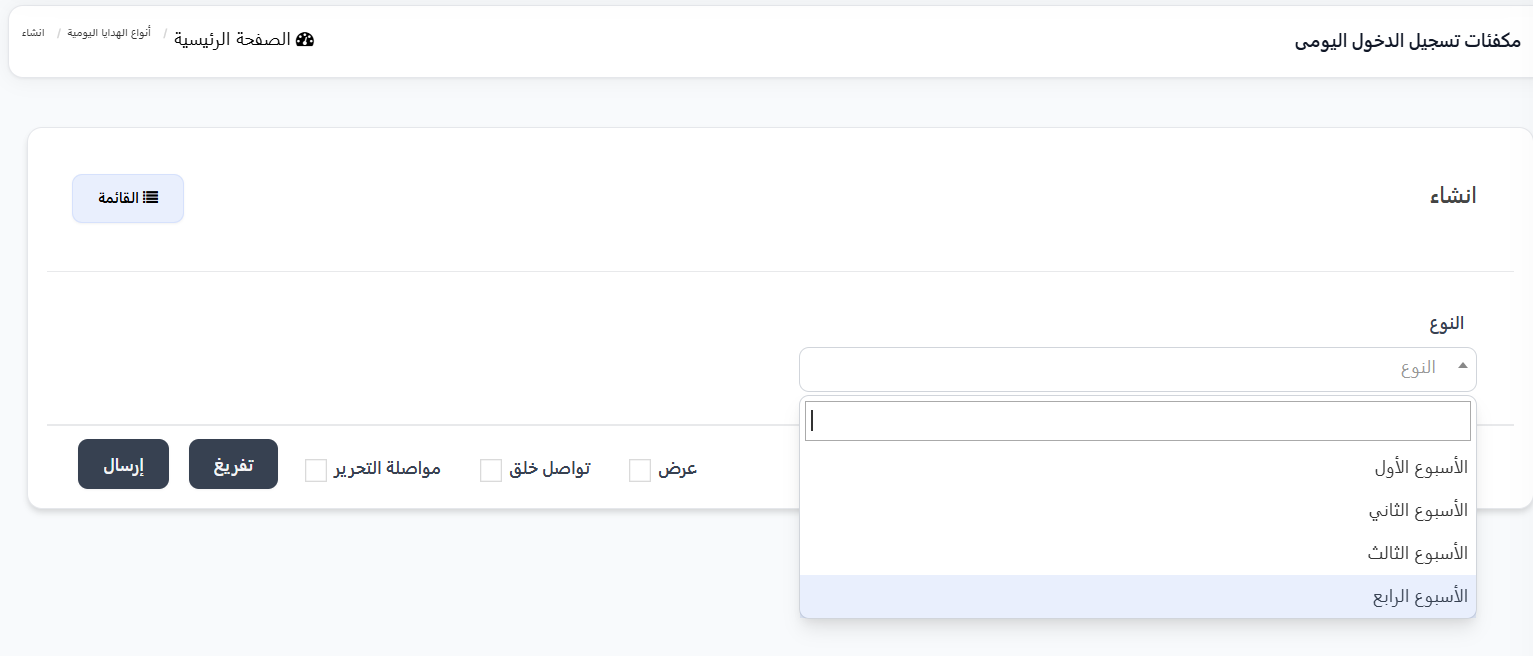
Managing Week Gifts
After creating the week, click the "Add Daily Login Gift" button to enter the week's gifts page.
Week Gifts Table
The table displays 7 gifts (one gift per day):
| Column | Description |
|---|---|
| Days | Day name (Day 1, Day 2, ... Day 7) |
| Gift | Gift type (vip, ware, coins) |
| Image | Gift image |
| Expiry | Gift validity period in days (e.g., 500, 3, 4) |
| Operations | Actions menu (⋮) to edit or delete the day's gift |
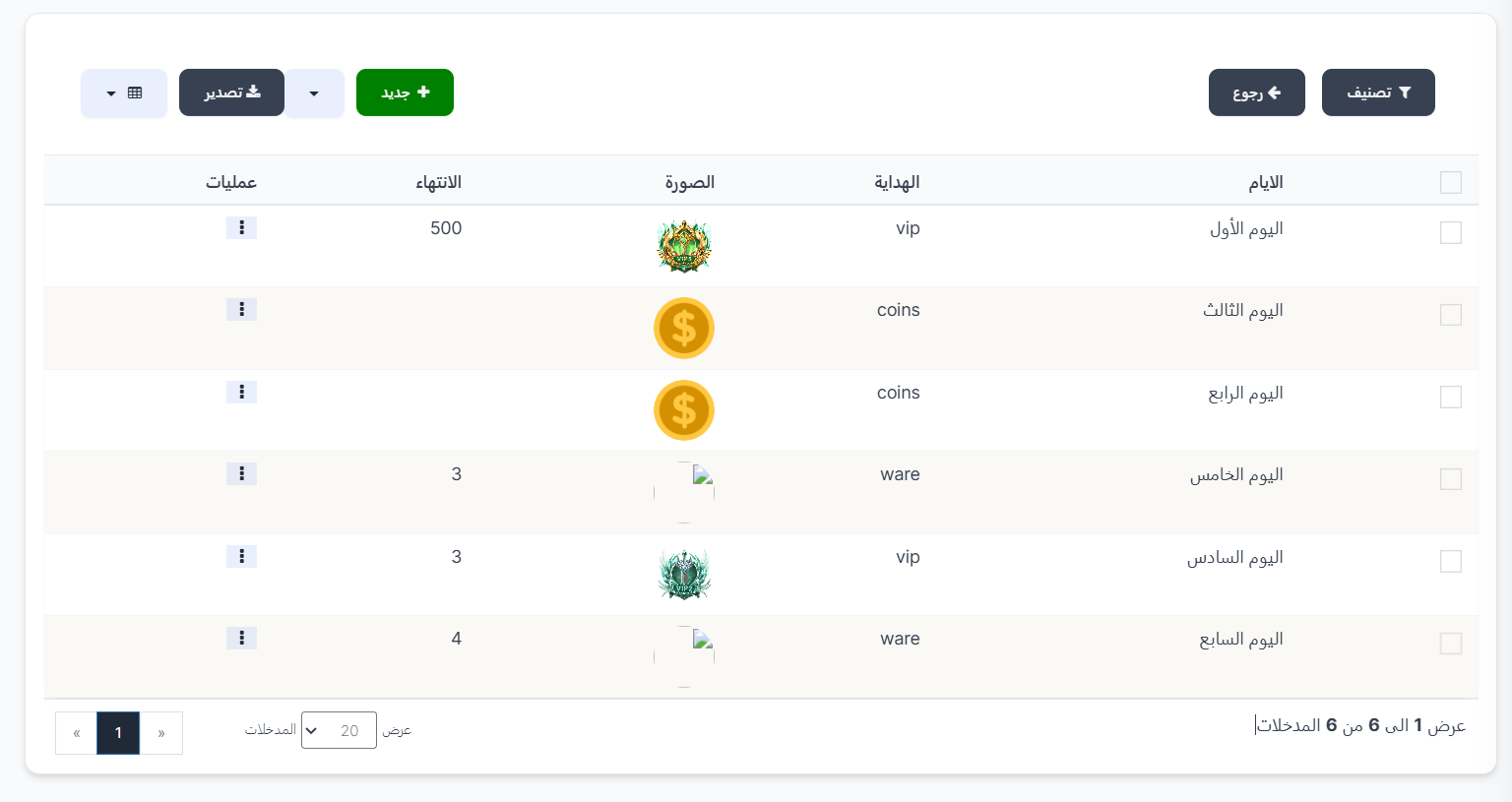
Example of Weekly Gifts
| Day | Gift | Type | Expiry |
|---|---|---|---|
| Day 1 | VIP | vip | 500 days |
| Day 2 | Ware | ware | 3 days |
| Day 3 | Coins | coins | - |
| Day 4 | Coins | coins | - |
| Day 5 | Ware | ware | 3 days |
| Day 6 | VIP | vip | 3 days |
| Day 7 | Ware | ware | 4 days |
Add a Gift for a New Day
From the week's gifts page:
- Click the "+ New" 🟢 button
- Fill in the required fields:
| Field | Description | Required |
|---|---|---|
| Order | Select the day from the dropdown (Day 1, Day 2, ... Day 7) | ✅ Yes |
| Gift Type | Select the gift type from the dropdown | ✅ Yes |
- Click "Submit" to save the gift
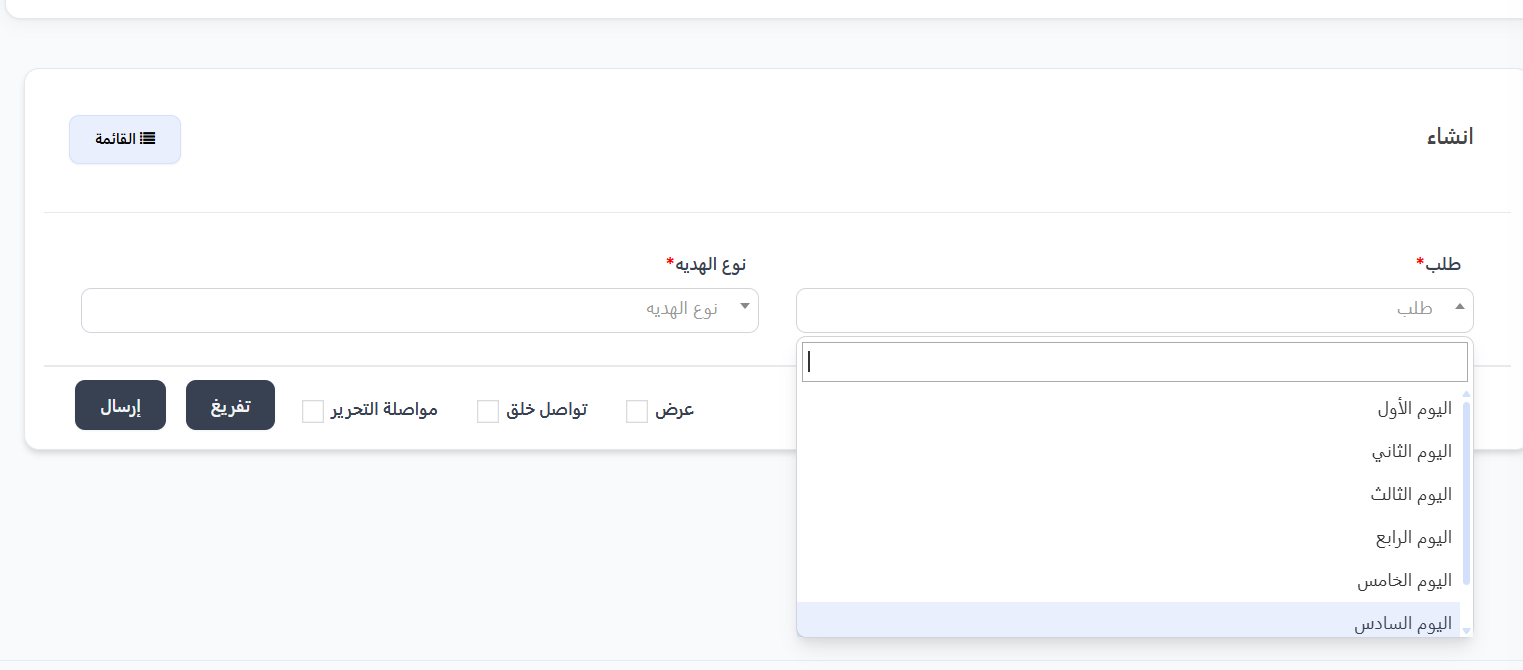
Practical Example
Scenario: Setting Up Daily Login Gifts for a Full Month
Step 1: Create 4 weeks (Week 1 → Week 4)
Step 2: Add 7 gifts for each week
📅 Week 1:
    Day 1 → VIP (500 days) 💎
    Day 2 → Ware (3 days) 🎁
    Day 3 → Coins 🪙
    Day 4 → Coins 🪙
    Day 5 → Ware (3 days) 🎁
    Day 6 → VIP (3 days) 💎
    Day 7 → Ware (4 days) 🎁

📅 Week 2:
    (Different gifts...)

📅 Week 3:
    (Different gifts...)

📅 Week 4:
    (Different gifts...)
How Does It Work from the User's Side?
👤 User logs into the app daily
    ↓
📅 Day 1 → Receives VIP 💎
    ↓
📅 Day 2 → Receives a Ware 🎁
    ↓
📅 Day 3 → Receives Coins 🪙
    ↓
    ... and so on until Day 7
    ↓
🔄 Next week → New different gifts
Important Notes
Tip
- Diversify gifts between VIP, wares, and coins to encourage users to log in daily.
- Make the Day 7 gift better than the rest as a reward for committing to a full week of logins.
Warning
- Make sure to add a gift for each of the seven days of the week.
- If a gift is not added for a specific day, the user will not receive anything on that day.
Information
- All four weeks must be created and filled with gifts to cover the entire month.
- Gifts repeat every month with the same pattern.